What Laptop Should I Buy? Take The Quiz!

What Laptop Should I Buy? Take Our Free Quiz to Find Your Perfect Computer Match
Let me guess. You have been staring at endless laptop listings, comparing specs you barely understand, and wondering if you will accidentally spend $1,500 on a machine that cannot even run your favorite game. Or worse, buy something cheap that dies faster than a houseplant in a dark closet. 🪴
I have been there. Heck, everyone who has ever needed a new computer has been there. The laptop market is a confusing jungle of processors, RAM configurations, GPU models, and marketing buzzwords designed to make your head spin. Intel Core i5 or i7? What even is the difference between 8GB and 16GB RAM? And why does that gaming laptop cost more than my first car?
Here is the good news: you do not need a computer science degree to find the right laptop anymore. We built something called the Laptop Hunter Personal Laptop Finder, a quick quiz that matches you with the perfect laptop based on how you actually plan to use it. No technical expertise required. No sales pressure. Just honest, personalized recommendations in about 60 seconds.
In this guide, I am going to walk you through everything you need to know about finding the right laptop, explain how our quiz works, and answer all those questions you have been Googling at 2 AM. Let us turn that overwhelming laptop search into something actually enjoyable. 🎉
📋 Table of Contents
- Why Use a Laptop Quiz Instead of Random Searching?
- How the Laptop Hunter Quiz Works
- What Kind of Computer Do I Need? Breaking Down Use Cases
- Which Specs Actually Matter for Your Needs
- Budget Guide: How Much Should You Spend?
- Common Laptop Buying Mistakes to Avoid
- Benefits of Taking a Laptop Recommendation Quiz
- Frequently Asked Questions
- Pro Tips for Making Your Final Decision
- Conclusion: Your Perfect Laptop Awaits
🤔 Why Use a Laptop Quiz Instead of Random Searching?
Picture this: you walk into an electronics store. A salesperson immediately approaches, asks what you are looking for, and then somehow steers you toward the most expensive laptop on the floor. Sound familiar? Or maybe you have spent hours scrolling through reviews, each one contradicting the last, leaving you more confused than when you started.
The traditional laptop buying process is broken. Here is why taking a laptop recommendation quiz makes infinitely more sense:
- Personalization beats generic lists: Those "Top 10 Best Laptops" articles? They are written for everyone, which means they are really written for no one. A quiz tailors recommendations to YOUR specific needs, budget, and preferences.
- Time savings: Instead of spending hours (or days) researching, you answer a few targeted questions and get curated results in under a minute.
- No more analysis paralysis: When you are presented with 500 options, making a decision feels impossible. A good quiz narrows things down to a handful of genuinely suitable choices.
- Real-time pricing: Our quiz pulls live market data, so you see what things actually cost today, not what they cost when some article was written six months ago.
- Bias-free recommendations: Unlike store salespeople working on commission, a quiz has no financial incentive to upsell you on features you do not need.
💡 Pro Tip
The best laptop for your coworker, your cousin, or that tech YouTuber is probably NOT the best laptop for you. Personal needs vary wildly, and what works perfectly for a video editor might be complete overkill for someone who just needs to browse the web and write emails.
🎯 How the Laptop Hunter Quiz Works
We designed the Laptop Hunter Personal Laptop Finder to be ridiculously simple while still delivering genuinely helpful results. Here is the process:
- Select your primary use case: Are you gaming? Working? Studying? Creating content? This single question immediately filters out hundreds of irrelevant options.
- Set your budget range: No judgment here, whether you are working with $300 or $3,000, we will find options that fit.
- Choose your preferences: Brand loyalty? Screen size requirements? Graphics needs? Storage preferences? Answer what matters to you, skip what does not.
- Get matched recommendations: Our engine combines your answers with live pricing data, benchmark scores, and expert insights to present laptops that actually make sense for you.
- Compare and decide: Each recommendation comes with clear explanations of why it made the cut, so you can make an informed choice.
The whole thing takes about 60 seconds. Less time than it takes to microwave a bag of popcorn. 🍿
💻 What Kind of Computer Do I Need? Breaking Down Use Cases
This is the million dollar question, right? Or at least the $500 to $2,000 question. Let me break down what different users actually need:
🎓 School and Education
Students need laptops that are portable enough to carry between classes, have enough battery life to last through a full day of lectures, and can handle word processing, research, and maybe some light media consumption. You do NOT need a gaming powerhouse to write essays and watch educational videos.
Key features to look for: lightweight design (under 4 pounds), at least 8 hours of battery life, 8GB RAM minimum, and a comfortable keyboard you can type on for hours without wanting to throw it out a window.
💼 Business and Office Work
If your day involves spreadsheets, video calls, presentations, and email (so much email), you need reliability and professional features. Think security options like fingerprint readers, solid build quality, and enough ports to connect to external monitors and peripherals.
Business laptops also tend to have better keyboards because manufacturers know you will be typing all day. The ThinkPad keyboard is legendary for a reason.
🎮 Gaming
Ah, gaming laptops. Where things get spicy. If you want to play modern games at decent settings, you need a dedicated graphics card. Period. Integrated graphics will not cut it for anything beyond Minecraft or older titles.
Gaming laptops run hot, have shorter battery life, and tend to be heavier. These are the tradeoffs for being able to frag noobs in Warzone while traveling. Worth it? That is for you to decide. 🎮
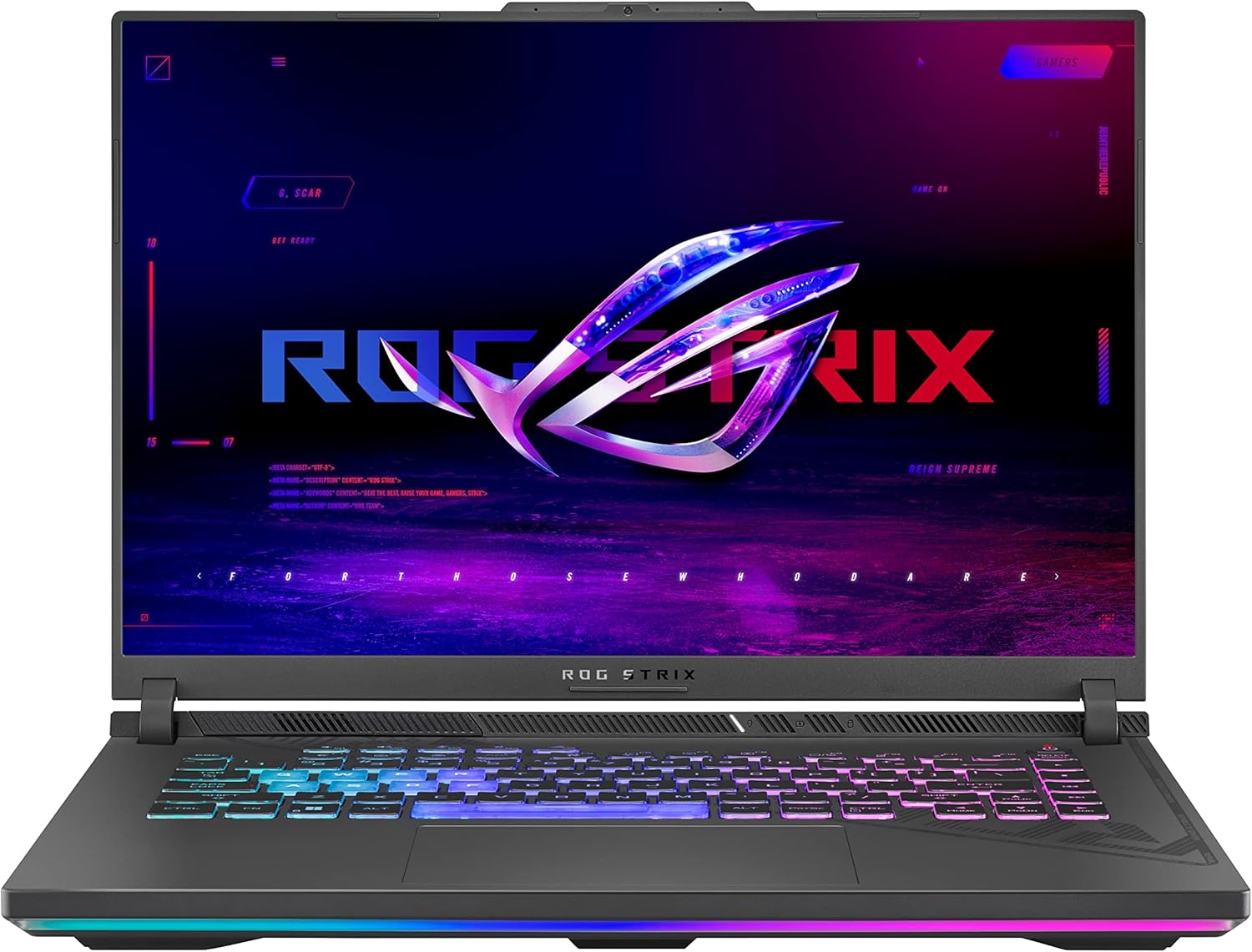
ASUS ROG Zephyrus G14 Gaming Laptop
A popular quiz result for gamers wanting portability without sacrificing performance. Features AMD Ryzen 9 processor and NVIDIA RTX 4060 graphics in a surprisingly compact 14-inch form factor.
Check Price🎬 Video Editing
Video editors need raw power. We are talking about rendering 4K footage, running Adobe Premiere or DaVinci Resolve, and not wanting to take a coffee break every time you apply an effect. A strong multi-core processor, plenty of RAM (16GB minimum, 32GB preferred), and a decent GPU for hardware acceleration are essential.
Also, color accuracy matters here. An ugly display with poor color reproduction will make your edited videos look completely different on other screens. Look for laptops with high sRGB or DCI-P3 coverage.
💻 Programming and Coding
Developers have diverse needs depending on what they build. Web development? A mid-range machine handles that fine. Machine learning models or running multiple Docker containers? You are going to want more muscle.
Most programmers appreciate a good keyboard, a high-resolution display (easier on the eyes during long coding sessions), and enough RAM to run your IDE alongside a browser with 47 Stack Overflow tabs open. Do not pretend you do not do this. We all do. 🤷♂️

Lenovo Legion Slim 5
A frequent quiz recommendation for programmers and developers. Balances performance with a sleek design that does not scream "gamer." Ryzen 7 8845HS, RTX 4060, 16GB DDR5, and a crisp QHD+ display.
Check Price🌐 Web Browsing and Everyday Use
Here is where many people overspend. If you primarily browse the internet, check emails, watch Netflix, and do occasional document work, you do NOT need a $1,500 machine. A solid $400 to $600 laptop will serve you beautifully for years.
The key is getting something reliable with a decent display you enjoy looking at. An SSD instead of a hard drive makes everything feel snappier, and 8GB RAM keeps things running smoothly.
📊 Which Specs Actually Matter for Your Needs
Let me translate the technical jargon into plain English. Because honestly, laptop manufacturers seem to enjoy confusing people.
| Component | What It Does | Who Needs to Care |
|---|---|---|
| Processor (CPU) | The brain. Handles most computing tasks. | Everyone, but especially video editors, programmers, and power users |
| RAM | Short-term memory. More RAM = more multitasking | Anyone who opens multiple programs/tabs simultaneously |
| Graphics Card (GPU) | Renders visuals, crucial for games and creative work | Gamers, video editors, 3D designers, AI/ML developers |
| Storage (SSD/HDD) | Where files live. SSD = fast, HDD = slow but cheap | Everyone should have an SSD. No exceptions anymore. |
| Display | What you stare at all day | Everyone, but especially content creators and gamers |
| Battery Life | How long it runs unplugged | Students, travelers, anyone not always near an outlet |
RAM: How Much Do You Really Need?
- 8GB: Adequate for basic tasks, web browsing, office work
- 16GB: Sweet spot for most users, handles gaming and creative work
- 32GB+: Professional video editing, 3D rendering, heavy multitasking
Storage: SSD vs HDD
I am going to be blunt: do not buy a laptop with only a hard drive in the present day. SSDs are dramatically faster, more durable (no moving parts), and make your entire computing experience feel snappier. The price difference has shrunk enough that there is really no excuse for slow storage anymore.
Aim for at least 256GB SSD for basic use, 512GB if you store lots of files locally, and 1TB+ if you work with large video files or games.
💰 Budget Guide: How Much Should You Spend?
This is where things get real. Let me break down what you can expect at different price points:
$300 to $500: The Budget Zone
Solid for basic computing needs. You will get laptops capable of web browsing, document work, video streaming, and light productivity. Do not expect gaming performance or lightning-fast operations, but for students and casual users, this range offers legitimate value.
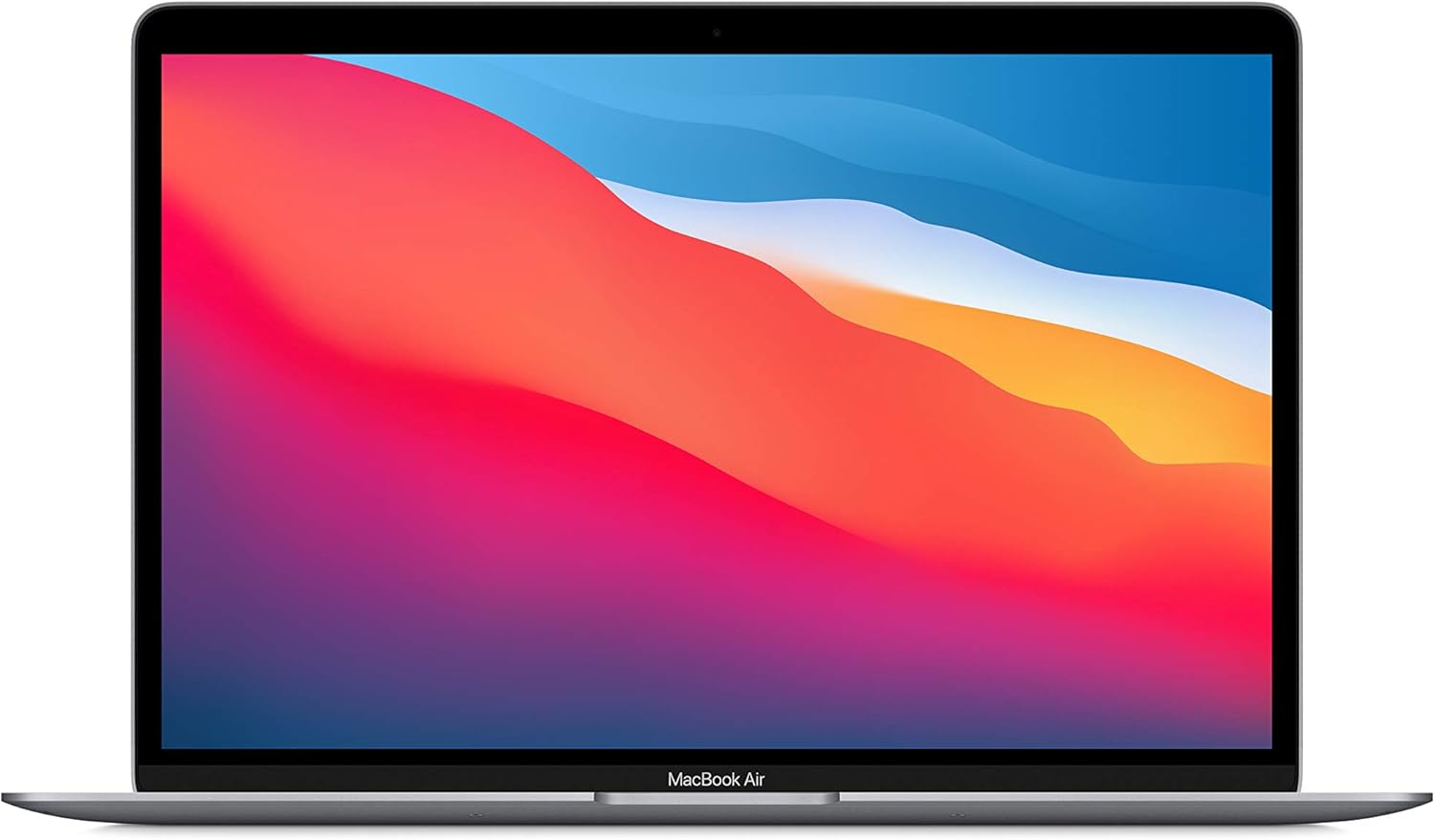
Lenovo IdeaPad 3
A reliable budget pick that keeps popping up in quiz results for everyday users. AMD Ryzen 5, 8GB RAM, 512GB SSD. Gets the job done without breaking the bank.
Check Price$500 to $900: The Sweet Spot
This is where you start getting genuinely good machines. Better build quality, faster processors, nicer displays, and maybe even entry-level dedicated graphics. Perfect for students who need more power, business users, and casual gamers.
$900 to $1,500: Performance Territory
Now we are talking. Laptops in this range handle demanding tasks well: gaming at respectable settings, video editing without constant frustration, software development with ease. You also get premium features like better keyboards, improved displays, and sleeker designs.
$1,500+: Premium and Professional
High-end gaming rigs, professional workstations, and the fanciest ultrabooks live here. If you need the absolute best performance or have specific professional requirements, this is your playground. Just make sure you actually need what you are paying for.
⚠️ Buyer Beware
More expensive does not automatically mean better for YOUR needs. A $2,000 gaming laptop is complete overkill if you just need to write reports and check email. Our quiz helps you avoid overspending on features you will never use.
🚫 Common Laptop Buying Mistakes to Avoid
I have seen people make these mistakes over and over. Learn from their suffering:
- Buying based on brand loyalty alone: Just because your last Dell was great does not mean every Dell is perfect. Evaluate each laptop on its own merits.
- Ignoring the keyboard: You will touch this thing constantly. A terrible keyboard makes the whole laptop unpleasant to use, no matter how good the specs are.
- Overlooking the display: You stare at this screen for hours. A dim, washed-out display will strain your eyes and make everything look worse.
- Skimping on RAM: 4GB is not enough anymore. Just no. Do not do it.
- Buying too much laptop: A gaming laptop for someone who only needs basic computing is like buying a sports car to drive to the grocery store.
- Ignoring battery life: That powerful laptop is useless if it dies after 2 hours away from an outlet.
- Not considering weight: A 7-pound laptop sounds fine until you have to carry it around campus all day.
- Falling for marketing terms: "Revolutionary," "next-gen," and "ultimate" mean nothing. Look at actual specs and benchmarks.
✨ Benefits of Taking a Laptop Recommendation Quiz
Still not convinced a quiz beats random searching? Let me lay out the advantages:
- Eliminates guesswork: Stop wondering if you are making the right choice. A good quiz considers factors you might not have thought about.
- Saves money: By matching you with what you actually need, you avoid overpaying for unnecessary features.
- Reduces buyer's remorse: When recommendations are tailored to your stated needs, you are more likely to be satisfied with your purchase.
- Education included: Our quiz results explain WHY each laptop made the cut, helping you understand what matters.
- Current information: Live pricing and availability means you are seeing what is actually purchasable today.
- Zero pressure: Take the quiz as many times as you want. Adjust your answers. Explore different scenarios. No salesperson hovering over your shoulder.
❓ Frequently Asked Questions
What computer should I buy? How do I even start?
Start by thinking about what you will actually USE the laptop for most often. Gaming? Work? School? Content creation? Once you know your primary use case, everything else falls into place. Or, you know, just take our quiz and let us figure it out for you. 😉
How do I know which laptop is best for me?
The "best" laptop is entirely personal. It depends on your budget, your use cases, your preferences for things like screen size and portability. A laptop that is perfect for one person might be terrible for another. That is exactly why personalized quizzes work better than generic recommendation lists.
What laptop is right for me if I am on a tight budget?
Focus on getting the essentials right: an SSD (not a hard drive), at least 8GB RAM, and a processor from the last few generations. You can find capable laptops in the $400 to $600 range that will serve basic needs admirably. Our quiz includes budget as a key filter, so you will only see options you can actually afford.
Is there really a quiz that can tell me what computer I should buy?
Yes! The Laptop Hunter Personal Laptop Finder asks targeted questions about your needs and matches you with laptops that fit. It combines live pricing data, benchmark information, and expert knowledge to deliver genuinely useful recommendations.
What kind of computer do I need for gaming?
Gaming requires a dedicated graphics card (GPU). Integrated graphics will not cut it for modern titles. Look for laptops with NVIDIA GeForce RTX cards or AMD Radeon equivalents. You will also want at least 16GB RAM and a processor that can keep up. Expect to spend $900+ for a decent gaming laptop.
Which laptop is best for me if I am a student?
Students typically benefit from lightweight laptops with long battery life. Unless you are in a field requiring heavy computing (like engineering or film production), you do not need top-tier specs. Prioritize portability, keyboard comfort, and enough battery to get through a full day of classes.
How accurate are laptop recommendation quizzes?
The accuracy depends on the quiz quality and how honestly you answer the questions. Our quiz at Laptop Hunter uses real-time pricing data and considers multiple factors simultaneously. The recommendations are as good as the information you provide, so answer thoughtfully!
What laptop should I buy for video editing?
Video editing demands serious specs: a powerful multi-core processor, 16GB+ RAM (32GB preferred for 4K work), a dedicated GPU for hardware acceleration, and fast SSD storage. Display quality matters too, you need accurate colors. This is not a use case for budget laptops, unfortunately.
🔥 Pro Tips for Making Your Final Decision
Once you have narrowed down your options using the quiz, here are some final considerations:
- Read user reviews: But focus on reviews from people with similar use cases to yours. A gamer's opinion on a work laptop might not be relevant to you.
- Check the warranty: Different manufacturers offer different coverage. Know what you are getting before you buy.
- Consider upgradeability: Some laptops let you add more RAM or swap storage later. Others are completely sealed. If longevity matters, this could be important.
- Test the keyboard and trackpad: If possible, try them in person. These are make-or-break features for daily satisfaction.
- Look at the port selection: Do you need specific ports? HDMI? USB-C? SD card reader? Make sure the laptop has what you need without requiring dongles for everything.
- Factor in accessories: Budget for a case, maybe a mouse, potentially extended warranty if you are accident-prone.
💡 The 72-Hour Rule
After narrowing down to your top choice, wait 72 hours before purchasing. This prevents impulse decisions and gives you time to second-guess (in a healthy way). If you still want the same laptop after three days, you have made a good choice.
🎬 Conclusion: Your Perfect Laptop Awaits
Finding the right laptop does not have to be a nightmare. Yes, the market is overwhelming. Yes, there are seemingly infinite options. But with the right approach, whether that is taking a quick quiz, understanding your actual needs, or simply avoiding common mistakes, you can find a laptop that serves you well for years to come.
🔑 Key Takeaways
- Your ideal laptop depends on YOUR specific needs, not what works for reviewers or friends
- A personalized laptop quiz saves time and prevents costly mistakes
- Know your primary use case before comparing specs
- Do not overspend on features you will never use
- Do not underspend and end up frustrated with poor performance
- SSDs are non-negotiable in modern laptops
- Battery life and portability matter more than most people realize
- The Laptop Hunter quiz takes 60 seconds and delivers tailored recommendations with live pricing
Whether you are a student trying to find something affordable for class, a gamer looking for portable power, a creative professional needing serious specs, or just someone who wants to browse the web without their computer fighting them every step of the way, there is a perfect laptop out there for you.
Stop scrolling through endless product pages. Stop second-guessing every decision. Stop letting analysis paralysis prevent you from getting the tool you need.
Happy laptop hunting! 🎉
📺 Learn More: Laptop Buying Tips
Want some visual guidance before making your decision? Check out this helpful video on what to look for when buying a laptop:
© Laptop Hunter | Your trusted guide to finding the perfect laptop
Take the Quiz | Read More Guides