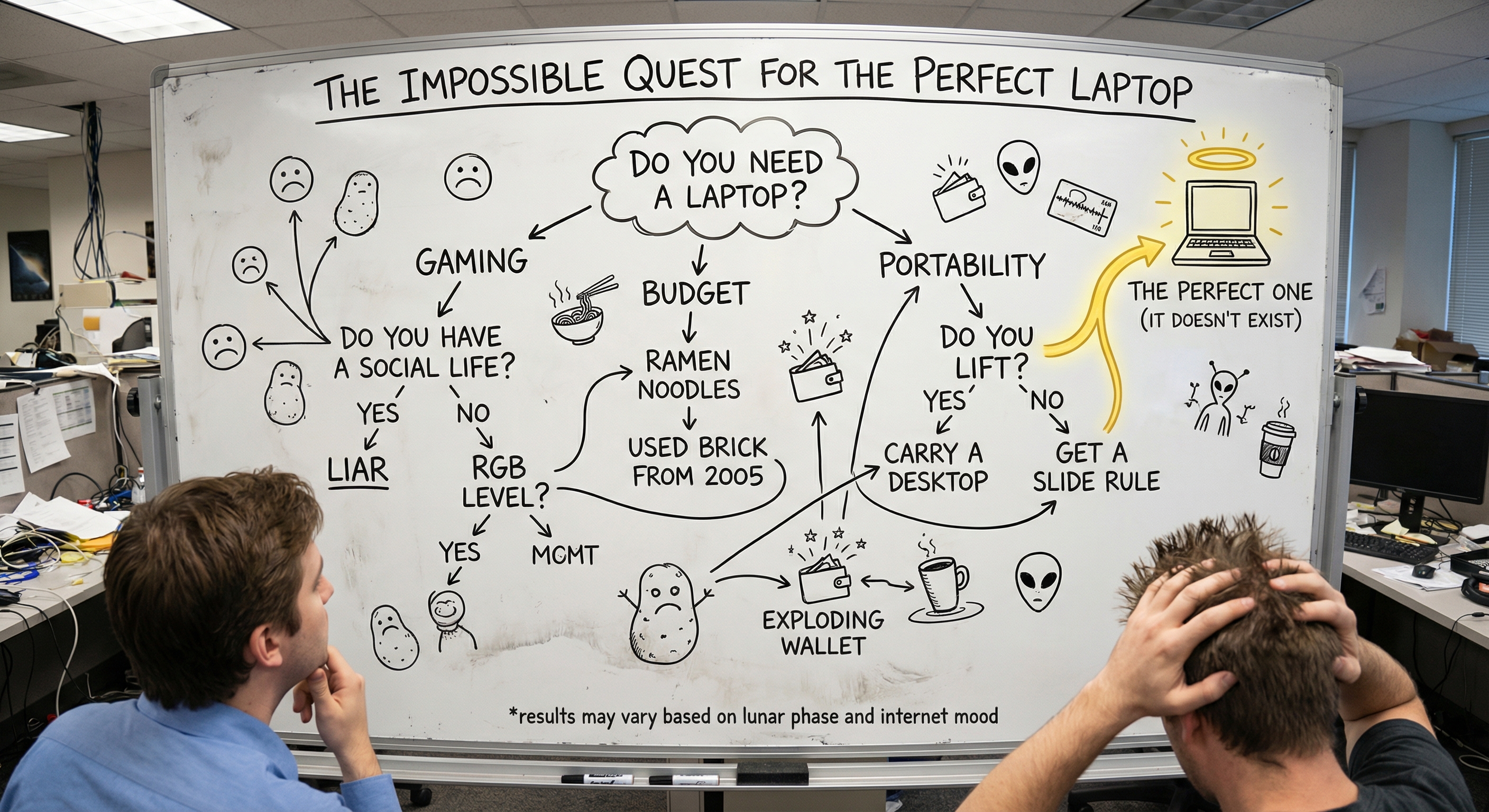
Laptop Quiz: Discover the Best One for You

💻 Laptop Quiz: Discover the Best Rig for You
Stop drowning in spec sheets. Take a quick laptop finder quiz and get a personalized recommendation matched to your actual workflow, budget, and preferences.
Buying a laptop shouldn't feel like passing a final exam in electrical engineering. But here we are, staring at a product page that lists something called "DDR5 5600MHz dual-channel memory" and wondering if that's impressive or just a fancy way of saying "it has RAM." You're not alone. Every single day, thousands of people type things like "best laptop for me quiz" and "help me choose a laptop quiz" into their search engines, hoping the internet will just hand them an answer.
Good news: it can. A well-designed laptop quiz takes the guesswork out of the equation by asking you the right questions about how you actually use a computer, then matching those answers with real-world performance data and current pricing. No marketing fluff. No biased "top 10" lists written by someone who has never touched the machine they're recommending.
In this guide, we'll walk through exactly how a laptop finder quiz works, what questions to expect, how to prepare your answers, and why using a tool like LaptopHunter's recommendation engine can save you hours of research and potentially hundreds of dollars. Whether you need a gaming laptop quiz, a video editing laptop quiz, or just a simple "find me a laptop" situation, we've got you covered.
📑 Table of Contents
- What Is a Laptop Quiz and Why Should You Take One?
- How the LaptopHunter Laptop Finder Quiz Works
- Key Questions in a Laptop Buying Quiz, Explained
- Quiz Breakdowns by Use Case
- Laptop Quiz vs. Manual Research: Which Wins?
- Common Mistakes People Make When Choosing a Laptop
- How to Prepare Before Taking a Laptop Quiz
- What to Do After You Get Your Results
- Tips and Troubleshooting
- Conclusion and Key Takeaways
- Frequently Asked Questions
🤔 What Is a Laptop Quiz and Why Should You Take One?
A laptop quiz is an interactive recommendation tool that asks you a series of targeted questions about your intended use, budget, screen preference, and performance needs, then filters through hundreds or thousands of available laptops to surface the ones that actually make sense for you. Think of it as a personal shopper who happens to have an encyclopedic knowledge of every laptop currently for sale.
Here's the thing: there are well over 500 distinct laptop models on the market at any given moment. That number balloons into the thousands when you factor in different configuration options. Trying to manually compare all of them is not just tedious, it's practically impossible unless you're willing to turn laptop shopping into a part-time job. A laptop buying quiz compresses weeks of research into a couple of minutes.
Who Benefits Most From a Laptop Quiz?
- 🎓 Students who need a reliable machine for note-taking, research, and the occasional Netflix binge but don't want to overspend
- 💼 Professionals looking for something that handles spreadsheets, presentations, and video calls without breaking a sweat
- 🎮 Gamers who want to know exactly which GPU tier matches their favorite titles
- 🎬 Creators working in video editing, photo editing, 3D modeling, or content creation who need serious horsepower
- 🤖 Developers and AI enthusiasts who require specific hardware for programming, machine learning, or data science
- 🌐 Everyday users who just want a laptop that works, lasts, and doesn't cost a fortune
No matter which category you fall into, a "best laptop for you quiz" can point you in the right direction faster than any review roundup.
⚙️ How the LaptopHunter Laptop Finder Quiz Works
Not all laptop quizzes are created equal. Some are just glorified ads dressed up as personality tests. LaptopHunter's recommendation engine works differently, and it's worth understanding the mechanics so you can trust the results.
Step-by-Step Walkthrough
1 Select Your Primary Use Case
You'll be presented with categories like School & Education, Business & Office Work, Video Editing, Photo Editing, AI & Machine Learning, Gaming, Programming & Coding, Web Browsing & Everyday Use, Content Creation, and 3D Modeling & CAD. Pick the one that best describes how you'll spend most of your time on the machine.
2 Set Your Budget
Choose from predefined price ranges spanning from $100 all the way up to $6,000, or set a custom range. The quiz uses this to filter out anything that doesn't fit your wallet.
3 Choose Your Screen Size
You'll pick between ultra-portable (10 to 13+ inches), balanced (14 to 16+ inches), or desktop replacement (17 to 19+ inches). This matters more than most people think, because screen size directly affects portability and weight.
4 Define Your Graphics Needs
Integrated graphics for basic tasks, a dedicated GPU for gaming and design work, or a high-end GPU for advanced rendering and triple-A gaming. Getting this right can save you from overspending or, worse, ending up with a machine that can't keep up.
5 Pick Your Storage Preference
From a compact 200 to 500 GB up to a massive 1,000 to 8,000 GB. If you work with video files or large datasets, this question alone can be a deal-breaker.
6 Get Your Personalized Results
The engine cross-references your answers against live pricing from major retailers, benchmark data, and real-world performance metrics. You get a curated shortlist of laptops that actually match what you need, not what some manufacturer is trying to push.
⚡ What Makes LaptopHunter Different?
- Real-time pricing: The tool monitors major retailers so your results reflect today's best deals, not outdated suggested retail prices.
- AI-assisted insight: Technical jargon gets translated into plain English, making it easy to understand why each laptop made the cut.
- Instant iteration: Change an answer and watch the recommendations update in real time. No page reloads, no starting over.
📝 Key Questions in a Laptop Buying Quiz, Explained
If you've never taken a laptop quiz before, the questions can seem deceptively simple. But each one is doing heavy lifting behind the scenes. Let's break them down so you can give the most accurate answers possible.
💼 "What Are You Going to Use It For?"
This is the single most important question in any "find me a laptop quiz" because your use case dictates almost everything: CPU requirements, GPU requirements, RAM, display quality, battery life expectations, and even keyboard quality.
| Use Case | Key Hardware Priority | Typical Budget Range |
|---|---|---|
| 🎓 School & Education | Battery life, lightweight, reliable SSD | $300 to $800 |
| 💼 Business & Office | Fast CPU, good keyboard, security features | $600 to $1,500 |
| 🎮 Gaming | Dedicated GPU, high refresh display, cooling | $900 to $3,000+ |
| 🎬 Video Editing | CPU + GPU combo, 16GB+ RAM, color-accurate display | $1,000 to $3,000 |
| 📸 Photo Editing | Color-accurate display, solid CPU, 16GB RAM | $800 to $2,000 |
| 🤖 AI & Machine Learning | High-end GPU (VRAM matters), lots of RAM | $1,500 to $4,000+ |
| 💻 Programming | Fast CPU, 16GB+ RAM, comfortable keyboard | $700 to $2,000 |
| 🌐 Web Browsing / Everyday | Decent CPU, 8GB RAM, good battery | $200 to $700 |
| 🎨 Content Creation | GPU + CPU balance, large color-accurate screen | $1,000 to $2,500 |
| 📊 3D Modeling & CAD | Workstation GPU, 32GB+ RAM, fast storage | $1,500 to $5,000 |
💰 "What Is Your Price Range?"
Be honest here. Stretching your budget by $200 can sometimes land you in an entirely different performance tier, but there's also a point of diminishing returns. A laptop for me quiz that factors in live pricing can show you where the sweet spots are, so you know whether that extra spend is actually worth it.
A quick rule of thumb: if your needs are basic (browsing, documents, streaming), you can get an excellent machine in the $400 to $700 range. For creative work and gaming, the $1,000 to $1,800 range tends to deliver the best value per dollar. Above $2,000, you're typically paying for premium build quality, specialized displays, or bleeding-edge GPU power.
📐 "What Is Your Desired Screen Size?"
Screen size isn't just about having more pixels to look at. It directly affects:
- Portability: A 13-inch ultrabook slips into any bag. A 17-inch desktop replacement... not so much.
- Weight: Bigger screens mean bigger chassis, bigger batteries, and more weight.
- Productivity: If you work with timelines (video editing) or multiple windows (programming), a 15 to 16 inch display gives you meaningful extra space.
- Gaming immersion: Larger screens with high refresh rates create a more engrossing experience.
🎮 "What Are Your Graphics Requirements?"
This is where a lot of people either overspend or underspend. If you're just writing emails and browsing the web, integrated graphics are totally fine, and you'll save hundreds. If you're gaming or doing any kind of visual creative work, you need a dedicated GPU. And if you're doing 3D rendering, training machine learning models, or playing the latest AAA titles at max settings, you'll want a high-end GPU with substantial VRAM.
💾 "What's Your Storage Preference?"
Modern operating systems eat up around 30 to 50 GB just by existing. Add your applications, and a 256 GB drive can feel cramped fast. For most people, 512 GB is the sweet spot. Creators and gamers should aim for 1 TB or more. If you work with large video files, datasets, or game libraries, 2 TB and up will keep you sane.
🎯 Quiz Breakdowns by Use Case
While the general laptop finder quiz covers all the bases, it helps to understand what each specialty quiz is really optimizing for. Here's what to keep in mind depending on your primary use.
🎮 Gaming Laptop Quiz
Taking a gaming laptop quiz should prioritize these factors in roughly this order: GPU performance (the single biggest factor in frame rates), display quality and refresh rate (ideally 144Hz or higher), thermal management (because throttling kills performance), CPU (for CPU-bound titles and streaming), and RAM (16 GB minimum, 32 GB for future-proofing).
If your quiz results suggest something like an RTX 4060 laptop, consider pairing it with a solid gaming mouse to round out the setup. A good peripheral can make a surprising difference in competitive play.
🎮 Pro tip: When taking a gaming laptop quiz, be specific about which games you play. "I play Valorant and Minecraft" requires very different hardware than "I play Cyberpunk 2077 and Star Citizen at ultra settings." The more precise your inputs, the better your quiz results will be.
🎬 Video Editing Laptop Quiz
A video editing laptop quiz needs to account for timeline scrubbing performance (CPU-heavy), render times (GPU-accelerated), color accuracy of the display (crucial for professional work), RAM capacity (32 GB is the new "comfortable"), and fast storage speeds for handling large project files. If you edit 4K footage regularly, cutting corners on any of these will cost you hours in render times and frustration.
While you're setting up your editing workstation, a quality external SSD for project files is practically a must-have for video editors who need to move footage between machines.
💼 Business and Productivity Laptop Quiz
The office crowd often underestimates how much a good laptop can improve their daily workflow. A business laptop quiz should emphasize reliability, keyboard quality (you'll be typing thousands of words), security features like fingerprint readers or IR cameras, battery life (for those meetings that never end), and a display that won't strain your eyes after eight hours of staring at spreadsheets.
🎓 Student Laptop Quiz
Students have a unique set of constraints: limited budgets, the need for portability (because you're carrying it across campus), decent battery life (not every lecture hall has enough outlets), and enough performance for research, writing, and the occasional group project that somehow involves a video presentation. A student-focused "best laptop for me quiz" balances all these factors while keeping cost front and center.
🤖 AI and Machine Learning Laptop Quiz
This is the niche where getting the quiz answers right really matters financially, because AI-capable machines are expensive. You need a GPU with enough VRAM (a minimum of 8 GB, ideally 12 to 16 GB or more), a fast CPU for data preprocessing, at least 32 GB of RAM for working with large datasets, and fast NVMe storage. The LaptopHunter quiz has a dedicated AI & Machine Learning category for exactly this reason.
📸 Photo Editing and Content Creation Quiz
If you're a photographer or content creator, display quality is arguably your number one priority. You want something with at least 100% sRGB coverage (DCI-P3 coverage is even better), good brightness, and accurate factory calibration. After that, a solid CPU and enough RAM (16 GB minimum) will keep Lightroom and Photoshop running smoothly.
Ready to find the laptop that matches your exact workflow? 🚀
Take the Quiz on LaptopHunter⚖️ Laptop Quiz vs. Manual Research: Which Wins?
Let's be fair to both approaches. Manual research has its merits: if you enjoy diving deep into benchmark comparisons, reading 20-page reviews, and creating your own spreadsheets (no judgment, we respect the dedication), you'll develop a thorough understanding of the market. The downside? It takes ages, and by the time you've narrowed it down, that perfect deal you spotted three days ago has already expired.
A laptop buying quiz like LaptopHunter's isn't trying to replace your curiosity. It's trying to replace the tedious first 80% of the process. It handles the initial filtering, surfaces the most relevant options, and gives you plain-language explanations for why each machine made the cut. You can then take those results and do a deep dive on the two or three finalists if you want.
| Factor | Manual Research | Laptop Quiz (LaptopHunter) |
|---|---|---|
| Time required | Hours to days | 2 to 5 minutes |
| Pricing accuracy | Snapshot in time | Real-time monitoring |
| Technical knowledge needed | High | Minimal |
| Bias risk | Depends on sources | Data-driven filtering |
| Iteration speed | Slow (new searches) | Instant (change answers) |
| Coverage of options | Limited to what you find | Thousands of active listings |
The sweet spot? Use the quiz to generate your shortlist, then validate your top picks with a couple of in-depth reviews. Best of both worlds.
🚫 Common Mistakes People Make When Choosing a Laptop
Even with a "help me choose a laptop quiz" in your corner, it helps to know the pitfalls so you can avoid them. Here are the most common blunders we see.
1. Overspending on Specs You'll Never Use
Buying an RTX 4090 laptop because "it'll future-proof me" when you mostly use Google Docs is like buying a Formula 1 car for your daily commute. It's cool, sure. But your wallet is crying. A quiz that matches your actual use case prevents this kind of overkill.
2. Ignoring the Display
You will stare at this screen for hundreds of hours. A terrible display on a fast machine is like putting a lawnmower engine in a Ferrari body. Check for decent brightness (at least 300 nits), good color accuracy, and a resolution that matches your work. The quiz accounts for this, but it's worth emphasizing.
3. Forgetting About Portability
That 17-inch gaming beast with a 3-hour battery life might be great at your desk, but if you need to take it to class, the library, or client meetings, you'll regret it within a week. Be honest about how mobile you need to be.
4. Choosing Based on Brand Loyalty Alone
Every major manufacturer makes both great and mediocre laptops. Picking a brand because "I've always used Brand X" means you might miss a better deal from Brand Y. A data-driven laptop finder quiz is brand-agnostic by design.
5. Not Accounting for Accessories
Your laptop budget should include room for essentials. A good laptop stand can save your neck and back, and a reliable USB-C hub expands your connectivity options. Budget an extra $50 to $150 for peripherals.
6. Buying Without Checking Current Prices
Laptop prices fluctuate constantly. The MSRP listed on a manufacturer's site might be $200 more than what retailers are actually charging right now. This is exactly why LaptopHunter's quiz pulls real-time pricing instead of static numbers.
✅ How to Prepare Before Taking a Laptop Quiz
You'll get the best results from any "best laptop for you quiz" if you walk in with clear answers. Here's a quick checklist to run through before you start.
- List your top 3 daily tasks. What do you actually spend most of your screen time doing? Not what you might do once a year, but your real, everyday workflow.
- Set a realistic budget. Include a buffer of $100 to $200 above your strict limit. The best deals often sit just above where people set their caps.
- Check your current laptop's specs. Knowing what you already have (and what frustrates you about it) gives you a clear baseline for improvement.
- Think about portability honestly. If you commute or travel, weight and battery life matter more than raw performance.
- Consider your timeline. If you need a laptop this week, your options differ from someone who can wait for a sale event.
💡 Quick tip: If you're not sure about your graphics needs, ask yourself this: "Do I use any software that recommends a dedicated GPU?" If the answer is no, integrated graphics will probably serve you well, and you'll save a noticeable chunk of money.
📬 What to Do After You Get Your Results
You've taken the laptop quiz on LaptopHunter, and you've got a shortlist of recommended machines. Now what?
- Compare your top 2 to 3 picks side by side. Look at the key specs that matter for your use case. The quiz results include plain-language explanations, so you won't need a tech dictionary.
- Read one or two reviews of your finalists. A well-written review can reveal things that specs can't, like keyboard feel, fan noise under load, and real-world battery performance.
- Check the retailer's return policy. Even with the best quiz results, there's no substitute for actually using the machine. Make sure you can return it if something doesn't feel right.
- Iterate if needed. One of LaptopHunter's best features is the ability to adjust your answers and get updated recommendations instantly. If your first results don't feel quite right, tweak a setting or two and see what changes.
- Pull the trigger. Analysis paralysis is real. Once you've done your due diligence, commit. The "perfect" laptop doesn't exist, but the right laptop for your needs absolutely does.
🔧 Tips and Troubleshooting
Here are some common situations people run into during or after taking a laptop quiz, and how to handle them.
😕 "The quiz recommends something outside my budget"
Try adjusting your use case expectations or screen size. Sometimes switching from "dedicated GPU" to "integrated graphics" or from 17-inch to 14-inch can bring options back into range. You can also set a custom price range on LaptopHunter for precise control.
🤷 "I'm not sure which use case to pick"
Go with the most demanding thing you do at least once a week. If you browse the web daily but edit videos every weekend, pick Video Editing. You can always handle lighter tasks on a more powerful machine, but the reverse doesn't work.
📊 "I need a laptop for multiple use cases"
Run the quiz twice with your two most demanding use cases and compare the results. Often, the overlap between the two sets of recommendations will reveal your ideal machine.
🔄 "Prices changed since I last checked"
That's the beauty of LaptopHunter's real-time pricing. Just retake the quiz or refresh your results. The engine continuously monitors retailers, so you're always seeing current deals.
🖥️ "I want a laptop that can also replace my desktop"
Select the 17 to 19 inch screen size option and consider a high-end GPU tier. Also budget for a laptop stand, an external keyboard, and a monitor so you can use the laptop in a docked setup at home.
🏁 Conclusion and Key Takeaways
Choosing a laptop doesn't have to be stressful, confusing, or time-consuming. A well-built laptop quiz cuts through the noise by matching your real-world needs with real-time data. Here's what to remember:
- ✅ A laptop finder quiz replaces the tedious first phase of research, saving you hours and helping you avoid costly mistakes.
- ✅ The most important quiz question is your use case. Get that right, and everything else falls into place.
- ✅ LaptopHunter's recommendation engine stands out because of real-time pricing, plain-language explanations, and instant iteration.
- ✅ Specialty quizzes (gaming laptop quiz, video editing laptop quiz, student laptop quiz) optimize for the factors that matter most in each category.
- ✅ After getting your results, compare your top picks, read a review or two, and then commit. Don't let analysis paralysis keep you on your old machine longer than necessary.
❓ Frequently Asked Questions
Is the LaptopHunter laptop quiz free to use?
Yes. The LaptopHunter recommendation quiz is completely free. You answer a few questions, and the engine delivers personalized laptop suggestions based on live data. No sign-up required.
How accurate is a "best laptop for me" quiz?
Accuracy depends on how honest your answers are and how good the underlying data is. LaptopHunter pulls from real-time retailer pricing and benchmark data, so the recommendations are grounded in actual performance numbers, not marketing claims.
Can I retake the quiz if my needs change?
Absolutely. That's actually one of the tool's biggest strengths. You can adjust your answers any time and watch the recommendations update instantly. Moving from a student setup to a freelance video editing rig? Just change your answers.
Is there a gaming laptop quiz specifically?
Yes. When you take the LaptopHunter quiz, selecting "Gaming" as your primary use case tailors all subsequent recommendations toward gaming-optimized hardware: high-refresh displays, dedicated GPUs, proper cooling, and more.
What if none of the recommended laptops appeal to me?
Try adjusting one or two answers. A small change in budget or screen size can produce a completely different set of results. The beauty of a data-driven quiz is that it's endlessly flexible.
Do laptop quizzes work for refurbished or used laptops?
Most quizzes, including LaptopHunter's, focus on new laptops with current retail pricing. However, the spec guidance you get from the quiz results can absolutely be applied to your used or refurbished search. If the quiz says you need a laptop with an i7 and 16 GB RAM, that same requirement applies whether you buy new or refurbished.
How is this different from a "best buy laptop quiz"?
Retailer-specific quizzes typically only show products from their own inventory. LaptopHunter's quiz scans across multiple retailers, giving you a broader view of the market and better odds of finding the best price on the right machine.
🎥 Still Not Sure? Watch This
If you're a visual learner or just want some extra context before diving into the quiz, this video breaks down how to pick the right laptop for your needs:
Happy laptop hunting! 🎯💻