Laptop Quiz: Find The Perfect Laptop For You
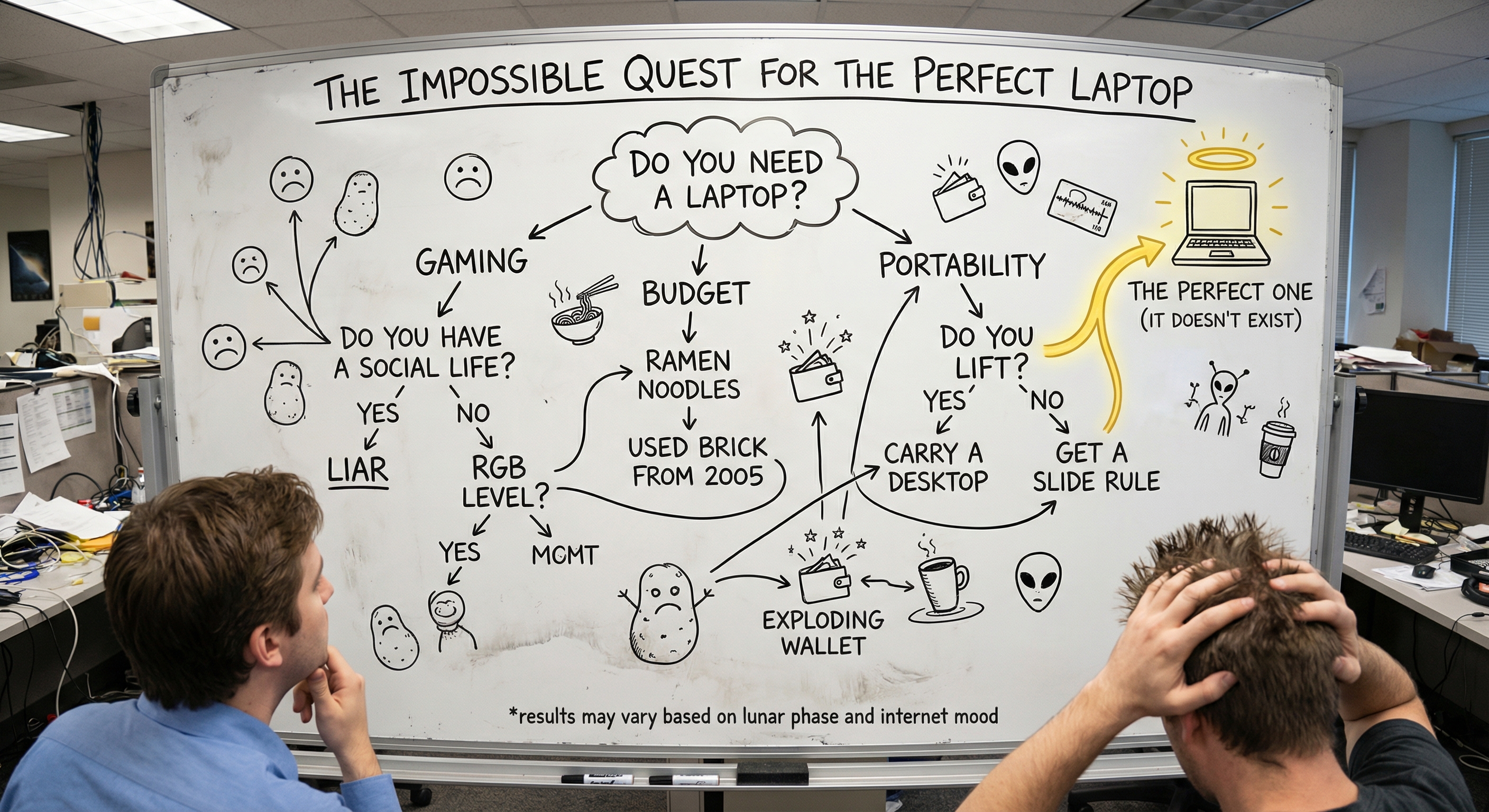
💻 Laptop Quiz: Discover the Best Rig for You
Stop scrolling through spec sheets you don't understand. Answer a few quick questions and our laptop finder quiz will match you with the perfect machine for your workflow, budget, and lifestyle.
⏱️ Takes under 3 minutes · 🆓 Completely free · 📊 Powered by real-time pricing data
Let's be honest for a second. Buying a laptop in the current market is like trying to order coffee at a place with a 47-page menu. You just wanted something that works, and now you're knee-deep in debates about DDR5 memory bandwidth and whether 120Hz is "enough" for your workflow. No wonder millions of people search for things like "best laptop for me quiz" and "help me choose a laptop quiz" every single month.
The good news? You don't actually need to become an expert in processor architectures to make a smart purchase. A well-designed laptop quiz does the heavy lifting for you by asking targeted questions about how you use your computer, then crunching real performance data and live pricing to surface machines that genuinely fit your situation. No sponsored picks. No outdated recommendations. Just a data-driven shortlist tailored to you.
In this guide, we'll cover everything you need to know about taking a laptop finder quiz, what questions to expect, how to prepare your answers, and why the LaptopHunter recommendation engine has become the go-to tool for people who'd rather spend 3 minutes answering questions than 3 weeks reading reviews. Whether you're hunting for a gaming laptop quiz, a video editing laptop quiz, or just want something reliable for school and everyday use, we've got the full breakdown below.
📑 Table of Contents
- What Is a Laptop Quiz (and Why Is Everyone Taking One)?
- Who Should Take a Laptop Buying Quiz?
- How the LaptopHunter Laptop Finder Quiz Works
- Every Laptop Quiz Question, Explained in Plain English
- Quiz Deep Dives by Use Case (Gaming, Editing, Coding, and More)
- Laptop Quiz vs. Manual Research: The Honest Comparison
- What Makes a Good Laptop Quiz (and What to Avoid)
- 7 Laptop Buying Mistakes a Quiz Helps You Avoid
- How to Prepare Before You Take the Quiz
- What to Do After You Get Your Laptop Quiz Results
- Tips and Troubleshooting
- Conclusion and Key Takeaways
- FAQ: Laptop Quiz Questions Answered
🤔 What Is a Laptop Quiz (and Why Is Everyone Taking One)?
A laptop quiz is an interactive recommendation tool that asks you a series of targeted questions about how you'll actually use your laptop, what your budget looks like, and what preferences you have for things like screen size and graphics power. It then filters through hundreds (or thousands) of currently available laptops and surfaces the ones that genuinely match your answers.
Think of it as having a conversation with the most knowledgeable friend you've ever met, except this friend has also memorized the current price of every laptop on the market and can cross-reference benchmark scores in their head. Not bad for a free tool that takes about 3 minutes.
The concept has exploded in popularity because the laptop market itself has become absurdly complicated. At any given moment, there are 500+ distinct laptop models available across dozens of brands, each with multiple configuration options. That easily balloons into thousands of possible choices. No human can meaningfully compare all of those, which is exactly why a "find me a laptop quiz" has gone from a nice-to-have to something people genuinely rely on.
Here's the other thing that's changed: pricing is no longer static. The same laptop might cost $1,199 at one retailer and $949 at another on the same day. A laptop buying quiz that pulls real-time pricing (like LaptopHunter's) doesn't just match you with the right specs; it finds you the best current deal too.
🎯 Who Should Take a Laptop Buying Quiz?
Short answer: anyone who's about to spend their hard-earned money on a laptop and doesn't want buyer's remorse. Slightly longer answer? These groups get the most value from a "best laptop for you quiz":
🎓 Students
Tight budget, need portability and battery life, but also enough power for research tools, presentations, and the occasional late-night Netflix session between study breaks.
Key factors: weight, battery, value per dollar
💼 Professionals
Need something that handles spreadsheets, video calls, and presentations without drama. Build quality and keyboard comfort matter a lot when you're on the machine 8+ hours a day.
Key factors: reliability, display, keyboard, security
🎮 Gamers
GPU performance is king, but thermal management, refresh rate, and even speaker quality play bigger roles than most people realize. The wrong pick means stuttering frames and regret.
Key factors: dedicated GPU, cooling, 144Hz+ display
🎬 Video Editors and Creators
Timeline scrubbing, render times, and color accuracy are all non-negotiable. You need a machine that keeps up with Premiere Pro, DaVinci Resolve, or Final Cut without cooking itself.
Key factors: CPU+GPU, 32GB RAM, color-accurate panel
💻 Developers and AI Engineers
Compiling code, running containers, training models. Whether it's Python scripts or full ML pipelines, your laptop needs to handle sustained workloads without throttling.
Key factors: fast CPU, 16GB+ RAM, VRAM for ML
🌐 Everyday Users
Browsing, email, streaming, online shopping, maybe some light document editing. You don't need a powerhouse, but you do need something that doesn't feel sluggish after six months.
Key factors: value, battery, SSD speed
If you see yourself anywhere in that grid, a laptop for me quiz is going to save you a significant amount of time and quite possibly money too.
🚀 Quick: What Will You Use Your Laptop For?
Tap your main use case below, then hit the button to get personalized recommendations.
🎯 Get My Personalized Results⚙️ How the LaptopHunter Laptop Finder Quiz Works
Not every laptop quiz on the internet is worth your time. Some are just thinly disguised ads that funnel you toward whatever product has the highest affiliate commission. Others haven't updated their recommendations since the last generation of processors. The LaptopHunter recommendation engine takes a fundamentally different approach, and it's worth understanding how it works so you can trust what it tells you.
Pick Your Use Case
Select from 10 categories: School, Business, Gaming, Video Editing, Photo Editing, AI & Machine Learning, Programming, Web Browsing, Content Creation, or 3D Modeling & CAD.
Set Your Budget
Choose from ranges spanning $100 to $6,000 or set a custom range. The engine only surfaces laptops within your price comfort zone.
Choose Screen Size
Ultra-portable (10 to 13"), balanced (14 to 16"), or desktop replacement (17 to 19"). This directly affects weight, portability, and workspace real estate.
Define Graphics Needs
Integrated for basics, dedicated GPU for gaming and design, or high-end GPU for rendering and AAA titles. Getting this right saves you hundreds.
Pick Your Storage
From a lean 200 to 500 GB up to a massive 1 to 8 TB. Video editors and gamers, pay attention here.
Get Matched Instantly
The engine cross-references live pricing, benchmark data, and expert insight to deliver a curated shortlist of laptops that actually match your answers.
Why This Laptop Quiz Works Better Than Most
The real differentiator is the live pricing. Most laptop recommendation tools point you to a product page with a stale MSRP. LaptopHunter monitors major retailers continuously, so when it recommends a laptop, the price you see is what you'd actually pay right now. That alone can save you $50 to $300 per purchase depending on the timing of deals.
📝 Every Laptop Quiz Question, Explained in Plain English
Each question in a laptop buying quiz is doing serious work behind the scenes, even when it looks simple on the surface. Let's walk through them so you can give the most accurate answers possible and get better results.
💼 "What Are You Going to Use It For?"
This is the single most impactful question in any "best laptop for me quiz". Your use case determines the CPU tier, GPU requirements, minimum RAM, display quality needs, thermal requirements, and even the keyboard style that makes sense. Someone who edits 4K video has fundamentally different needs than someone writing essays for school, even if both are spending the same amount of money.
💡 Quick rule of thumb: Always select the most demanding thing you do at least once a week. If you browse the web daily but game every weekend, select Gaming. A more powerful machine handles lighter tasks effortlessly, but a lightweight machine can't scale up to heavy workloads.
💰 "What Is Your Price Range?"
Be honest with yourself here, and maybe add a $100 to $200 buffer above your hard limit. In the laptop world, small jumps in price can land you in an entirely different performance tier. Going from $500 to $700 might get you double the storage and a generation newer processor. Going from $1,000 to $1,200 might add a dedicated GPU. These inflection points matter, and a smart laptop finder quiz will surface exactly where those sweet spots sit for your use case.
Here's a general landscape to orient yourself:
| Price Range | What You Get | Best For |
|---|---|---|
| $100 to $300 | Basic Chromebook or entry-level Windows laptop | Web browsing, email, light document editing |
| $300 to $600 | Solid everyday machine with decent SSD | Students, everyday use, light multitasking |
| $600 to $900 | Good performance, better display and build quality | Business use, programming, photo editing |
| $900 to $1,200 | Performance sweet spot, entry-level dedicated GPU | Content creation, entry-level gaming, coding |
| $1,200 to $1,500 | Strong GPU, premium build, great display | Serious gaming, video editing, 3D work |
| $1,500 to $2,500 | High-end components across the board | Professional creative work, AAA gaming, ML |
| $2,500 to $6,000 | Workstation-class or flagship gaming machines | Heavy rendering, AI training, competitive gaming |
📐 "What Is Your Desired Screen Size?"
This question is about more than just how much stuff fits on your screen. Screen size is the biggest single factor in your laptop's portability, weight, and battery life.
- 📱 10 to 13 inches (ultra-portable): Perfect for commuters, students who carry their laptop everywhere, and anyone who values being able to work from a cafe table without taking up the whole thing. These laptops typically weigh under 3 lbs.
- 💻 14 to 16 inches (balanced): The current sweet spot for most people. Big enough to be productive with split-screen workflows, small enough to fit in a normal laptop bag. This is where you'll find the widest selection of options.
- 🖥️ 17 to 19 inches (desktop replacement): Go big or go home. Literally, because these machines are heavy and their batteries don't last as long. But for gaming immersion, video editing timelines, or 3D modeling, the extra real estate is genuinely useful.
🎮 "What Are Your Graphics Requirements?"
This is the question that separates "I need a $500 laptop" from "I need a $1,500 laptop" faster than any other. Here's the honest breakdown:
- 📊 Integrated graphics: Built into the CPU, no extra cost, no extra heat, no extra battery drain. Perfectly fine for web browsing, office work, streaming, and even some light photo editing. If you don't game or do 3D/video work, this is all you need.
- 🎮 Dedicated GPU: A separate graphics chip (like an NVIDIA RTX 4060 or AMD Radeon RX 7600S) that dramatically improves gaming performance, video editing speed, and design software responsiveness. This is the tier for most gamers and creative professionals.
- 🚀 High-end GPU: The big guns. RTX 4070, 4080, or 4090 class hardware for people doing heavy 3D rendering, training machine learning models, or playing AAA games at max settings. Expensive, power-hungry, and absolutely necessary for certain workflows.
💾 "What's Your Storage Preference?"
Your operating system alone eats 30 to 50 GB. Add a handful of applications and you're at 80 to 100 GB before you've stored a single file of your own. Here's a practical guide:
- 200 to 500 GB: Fine for web-focused users and students who store most things in the cloud.
- 500 GB to 1 TB: The sweet spot for most people. Enough room for a reasonable number of applications, photos, and documents.
- 1 TB to 8 TB: Essential for video editors (a single hour of 4K footage can eat 45 GB), gamers with large libraries, AI engineers working with datasets, and anyone who hoards files (we're not judging).
🔬 Quiz Deep Dives by Use Case
A general laptop quiz covers all the bases, but if you already know your primary use case, it helps to understand what the quiz is optimizing for under the hood. Here are detailed breakdowns for the most searched categories.
🎮 Gaming Laptop Quiz: What Actually Matters
If you've ever typed "gaming laptop quiz" into a search engine, you already know this is one of the most confusing categories to shop in. There are dozens of GPU options, confusing model numbers (is a mobile RTX 4070 the same as a desktop one? Spoiler: not exactly), and massive price variation.
A gaming laptop quiz should rank these factors in roughly this priority order:
- GPU performance: This is the number one factor determining your frame rates. Don't compromise here.
- Display refresh rate and quality: A 144Hz panel is the minimum for a good gaming experience. 240Hz panels are great for competitive titles.
- Thermal management: A powerful GPU that throttles under heat is a powerful GPU that wastes your money. Good cooling is non-negotiable.
- CPU: Important for CPU-bound games and if you plan to stream while gaming.
- RAM: 16 GB minimum, 32 GB if you want to future-proof.
Once you've got the machine dialed in, a quality gaming mouse and a good gaming headset will complete your setup. Seriously, laptop trackpads are not built for competitive play.
🎬 Video Editing Laptop Quiz: The Full Picture
Typing "video editing laptop quiz" usually means you're already dealing with the pain of slow render times or choppy timeline scrubbing. A video editing quiz optimizes for:
- CPU + GPU synergy: Video editing is one of the few tasks where both matter equally. The CPU handles timeline playback; the GPU accelerates renders.
- RAM: 32 GB has become the new "comfortable" for video editing. 16 GB works for 1080p projects but starts to struggle with 4K.
- Display color accuracy: If your screen can't show accurate colors, your final export will look different on every other screen. Look for 100% sRGB or better.
- Fast NVMe storage: Large video files need fast read/write speeds. An external SSD for project files is practically a must-have for moving footage between machines.
💻 Programming and Coding Laptop Quiz
Developers have a slightly unusual set of requirements: the keyboard needs to be genuinely good (you'll be typing all day), the CPU needs to handle compilation and containerized development environments, and RAM needs to be generous enough to keep your IDE, browser with 87 tabs, Docker, and Slack all running without the machine begging for mercy.
For most developers, 16 GB of RAM is the floor, a fast multi-core CPU is essential, and storage should be 512 GB minimum (1 TB is better once you factor in virtual machines, node_modules folders, and Docker images). A dedicated GPU is only necessary if you're doing ML work or graphics programming.
🤖 AI and Machine Learning Laptop Quiz
This is where the quiz gets expensive, because there's no cheap way to run ML workloads locally. A laptop for machine learning needs:
- A GPU with at least 8 GB of VRAM (12 to 16 GB is ideal for serious training)
- 32 GB of system RAM (64 GB if you're working with large datasets)
- A fast CPU for data preprocessing
- At least 1 TB of fast NVMe storage
The LaptopHunter quiz has a dedicated AI & Machine Learning category that knows exactly which NVIDIA GPUs support CUDA efficiently and which machines give you the best VRAM per dollar. This is not something generic quizzes handle well.
📸 Photo Editing and Content Creation Quiz
For photographers and content creators, display quality isn't a nice-to-have, it's the entire point. You need 100% sRGB coverage at minimum (DCI-P3 coverage is even better for professional work), good brightness for working in varied lighting, and accurate factory calibration so you're not starting every session with a color profile correction. Beyond that, a solid CPU and 16 GB of RAM keep Lightroom and Photoshop responsive even when you're working with libraries of hundreds of RAW files.
📊 3D Modeling and CAD Quiz
3D work is one of the most hardware-demanding use cases. You'll need a workstation-class GPU (or at minimum a high-end consumer GPU), 32 GB+ of RAM, and storage fast enough to handle massive project files. Many CAD applications also benefit from specific GPU drivers (like NVIDIA's Studio Drivers), so the quiz filters for compatible hardware.
🎯 Ready to Find Your Match?
Tell LaptopHunter what you need and get personalized recommendations in under 3 minutes.
Take the Laptop Finder Quiz⚖️ Laptop Quiz vs. Manual Research: The Honest Comparison
We're not going to pretend that a laptop quiz makes all other research obsolete. That would be dishonest. But let's look at how the two approaches stack up side by side.
| Factor | Manual Research | Laptop Quiz (LaptopHunter) |
|---|---|---|
| ⏱️ Time investment | Hours to days (sometimes weeks) | 2 to 5 minutes |
| 💰 Pricing accuracy | Snapshot from when you checked | Real-time, continuously updated |
| 🧠 Technical knowledge required | High (must understand specs) | Minimal (plain English explanations) |
| 📊 Number of options compared | Limited to what you find manually | Thousands of active listings filtered |
| 🔄 Iteration speed | Slow (start new searches) | Instant (change an answer, see new results) |
| 🎯 Bias level | Depends on which reviews you read | Data-driven, no sponsored results |
| 📖 Depth of insight on a specific model | Very high (full reviews, teardowns) | Moderate (specs + plain-language summary) |
The sweet spot for most people: use the laptop quiz to generate a shortlist of 3 to 5 machines that fit your profile, then do a targeted deep dive (a review or two) on your top 2 finalists. This approach gives you 90% of the value of exhaustive research in about 10% of the time.
✨ What Makes a Good Laptop Quiz (and What to Avoid)
Not every "help me choose a laptop quiz" on the internet deserves your trust. Here's how to tell the difference between a useful tool and a glorified ad.
Signs of a Good Laptop Quiz ✅
- Asks about your actual use case first. If the quiz starts with brand preferences instead of workflow, it's probably working backwards.
- Uses current pricing. Recommendations based on MSRPs from six months ago are essentially useless.
- Explains why each laptop was recommended. If it just gives you a list with no reasoning, you're flying blind.
- Lets you adjust answers without starting over. Real-time iteration is the hallmark of a well-built tool.
- Covers a wide range of retailers. Single-retailer quizzes (like a "best buy laptop quiz" or "laptop quiz best buy" style tool) only show you what's available in one store. Cross-retailer quizzes give you the full picture.
Red Flags to Watch For 🚩
- The quiz only recommends 2 to 3 brands regardless of your answers.
- Every result has an affiliate badge but no performance data.
- The tool hasn't been updated in months (check for current-generation hardware in results).
- There's no option to adjust your answers or filter further.
- The "quiz" is really just a personality test that assigns you a laptop archetype without any technical matching.
LaptopHunter's recommendation engine checks every box on the good list and none on the bad list, which is why we keep coming back to it in this guide. Not because it's the only option, but because it's genuinely the best one we've found for matching real users with real laptops at real prices. Try it yourself and see.
🚫 7 Laptop Buying Mistakes a Quiz Helps You Avoid
Even armed with a laptop finder quiz, it helps to know the traps so you can sidestep them. Here are the most common (and most expensive) mistakes we see people make.
1. 💸 Overspending on Specs You'll Never Use
Buying an RTX 4090 laptop for Google Docs is like hiring a Formula 1 pit crew to change the tires on your bicycle. Impressive? Sure. Necessary? Not even a little. A laptop buying quiz that matches your actual use case prevents this kind of wallet-destroying overkill.
2. 🖥️ Ignoring the Display
You will stare at this screen for hundreds, maybe thousands of hours. A dim, washed-out panel on a fast machine is like putting racing stripes on a minivan. Check for decent brightness (300 nits minimum), acceptable color accuracy, and a resolution that matches your work. Photo and video editors, this goes triple for you.
3. 🎒 Forgetting About Portability
That 17-inch gaming beast with a 2.5-hour battery life is awesome at your desk. Carrying it to class, the airport, or a client meeting? That's a workout program, not a workflow. Be brutally honest about how mobile you actually need to be when answering the screen size question.
4. 🏷️ Choosing Based on Brand Loyalty Alone
Every major manufacturer makes both excellent and mediocre laptops. Picking a brand because "I've always used Brand X" means you might miss a significantly better machine from Brand Y at the same price. A data-driven laptop quiz is brand-agnostic by design, which is exactly how it should be.
5. 🔌 Not Budgeting for Accessories
Your laptop budget should include room for the essentials. A good laptop stand protects your neck and back during long sessions. A reliable USB-C hub gives you all the ports your sleek new machine skimped on. Budget an extra $50 to $150 for peripherals. You'll thank yourself later.
6. 📅 Buying Without Checking Current Prices
Laptop prices fluctuate more than most people realize. The MSRP listed on a manufacturer's site might be $200 higher than what retailers are actually charging today. This is exactly why the LaptopHunter quiz pulls real-time pricing instead of static numbers.
7. 🤯 Analysis Paralysis
Reading your 47th review, watching your 12th comparison video, building your 5th spreadsheet, and still not buying anything. Sound familiar? A quiz compresses this entire process into minutes, gives you a clear shortlist, and gently pushes you toward a decision. The "perfect" laptop doesn't exist. The right laptop for your needs absolutely does.
✅ How to Prepare Before You Take the Quiz
You'll get the most accurate results from any "best laptop for you quiz" if you spend about 5 minutes thinking through your answers beforehand. Here's a quick pre-quiz checklist:
- List your top 3 daily tasks. Not what you might do once a year. What you actually spend most of your screen time doing, day in, day out.
- Set a realistic budget with a buffer. Add $100 to $200 above your hard limit. The best value deals often sit just outside the caps people set for themselves.
- Check your current laptop's specs. Knowing what you have now (and what frustrates you about it) gives you a clear baseline for improvement. On Windows, search "System Information." On Mac, click the Apple menu and "About This Mac."
- Think about portability honestly. If you commute daily or travel regularly, weight and battery life deserve more consideration than raw performance benchmarks.
- Consider your timeline. Need it this week? Your options might differ from someone who can wait for a seasonal sale.
- Note any dealbreakers. Specific port requirements (like an SD card slot for photographers), minimum screen resolution, or a strong preference for a particular operating system are all worth identifying before you start.
💡 Not sure about your graphics needs? Ask yourself: "Does any software I use regularly recommend or require a dedicated GPU?" If the answer is no, integrated graphics will serve you just fine, and you'll save a meaningful chunk of money that you can redirect toward better storage, RAM, or display quality.
📬 What to Do After You Get Your Laptop Quiz Results
You've taken the LaptopHunter laptop quiz and you've got your personalized shortlist. Here's how to move from results to purchase with confidence.
- Compare your top 2 to 3 results side by side. Focus on the specs that matter most for your specific use case. The quiz results include plain-language explanations, so you won't need a tech dictionary to understand why one machine edged out another.
- Read one or two reviews of your finalists. A good review can reveal things that spec sheets can't: keyboard feel, fan noise under heavy load, actual battery life versus manufacturer claims, and build quality issues that only show up after weeks of use.
- Check the retailer's return policy. Even with the best quiz results in the world, there's no substitute for actually using a machine. Make sure you have at least 15 to 30 days to return it if something doesn't feel right.
- Iterate if you need to. One of LaptopHunter's standout features is the ability to adjust your answers and get refreshed recommendations instantly. If your first results don't feel quite right, tweak one or two settings and see how the shortlist evolves.
- Commit and buy. Seriously. Once you've done your due diligence, make the purchase. The laptop market moves fast, and today's deal might not exist tomorrow. Trust your research, trust the data, and enjoy your new machine.
And once that shiny new laptop arrives, don't forget to set it up properly. A good laptop sleeve keeps it safe during transport, and investing a few minutes in initial setup (updating drivers, configuring your preferred settings, transferring files) will pay off every single day you use it.
🔧 Tips and Troubleshooting
Here are the most common situations people encounter during or after taking a laptop finder quiz, along with practical solutions.
😕 "The quiz recommends laptops outside my budget"
Try adjusting your use case, screen size, or graphics requirements. Switching from "dedicated GPU" to "integrated graphics" or from 17-inch to 14-inch can dramatically shift the price range of results. You can also set a custom budget range on LaptopHunter for precise control.
🤷 "I can't decide which use case describes me"
Pick the most demanding task you do at least weekly. Browse daily but edit videos on weekends? Pick Video Editing. Use Excel during the week but game on Saturday nights? Pick Gaming. The more powerful machine handles lighter tasks just fine.
📊 "I genuinely need a laptop for multiple demanding use cases"
Run the quiz twice, once with each of your two most demanding use cases, then compare the results. The overlap between the two recommendation lists often reveals the perfect all-rounder for your situation.
🔄 "The prices changed since I last checked my results"
That's actually a feature, not a bug. LaptopHunter's real-time pricing means your results always reflect current deals. Just refresh or retake the quiz and you'll see the latest numbers.
🖥️ "I want a laptop that can replace my desktop completely"
Select the 17 to 19 inch screen size and high-end GPU options. Then budget separately for a laptop stand, an external keyboard, and a secondary monitor. This docked setup gives you desktop-level ergonomics at home while keeping full portability when you need it.
🎓 "I'm a student and everything seems expensive"
Select the $300 to $600 range and choose "School & Education" as your use case. The quiz will prioritize value per dollar, battery life, and portability. Also check whether your school offers student discounts with specific retailers.
🏁 Conclusion and Key Takeaways
Choosing a laptop doesn't need to be an exhausting, multi-week research project. A well-built laptop quiz condenses the entire process into a few minutes by matching your actual workflow, budget, and preferences with real performance data and live pricing. Here are the key takeaways:
- A laptop finder quiz handles the tedious filtering that normally takes hours, giving you a curated shortlist you can trust.
- The most impactful question is always your use case. Get that right and everything else falls into place.
- LaptopHunter's recommendation engine differentiates itself with real-time pricing, plain-language explanations, and instant iteration.
- Specialty quiz paths (gaming laptop quiz, video editing laptop quiz, programming laptop quiz, AI laptop quiz) optimize for the factors that matter most in each category.
- The best approach: use the quiz to generate your shortlist, validate with a quick review of your top picks, then commit and enjoy your new machine.
The right laptop is out there, and a 3-minute quiz can help you find it without losing your sanity in the process. Happy hunting. 🎯
❓ FAQ: Laptop Quiz Questions Answered
What exactly is a laptop quiz?
A laptop quiz is an interactive recommendation tool that asks about your usage needs, budget, screen preferences, and performance requirements, then matches you with laptops that fit your specific workflow using real-time pricing and benchmark data.
Is the LaptopHunter laptop finder quiz free?
Yes, completely free. No sign-up, no payment, no hidden catch. Just answer a few questions and get personalized recommendations based on live data from major retailers.
How is this different from a "best buy laptop quiz" or retailer quiz?
Retailer-specific quizzes only show products from that single store's inventory, which means you're missing potentially better deals or better machines sold elsewhere. LaptopHunter's quiz scans across multiple major retailers simultaneously, giving you broader market coverage and better odds of finding the best price.
Is there a gaming laptop quiz I can take?
Yes. When you select "Gaming" as your primary use case in the LaptopHunter quiz, the engine tailors all recommendations toward gaming-optimized hardware: high-refresh displays, dedicated GPUs with sufficient VRAM, proper thermal management, and more.
Can I use the quiz to find a video editing laptop?
Absolutely. Selecting "Video Editing" as your use case will prioritize CPU and GPU performance for rendering, color-accurate displays, high RAM capacity, and fast NVMe storage speeds, which are all critical factors for a smooth editing workflow.
How accurate is a "best laptop for me" quiz?
The accuracy of any laptop quiz depends on two things: the quality of your answers and the quality of the underlying data. LaptopHunter uses real-time retailer pricing and benchmark performance data, so recommendations are based on actual numbers rather than marketing materials or outdated MSRPs.
Can I retake the quiz if my needs change?
Yes, and that's one of the tool's best features. You can adjust your answers at any time and watch the recommendations update instantly. Moving from a student setup to a freelance video editing rig? Just change your use case and budget.
What if none of the recommended laptops appeal to me?
Adjust one or two of your answers. A small change in budget, screen size, or graphics tier can produce a completely different set of results. The data-driven approach means the tool is endlessly flexible.
Do laptop quizzes account for refurbished machines?
Most quizzes, including LaptopHunter's, focus on new laptops with current retail pricing. However, the spec recommendations you get are equally valid if you're shopping refurbished. If the quiz says you need an i7 with 16 GB RAM and a dedicated GPU, that applies regardless of whether you buy new or refurbished.
🎥 Still Deciding? This Video Might Help
For those who want a bit more context before jumping into the quiz, this video walks through how to think about laptop specs and make a smart buying decision: