MacBook Air vs MacBook Pro: Which One Should You Actually Buy? 💻
A no nonsense, hands on comparison to help you spend wisely on the right Apple laptop
So you have decided to go Mac. Excellent choice. But now comes the really tricky part: do you get the MacBook Air or the MacBook Pro? It is a question that has haunted laptop buyers for over a decade, and honestly, Apple does not make it easy. Both machines look stunning, both run macOS beautifully, and both are powered by Apple Silicon chips that put older Intel Macs to shame. So what gives?
Here is the short version: the MacBook Air is lighter, cheaper, and completely silent. The MacBook Pro has a better display, longer battery life, more ports, and can handle heavy workloads without breaking a sweat (literally, it has a fan). But the devil is in the details, and those details could mean the difference between wasting $400 and making the best laptop purchase of your life.
In this guide, we are going to compare every single thing that matters: performance, display quality, battery life, design, ports, pricing, and more. We will tell you exactly who each MacBook is built for, so you can stop second guessing yourself and start enjoying your new laptop. Let us dive in. 🔍
📊 MacBook Air vs MacBook Pro: Quick Spec Comparison
Before we get into the weeds, here is a high level spec comparison of the most popular models side by side. This table covers the base 13 inch MacBook Air (M4) and the 14 inch MacBook Pro (M4), since these are the two most commonly cross shopped options:
| Feature | MacBook Air 13" (M4) | MacBook Pro 14" (M4) |
|---|---|---|
| Starting Price | $999 | $1,599 |
| Chip | Apple M4 (10 core CPU) | Apple M4 (10 core CPU) / M4 Pro / M4 Max |
| GPU | 8 or 10 core GPU | 10 core GPU (M4) up to 40 core (M4 Max) |
| RAM | 16 GB (up to 32 GB) | 16 GB (up to 128 GB with M4 Max) |
| Storage | 256 GB to 2 TB | 512 GB to 8 TB |
| Display | 13.6" Liquid Retina (60 Hz, 500 nits) | 14.2" Liquid Retina XDR (120 Hz, 1000 nits) |
| Battery Life | Up to 18 hours (video) | Up to 24 hours (video) |
| Weight | 2.7 lbs (1.24 kg) | 3.4 lbs (1.55 kg) |
| Thickness | 0.44 inches | 0.61 inches |
| Ports | 2x Thunderbolt 4, MagSafe, headphone jack | 3x Thunderbolt 4, HDMI, SDXC, MagSafe, headphone jack |
| Speakers | 4 speaker system | 6 speaker system with force cancelling woofers |
| Cooling | Fanless (passive cooling) | Active cooling (fan) |
| Display Refresh Rate | 60 Hz | Up to 120 Hz (ProMotion) |
| Colors Available | Silver, Starlight, Midnight, Sky Blue | Silver, Space Black |
| Webcam | 12 MP Center Stage | 12 MP Center Stage |
🛠️ Want a side by side comparison tailored to your needs? Check out our Laptop Compare Tool where you can compare any two laptops on specs, price, and overall value. It is free, fast, and takes the guesswork out of your decision.
✏️ Design and Portability
Let us start with the thing you will see and feel every single day: the physical design. Both the MacBook Air and MacBook Pro are built with Apple's signature unibody aluminum construction, which means they feel rock solid and look gorgeous. But there are meaningful differences once you pick them up.
The MacBook Air is the lighter machine by a noticeable margin. At just 2.7 pounds for the 13 inch model, it practically floats in your bag. It is also remarkably thin at 0.44 inches, which is genuinely impressive for a laptop with this much power inside. If you commute, travel frequently, or just hate lugging around a heavy laptop, the Air is hard to beat.
The MacBook Pro 14 inch comes in at 3.4 pounds and 0.61 inches thick. That does not sound like a huge jump on paper, but you feel that extra 0.7 pounds after carrying it around all day. The Pro's extra bulk comes from its larger battery, active cooling system with a fan, and the additional port hardware packed inside.
On the style front, the MacBook Air wins in variety. It comes in four colors: Silver, Starlight (a warm champagne gold), Midnight (deep blue that looks nearly black), and the newer Sky Blue. The MacBook Pro keeps things strictly professional with Silver and Space Black. The Space Black finish features a special anodized coating that resists fingerprints better, which is a nice touch if you hate smudges.
🏆 Portability winner: MacBook Air. It is lighter, thinner, and available in more fun colors. The Pro is still very portable compared to most Windows laptops, but the Air is in a class of its own.
🖥️ Display Quality: Liquid Retina vs Liquid Retina XDR
This is one of the biggest differences between the two machines, and it is the one that might justify the price gap all by itself if you care about screen quality.
The MacBook Air sports a 13.6 inch (or 15.3 inch on the larger model) Liquid Retina display. It is LED backlit with IPS technology, supports the P3 wide color gamut, True Tone for automatic color temperature adjustments, and delivers 500 nits of brightness. For everyday use, browsing, document editing, streaming Netflix, and even some photo editing, this display looks fantastic. Seriously, nobody would call this screen bad.
But then you look at the MacBook Pro's 14.2 inch Liquid Retina XDR display, and you realize just how good a laptop screen can get. It uses Mini LED backlighting technology, which delivers true deep blacks and brilliant highlights. You get 1,000 nits of sustained brightness for standard content, and an eye searing 1,600 nits peak brightness for HDR content. The Pro also has a higher resolution at 3024 x 1964 pixels (254 PPI vs the Air's 224 PPI) and supports ProMotion with an adaptive refresh rate up to 120 Hz. That means scrolling, animations, and everything on screen feels buttery smooth.
Apple also offers an optional nano texture matte glass finish on the MacBook Pro, which reduces glare without killing image quality. If you work near windows or under bright office lights, this is a game changer. The Air does not have this option.
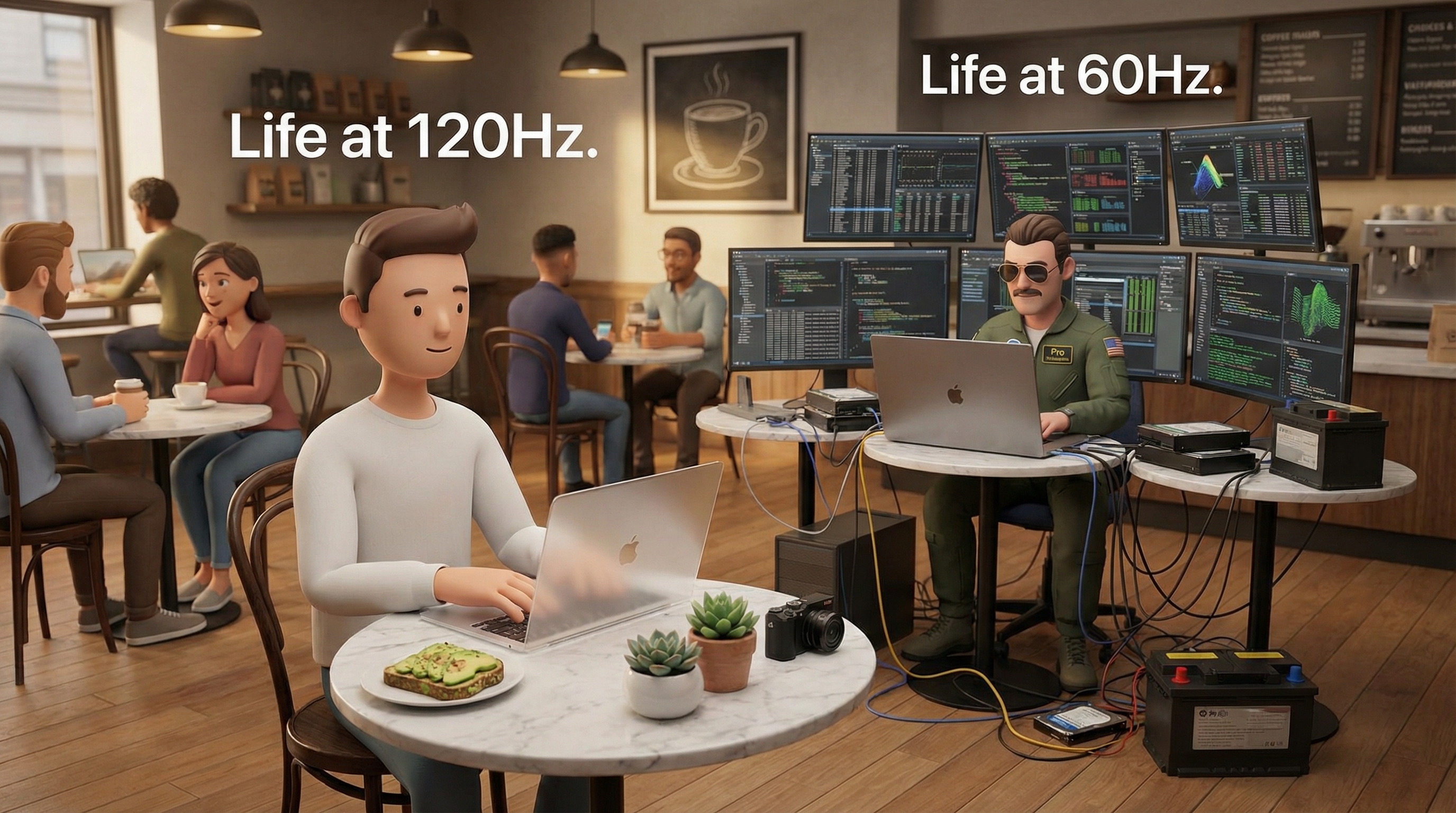
💡 Real talk: If you use your laptop primarily for text based work, web browsing, and casual media consumption, the Air's display is more than good enough. But if you do color grading, photo editing, video work, or you simply want the best looking screen in a laptop, the MacBook Pro's XDR display is worth the upgrade. Once you get used to ProMotion at 120 Hz, going back to 60 Hz feels like wading through molasses.
🏆 Display winner: MacBook Pro, and it is not even close. The XDR display with ProMotion is one of the best laptop screens on the planet.
⚡ Performance and the M4 Chip Difference
Here is where things get a little tricky, because both the base MacBook Air and the base MacBook Pro run on the same Apple M4 chip. Same architecture, same 10 core CPU, same foundational performance. On single core benchmarks, the difference between them is roughly 1 to 2%, which is basically a rounding error. For everyday tasks like opening apps, browsing the web, working in spreadsheets, or even light video editing, you simply will not notice a performance difference.
So why does the Pro feel faster in some scenarios? Two words: active cooling.
The MacBook Air is completely fanless. This means it runs in total silence (which is wonderful), but it also means that during sustained, heavy workloads, the chip can start to thermal throttle. That means the processor slows itself down to avoid overheating. In Cinebench multi core benchmarks that run for 10+ minutes, the MacBook Pro (with its built in fan) outperforms the Air by around 36%. That is a significant gap for professional workloads.
For quick bursts of power, like exporting a photo in Lightroom or compiling a small code project, the Air matches the Pro almost perfectly. But for sustained tasks like rendering a long 4K video, training an AI model, or running complex 3D simulations, the Pro will finish the job noticeably faster because it can maintain peak performance without throttling.
M4 Pro and M4 Max: When You Need Serious Muscle
The MacBook Pro also gives you the option to step up to the M4 Pro (up to 14 CPU cores and 20 GPU cores) or the M4 Max (up to 16 CPU cores and 40 GPU cores). These chips are designed for professionals who push their machines hard every day. Think 8K video editing in DaVinci Resolve, compiling massive codebases, running machine learning workflows, or creating complex 3D scenes in Blender.
To put it in perspective: the M4 Pro scored around 22,400 in the Geekbench multi core test, while the base M4 Air scored around 14,700. That is roughly 50% more multi core performance. The M4 Max pushes even further beyond that. If you need this kind of power, the MacBook Air is simply not in the conversation.
🏆 Performance winner: MacBook Pro. Same chip in the base model, but better sustained performance thanks to active cooling, plus the option to upgrade to M4 Pro or M4 Max for serious work.
🔋 Battery Life Compared
Both MacBooks offer outstanding battery life, some of the best you will find in any laptop, period. But there is a clear gap between them.
Apple rates the MacBook Air at up to 18 hours of video playback and up to 15 hours of wireless web browsing. In real world mixed usage (a combination of browsing, writing, streaming, and light app usage), most reviewers and users report around 10 to 13 hours on a single charge. That is genuinely all day battery life for most people.
The MacBook Pro 14 inch (M4) steps it up to an Apple rated 24 hours of video playback and 16 hours of wireless web browsing. In real world tests, including demanding benchmarks at 150 nits brightness, the 14 inch Pro lasts around 16 to 18 hours. The 16 inch MacBook Pro with M4 Pro has been measured at over 20 hours in lab testing, making it one of the longest lasting consumer laptops ever tested.
The reason for this difference is straightforward: the Pro has a bigger battery. The 13 inch Air packs a 53.8 Wh battery, while the 14 inch Pro has a 72.4 Wh battery. That is about 35% more capacity. The Pro also supports faster charging: with a compatible high wattage charger, you can get to 50% in about 30 minutes. The Air tops out at 35W charging.
🏆 Battery winner: MacBook Pro. Both last all day, but the Pro can push well into a second day of light use on a single charge.
🔌 Ports, Connectivity, and Expandability
If you have ever felt the pain of carrying a USB hub or dongle bag everywhere, this section matters to you. Ports are one of the most practical differences between the Air and Pro.
The MacBook Air comes with:
- 2x Thunderbolt 4 (USB C) ports
- MagSafe 3 charging connector
- 3.5 mm headphone jack
The MacBook Pro (M4) gives you:
- 3x Thunderbolt 4 (USB C) ports (Thunderbolt 5 on M4 Pro/Max models)
- HDMI port
- SDXC card slot
- MagSafe 3 charging connector
- 3.5 mm headphone jack
That extra Thunderbolt port, the HDMI, and the SD card slot make a real difference in daily use. With the Pro, you can plug directly into an external monitor via HDMI without any adapter, pop an SD card from your camera straight into the laptop, and still have three USB C ports available. With the Air, connecting to a projector or an external display means you need a dongle, and if you are a photographer or videographer, you will need a separate card reader too.
Both models support Wi-Fi 6E (802.11ax) and Bluetooth 5.3, so wireless connectivity is identical.
🏆 Ports winner: MacBook Pro, by a wide margin. The built in HDMI and SD card slot alone save you from dongle life.
🔊 Speakers, Microphone, and Webcam
Both the MacBook Air and Pro have excellent speakers by laptop standards, but the Pro takes audio to another level.
The 13 inch MacBook Air has a four speaker system that supports Spatial Audio with Dolby Atmos. It sounds clear and balanced, perfectly fine for Zoom calls, YouTube videos, and background music. The 15 inch Air also gets a six speaker setup if you go for the larger model.
The MacBook Pro packs a six speaker system with force cancelling woofers. This is not just marginally better; it is a huge step up. The bass is richer, the stereo separation is wider, and the overall sound is fuller and louder. Several reviewers have noted that the Pro's speakers rival some standalone Bluetooth speakers. If you listen to music without headphones or watch a lot of media on your laptop, this is a noteworthy upgrade.
Both machines share the same 12 MP Center Stage webcam with 1080p video, which is great for video calls. The Pro does have a slightly better three microphone array with a higher signal to noise ratio, which means your voice sounds clearer on calls and recordings.
🏆 Audio winner: MacBook Pro. The six speaker system with woofers sounds phenomenal for a laptop.
💾 Storage and Memory Options
Both machines start with 16 GB of unified memory (Apple's term for RAM), which is sufficient for most users running typical productivity apps, web browsing with lots of tabs, and even light creative work. But the upgrade paths differ significantly.
The MacBook Air maxes out at 32 GB of RAM and 2 TB of SSD storage. The base model starts at just 256 GB of storage, which can feel tight if you store lots of files locally. We strongly recommend spending the extra $200 to get the 512 GB model; you will thank yourself later. SSD speeds on the Air are solid but notably slower than the Pro's drive.
The MacBook Pro starts at 512 GB of storage (nice), and can be configured with up to 8 TB of storage and a whopping 128 GB of unified memory on the M4 Max. These are workstation level specs in a laptop. The Pro's SSD also delivers faster read and write speeds, which matters when you are working with large files like 4K video footage or massive project files.
Keep in mind that storage and RAM on MacBooks cannot be upgraded after purchase. Whatever you buy is what you get for the entire life of the machine. So think carefully about your needs over the next five to seven years.
⚠️ Important reminder: MacBook storage and memory are soldered to the logic board. You cannot upgrade them later. If you think 16 GB or 256 GB might not be enough two or three years from now, it is worth upgrading at purchase time.
💰 Pricing: What Does Your Money Get You?
Let us talk dollars and cents, because this is often the deciding factor for most people.
MacBook Air Pricing
- 13 inch M4 (10 CPU / 8 GPU, 16 GB, 256 GB) – $999
- 13 inch M4 (10 CPU / 10 GPU, 16 GB, 512 GB) – $1,199
- 15 inch M4 (10 CPU / 10 GPU, 16 GB, 256 GB) – $1,199
- 15 inch M4 (10 CPU / 10 GPU, 16 GB, 512 GB) – $1,399
MacBook Pro Pricing
- 14 inch M4 (10 CPU / 10 GPU, 16 GB, 512 GB) – $1,599
- 14 inch M4 Pro (12 CPU / 16 GPU, 24 GB, 512 GB) – $1,999
- 16 inch M4 Pro (14 CPU / 20 GPU, 24 GB, 512 GB) – $2,499
- 14 inch M4 Max (up to 16 CPU / 40 GPU, up to 128 GB) – from $3,199
- 16 inch M4 Max (up to 16 CPU / 40 GPU, up to 128 GB) – from $3,499
The smartest comparison is between the 13 inch MacBook Air with 512 GB at $1,199 and the 14 inch MacBook Pro with M4 at $1,599. That is a $400 difference for the same M4 chip and 16 GB of RAM, but the Pro gives you a far superior display, 6 more hours of battery life, better speakers, more ports, and active cooling. Whether that $400 is worth it comes down to how much you value those upgrades.
If $999 is your ceiling, the base MacBook Air is still a phenomenal laptop. Just upgrade to the 512 GB model if your budget allows. And if you find sales on either model, even better.
🎯 Not sure which config is right for you?
Take our quick Laptop Recommendation Quiz. Answer a few questions about your usage, budget, and preferences, and our AI powered tool will suggest the perfect MacBook (or any laptop) for your needs.
🤔 Who Should Buy Which MacBook?
Buy the MacBook Air if you are:
- A student who needs a reliable, lightweight laptop for notes, essays, research, and the occasional Netflix binge 📚
- A professional who primarily works in browsers, email, documents, spreadsheets, and video calls
- Someone who values portability above all else and wants the lightest Mac possible
- On a tighter budget and want the most bang for your buck
- A casual user who browses the web, manages photos, and uses social media
- Anyone who hates fan noise. The Air is completely silent, always
For most of these use cases, we recommend the MacBook Air 13 inch with 512 GB as the sweet spot. It gives you the best balance of performance, storage, and value.
Buy the MacBook Pro if you are:
- A video editor, photographer, or graphic designer who needs a top tier display and sustained performance 🎬
- A software developer working on large projects, compiling code, or running virtual machines
- A music producer using Logic Pro or other DAWs with lots of plugins and tracks
- Someone who connects to external monitors, SD cards, and HDMI displays regularly
- A power user who keeps the laptop running heavy tasks for extended periods
- Anyone who wants the absolute longest battery life in a MacBook
For creative professionals, the MacBook Pro 14 inch with M4 Pro is the sweet spot. It gives you meaningfully more power than the base M4 without the premium price of the M4 Max.
The "In Between" Option
If you are somewhere in the middle (maybe you do some video editing but are not a full time pro, or you want a better screen but do not need the M4 Pro), the base 14 inch MacBook Pro with M4 is an interesting middle ground. You get the gorgeous XDR display, the extra ports, better speakers, and better battery life, all with the same M4 chip found in the Air. It is $400 more than the comparable Air, but that display upgrade alone is something many users consider worth the investment.
🔧 Tips and Troubleshooting for New MacBook Owners
Getting the Most Out of Your New MacBook
- Optimize battery health: Go to System Settings > Battery and enable Optimized Battery Charging. This learns your daily charging routine and pauses charging at 80% until you need the full charge, which extends the battery's overall lifespan.
- Use external storage wisely: Since you cannot upgrade internal storage later, invest in a quality Thunderbolt external SSD for large media files, backups, and archives. This keeps your internal drive lean and fast.
- Calibrate your display: If you do creative work, head to System Settings > Displays and explore the color profiles. The MacBook Pro's P3 wide gamut display is factory calibrated, but you can fine tune it further with a hardware calibrator if color accuracy is critical for your workflow.
- Manage login items: Go to System Settings > General > Login Items to review and disable apps that launch at startup. This keeps boot times fast and prevents background processes from eating battery unnecessarily.
- Use Stage Manager or Spaces: If you multitask heavily, learn macOS Spaces (multiple desktops) and Stage Manager. They dramatically improve productivity, especially on the Air's smaller screen.
Troubleshooting Common Issues
- MacBook Air running hot during heavy tasks: This is normal for a fanless machine. The chip throttles to stay cool. If it happens frequently, close unnecessary apps and consider whether the MacBook Pro would be a better fit for your workload.
- Battery draining faster than expected: Check Activity Monitor (search for it in Spotlight) to identify power hungry apps. Chrome is a common culprit. Consider using Safari for better battery efficiency on macOS.
- External display not detected: Try unplugging and replugging the cable, or go to System Settings > Displays and click "Detect Displays." Make sure your USB C to HDMI adapter or cable supports the resolution you are trying to use.
- Trackpad or keyboard acting up: Reset the SMC by shutting down, then pressing and holding the power button for 10 seconds. On Apple Silicon Macs, a simple restart usually fixes minor glitches.
- Storage filling up fast: Use System Settings > General > Storage to see what is eating your drive. Enable "Optimize Mac Storage" in iCloud settings to keep large files in the cloud and free up local space.
✅ Pro tip: Before buying, use our Compare Tool to stack any two laptops against each other on every spec that matters. You can even pit the MacBook Air against Windows alternatives like the Dell XPS or Lenovo ThinkPad to make sure you are getting the best value. Our tool gives you an objective verdict based on all the numbers.
🏁 Conclusion and Key Takeaways
The MacBook Air and MacBook Pro are both exceptional laptops. Apple has made the choice harder than ever by putting the M4 chip in both, which means the performance gap at the base level is slim. But the differences in display quality, battery life, port selection, cooling, and audio are real and meaningful.
Here are the key takeaways to remember:
- The MacBook Air is the best laptop for most people. It is lighter, more affordable, completely silent, and powerful enough for 90% of users. The 13 inch Air with 512 GB at $1,199 is the sweet spot.
- The MacBook Pro is better on paper in nearly every way, but many of its advantages only matter if you do demanding creative work, need more ports, or want the best possible display and audio experience.
- The $400 gap between the comparable Air and Pro gets you a substantially better screen, 6 extra hours of battery, more ports, better speakers, and active cooling. That is a lot for $400 if you value those features.
- If you need M4 Pro or M4 Max power for professional video editing, 3D rendering, music production, or heavy development work, the MacBook Pro is your only option.
- Neither machine is a bad choice. The MacBook Air is a fantastic value, and the MacBook Pro is a fantastic machine. Pick the one that matches your actual daily needs, not the one that looks best on a spec sheet.
Happy MacBook shopping! Whatever you choose, you are getting one of the best laptops money can buy. 🎉
❓ Frequently Asked Questions
Is the MacBook Air good enough for coding and software development?
Absolutely. For most development workflows (web development, app development, scripting), the MacBook Air with 16 GB of RAM handles things beautifully. You only need the Pro if you regularly compile very large projects, run multiple virtual machines simultaneously, or work with resource intensive IDEs and emulators for extended periods.
Can I edit video on the MacBook Air?
Yes. The M4 chip handles 4K video editing in apps like Final Cut Pro, iMovie, and even DaVinci Resolve remarkably well. The caveat is that during long export jobs, the Air may throttle slightly due to its fanless design, making exports take a bit longer than on the Pro. For casual and semi pro video editing, the Air is completely fine.
Is 16 GB of RAM enough?
For most users, yes. Apple's unified memory architecture is more efficient than traditional RAM, so 16 GB on a Mac goes further than 16 GB on most Windows machines. However, if you frequently work with very large files (like high resolution photo catalogs, complex Xcode projects, or multiple pro apps open simultaneously), 24 GB or 32 GB is worth considering.
Should I buy the 13 inch or 15 inch MacBook Air?
The 15 inch Air gives you a larger screen and six speakers (instead of four), which is great for content consumption and multitasking. It is $200 more than the comparable 13 inch model. If you primarily work at a desk or want a bigger display for watching movies, go for the 15 inch. If maximum portability is your priority, the 13 inch is the way to go.
How long will a MacBook Air or Pro last me?
Apple typically supports MacBooks with macOS updates for about seven to eight years after release. With the performance of the M4 chip, either MacBook should serve you well for at least five to seven years of daily use without feeling slow. Investing in more RAM and storage at purchase time will help extend the usable lifespan.
Can I use the MacBook Air with an external monitor?
Yes. Both MacBook Air models support up to two external displays (with the lid closed on the newer M4 models). The MacBook Pro supports more external displays, especially with M4 Pro and M4 Max chips. You will need a USB C to HDMI adapter or cable for the Air, while the Pro has a built in HDMI port.
🎥 Watch: MacBook Air vs MacBook Pro Explained
Still deciding? This video breaks down the key differences visually and can help you see both laptops in action:
Disclosure: This post contains affiliate links. If you purchase through our links, we may earn a small commission at no extra cost to you. This helps support our site and allows us to keep creating helpful content. All opinions and recommendations are our own. Prices and specs are subject to change; check retailer websites for the latest information.