Laptop vs Tablet: Pros and Cons
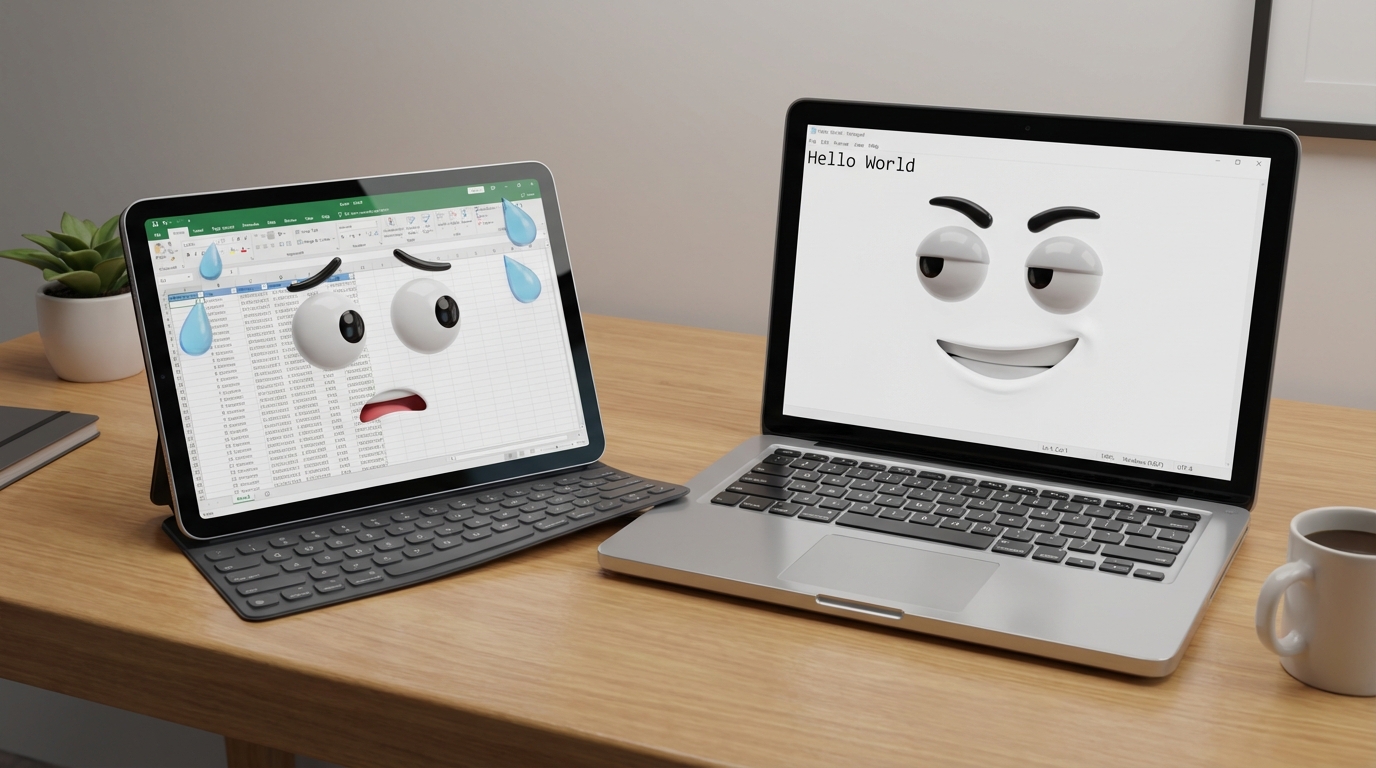
So, you are standing in the tech aisle (or scrolling through a seemingly endless list of products online) trying to figure out whether to buy a laptop or a tablet. Maybe your old device just died on you. Maybe you are treating yourself. Either way, the choice between a laptop and a tablet feels harder than picking a Netflix show on a Friday night. 🍿
Here is the thing: both devices are incredibly capable these days. Tablets have evolved from glorified e-readers into legitimate productivity machines, while laptops keep getting thinner, lighter, and more versatile. The lines between these two categories are blurring faster than ever, which makes the decision even more confusing.
But do not worry. We have spent countless hours testing, comparing, and (let's be honest) obsessing over both laptops and tablets. In this guide, we are going to break down every important difference between the two, highlight the pros and cons of each, and help you figure out exactly which device makes sense for your specific needs. Whether you are a student, a creative professional, a business warrior, or a couch potato extraordinaire, we have got you covered. Let's dive in! 🏊
📊 Quick Comparison: Laptop vs Tablet at a Glance
Before we get into the nitty-gritty, here is a quick overview of how laptops and tablets stack up across the most important categories:
| Feature | 💻 Laptop | 📱 Tablet |
|---|---|---|
| Weight | 1.2 to 2.5 kg (typically) | 300 to 700 grams |
| Screen Size | 11 to 17 inches | 8 to 13 inches |
| Battery Life | 4 to 12 hours | 8 to 14 hours |
| Processing Power | Desktop-grade CPUs and GPUs | Mobile processors (efficient) |
| Operating System | Windows, macOS, ChromeOS, Linux | iPadOS, Android, (some Windows) |
| Storage | 256 GB to 2 TB+ (upgradeable) | 32 GB to 1 TB (usually fixed) |
| Keyboard | Built-in physical keyboard | On-screen or optional accessory |
| Ports & Connectivity | USB-A, USB-C, HDMI, SD card, etc. | Usually USB-C only |
| Best For | Productivity, coding, gaming, editing | Browsing, streaming, reading, sketching |
| Price Range | $300 to $3,000+ | $100 to $1,500+ |
| Multitasking | Excellent (multi-window, dual monitors) | Improving but still limited |
| Stylus/Touch | Available on select 2-in-1 models | Native touchscreen, excellent stylus support |
📑 Table of Contents
- Quick Comparison: Laptop vs Tablet at a Glance
- Laptop Pros and Cons
- Tablet Pros and Cons
- Performance and Processing Power
- Portability and Design
- Battery Life: The Endurance Test
- Display Quality and Screen Size
- Keyboard, Input, and Typing Experience
- Software Compatibility and Operating Systems
- Storage and Connectivity
- When to Choose a Laptop vs a Tablet
- The 2-in-1 Compromise: Best of Both Worlds?
- Laptop vs Tablet for Students
- Laptop vs Tablet for Business Professionals
- Laptop vs Tablet for Creative Work
- Gaming: Laptop or Tablet?
- Budget Considerations and Value for Money
- Tips and Troubleshooting Advice
- Conclusion and Key Takeaways
- Frequently Asked Questions (FAQ)
💻 Laptop Pros and Cons
The laptop has been the workhorse of personal computing for decades, and it is not going anywhere anytime soon. Whether you need to crunch spreadsheets, edit video, write code, or play the latest games, a laptop can handle just about anything you throw at it. But it is not perfect. Let's break down the good and the not-so-good.
✅ Laptop Pros
- Superior processing power for demanding tasks
- Built-in physical keyboard for comfortable typing
- Larger screens (13" to 17") for multitasking
- Full desktop operating systems (Windows, macOS)
- More storage capacity with upgrade options
- Multiple ports (USB, HDMI, SD, Ethernet)
- Better for professional software (Adobe Suite, IDEs, CAD)
- Supports dual or external monitors easily
- Dedicated graphics cards available for gaming and editing
- Stronger security software options
❌ Laptop Cons
- Heavier and bulkier than tablets
- Shorter battery life on average
- Generates more heat during intensive tasks
- Less intuitive for touch-based tasks
- More expensive for comparable quality
- Limited upgradability in ultrabooks (soldered components)
- Fan noise during heavy workloads
- Requires a flat surface for optimal use
Laptops like the Apple MacBook Air M3 or the Dell XPS 13 represent the best that the laptop world has to offer: thin, powerful, and packed with features. If you need a machine that can handle serious work, a laptop is almost always the better choice.
📱 Tablet Pros and Cons
Tablets have come a long way from the early days of "big smartphones." Modern tablets like the Apple iPad Pro M4 and the Samsung Galaxy Tab S9 are legitimate creative and productivity tools. But they still have some limitations you should know about.
✅ Tablet Pros
- Ultra lightweight and portable (300 to 700g)
- Excellent battery life (8 to 14 hours)
- Touchscreen is natural and intuitive
- Amazing stylus support for drawing and notes
- Great front cameras for video calls
- Instant on and fast boot times
- Cellular connectivity options (LTE/5G)
- Perfect for media consumption and reading
- Generally more affordable at entry level
- Silent operation (no fans)
❌ Tablet Cons
- Limited processing power for heavy tasks
- Smaller screens restrict multitasking
- No built-in keyboard (accessories cost extra)
- Mobile operating systems with app limitations
- Less storage and no easy upgrades
- Fewer ports and connectivity options
- Professional software often limited or unavailable
- On-screen typing is not ideal for long sessions
⚡ Performance and Processing Power
This is where laptops pull ahead with a comfortable lead. If performance is your top priority, a laptop will almost always outmuscle a tablet. Here is why:
Laptops use desktop-grade processors like the Intel Core i7, AMD Ryzen 7, or Apple M3/M4 chips. These processors are designed for sustained, heavy workloads. They are paired with better cooling systems (yes, those fans serve a purpose!) and more RAM, typically 8 GB to 64 GB depending on the model. This combination lets laptops handle video editing, 3D rendering, software development, large spreadsheets, and gaming without breaking a sweat.
Tablets, on the other hand, use mobile processors optimized for energy efficiency rather than raw power. Chips like the Apple M4 (in the iPad Pro) or Qualcomm Snapdragon 8 Gen 3 (in premium Android tablets) are impressively fast, but they are designed to sip power, not chug it. That means they handle browsing, streaming, photo editing, and note-taking beautifully, but they can struggle with sustained heavy workloads like compiling code or rendering long video projects.
🔧 Pro Tip: If you are trying to decide between specific laptop and tablet models, use our comparison tool to see a side-by-side breakdown of specs, performance benchmarks, and price. It is like having a tech expert in your pocket!
🎒 Portability and Design
If you have ever lugged around a chunky laptop all day, you know exactly why tablets exist. When it comes to portability, tablets win this round and it is not even close.
Most tablets weigh somewhere between 300 and 700 grams (that is less than two cans of soda) and are thin enough to slip into a purse, messenger bag, or even a large jacket pocket. You can hold them comfortably with one hand, use them standing up, and toss them in your carry-on without worrying about your shoulder giving out at the airport.
Laptops have gotten dramatically lighter over the years. Ultrabooks like the MacBook Air weigh around 1.2 kg, which is impressive, but still about three times heavier than an iPad Air. And while you can technically use a laptop on your lap (hence the name), it really works best when placed on a flat, stable surface. Try typing a report while standing on a crowded subway train with a laptop... yeah, good luck with that. 😅
That said, if you are working at a desk, cafe, or co-working space most of the time, a laptop's slightly larger footprint is a non-issue, and you get the benefit of a bigger screen and full keyboard.
🔋 Battery Life: The Endurance Test
Battery life can make or break your experience with a portable device, especially if you travel a lot or work away from power outlets. Here's how the two stack up:
Tablets typically deliver 8 to 14 hours of active use on a single charge. Their mobile processors, smaller screens, and efficient operating systems all contribute to this impressive stamina. Some models can even stretch to two full days of moderate use. If you are on a long flight, sitting through a day of lectures, or spending hours reading on the couch, a tablet will keep up without complaining.
Laptops generally last 4 to 10 hours, depending heavily on the workload and hardware. A lightweight ultrabook doing basic web browsing might hit 12 to 15 hours (the Apple MacBook Air M3, for example, is a battery champion). But fire up a demanding game, run a video export, or keep 47 Chrome tabs open (we have all been there), and you will be hunting for an outlet within a few hours. High-performance gaming laptops? They can drain in 2 to 3 hours under load.
⚠️ Keep in Mind: Battery life claims from manufacturers are based on ideal conditions. Real-world usage, including screen brightness, Wi-Fi activity, and background apps, will almost always result in shorter battery life than advertised.
🖥️ Display Quality and Screen Size
Both laptops and tablets offer stunning displays these days, but they serve different purposes and excel in different ways.
Tablets tend to pack high-resolution screens (often 2K or higher) into their compact frames. The iPad Pro's OLED display, for example, is absolutely gorgeous with deep blacks, vibrant colors, and brightness levels exceeding 1,000 nits. This makes tablets fantastic for watching movies, reading, drawing, and casual photo editing. The touchscreen is also the primary way you interact with the device, which makes everything feel direct and intuitive.
Laptops offer larger screens, typically 13 to 17 inches, which gives you significantly more workspace. This is crucial for multitasking with side-by-side windows, working in complex software like Premiere Pro or Excel, and generally being productive over long sessions. Many modern laptops now feature OLED or high-refresh-rate displays too, which used to be exclusive to premium models but are becoming more common across price points.
The key difference is really about how you use the screen. Tablets are great for holding close and interacting directly with touch. Laptops are great for sitting at a comfortable distance and working with a keyboard and trackpad.
⌨️ Keyboard, Input, and Typing Experience
If your day involves a lot of typing, this section might just settle the debate for you.
Laptops come with a built-in physical keyboard, and the typing experience on a good laptop is hard to beat. Keys with proper travel, a responsive trackpad, and the natural ergonomics of a clamshell design make long writing sessions comfortable. Whether you are drafting a research paper, coding an application, or responding to 200 emails, a laptop keyboard keeps your fingers happy.
Tablets rely on on-screen keyboards by default, which are... fine for quick messages and searches but absolutely painful for anything longer than a paragraph. You can buy a keyboard accessory (Apple's Magic Keyboard, Samsung's Book Cover Keyboard, etc.), and some of these are genuinely excellent. But they add cost, bulk, and still do not quite match the feel of a dedicated laptop keyboard. The Apple Magic Keyboard for iPad Pro is one of the best, but it costs a pretty penny and effectively turns your tablet into a laptop-priced device.
Where tablets shine in the input department is with stylus support. The Apple Pencil and Samsung S Pen are incredible tools for handwriting notes, sketching, drawing, and annotating documents. If your workflow involves a lot of pen-based input, a tablet with a stylus can be transformative.
🖧 Software Compatibility and Operating Systems
This is arguably the most important factor for many people, and it is where the divide between laptops and tablets gets really clear.
Laptops run full desktop operating systems: Windows, macOS, ChromeOS, or Linux. This means you get access to the complete versions of professional software. We are talking Microsoft Office with macros and VBA, Adobe Creative Cloud (Photoshop, Premiere, After Effects, Illustrator), development tools like Visual Studio Code, AutoCAD, MATLAB, and thousands of other specialized applications. If your work depends on any of these tools, a laptop is the only practical choice.
Tablets run mobile operating systems, primarily iPadOS or Android. While the app ecosystems are massive and growing, many professional tools are either unavailable or offered in stripped-down versions. Photoshop for iPad, for example, is powerful but lacks many features of the desktop version. And some software categories, like full-featured IDEs for coding, database management tools, or advanced CAD software, simply do not exist in the mobile ecosystem yet.
The exception is Windows tablets like the Microsoft Surface Pro, which run full Windows and can handle desktop software. These blur the line between laptop and tablet more than any other device.
💾 Storage and Connectivity
Laptops dominate in storage. Most models come with 256 GB to 2 TB of SSD storage, and many allow you to upgrade or expand your storage later. You also get a full suite of ports: USB-A, USB-C, HDMI, headphone jacks, SD card readers, and sometimes even Ethernet. This makes connecting external monitors, hard drives, mice, keyboards, and other peripherals a breeze.
Tablets are more limited. Most tablets offer 64 GB to 512 GB of internal storage (with some high-end models reaching 1 TB or 2 TB), and you generally cannot upgrade it after purchase. Some Android tablets support microSD cards for expansion, but iPads do not. As for ports, most tablets have a single USB-C connection and that is it. You will need dongles and adapters if you want to connect multiple peripherals.
On the flip side, tablets often offer something laptops do not: built-in cellular connectivity. Many tablets are available with LTE or 5G options, letting you get online from anywhere without hunting for Wi-Fi or tethering to your phone. This is a game-changer for people who need constant connectivity on the go.
🎯 When to Choose a Laptop vs a Tablet
All right, enough specs. Let's talk about real-life scenarios. Here is a practical breakdown of which device makes more sense based on what you actually plan to do with it:
💻 Choose a Laptop If You...
- Write, code, or create content professionally
- Use specialized desktop software
- Need serious multitasking with multiple windows
- Edit video, photos, or audio at a professional level
- Play PC games
- Work with large files or databases
- Need to connect multiple peripherals
- Use your device for 8+ hours of focused work daily
📱 Choose a Tablet If You...
- Primarily browse the web, stream, and read
- Need the lightest, most portable device possible
- Take handwritten notes or sketch/draw
- Want a secondary device alongside your desktop or laptop
- Travel frequently and need all-day battery life
- Use your device mainly for media consumption
- Need a device for kids or casual home use
- Want built-in cellular connectivity
🔄 The 2-in-1 Compromise: Best of Both Worlds?
Cannot decide? You are not alone. That is exactly why 2-in-1 devices exist. These hybrid machines attempt to give you the best of both worlds by combining a laptop's keyboard and productivity with a tablet's touchscreen flexibility.
There are two main types of 2-in-1 devices:
- Convertible laptops have a 360-degree hinge that lets you flip the keyboard behind the screen, turning the laptop into a thick tablet. Examples include the HP Spectre x360 and Lenovo Yoga 9i.
- Detachable tablets have a keyboard that completely separates from the screen. The Microsoft Surface Pro is the most famous example.
2-in-1 devices are a solid choice for people who want flexibility. They are particularly popular with students, traveling professionals, and anyone whose workday shifts between typing and touch-based tasks. However, they typically cost more than a standard laptop or tablet of equivalent performance, and the tablet mode on convertible laptops is never quite as sleek as a proper dedicated tablet.
💡 Not Sure Which Device Is Right For You? Take our quick personal recommendation quiz! Answer a few simple questions about your needs and budget, and our AI will suggest the best device for you. It is fast, free, and surprisingly accurate. Give it a try!
🎓 Laptop vs Tablet for Students
Students are one of the groups that struggle most with this decision, and for good reason. Your needs as a student can vary wildly depending on your major, your study habits, and your budget.
For most students, a laptop is the safer, more versatile choice. You will need it for writing essays, creating presentations, research with many browser tabs open, video conferencing, and accessing course-specific software. Many STEM programs require software that simply will not run on a tablet (MATLAB, SPSS, SolidWorks, etc.).
That said, tablets can be a fantastic supplement or even a primary device for certain students. If your program is heavy on reading, note-taking, and attending online lectures, a tablet with a keyboard accessory and stylus might be everything you need. Medical students, art students, and anyone who takes handwritten notes will love the stylus-based workflow on an iPad or Galaxy Tab.
The best student setup, if budget allows? A budget-friendly laptop for heavy lifting and a basic tablet (like the iPad 10th generation) for reading and note-taking. If you can only pick one, go with the laptop.
💼 Laptop vs Tablet for Business Professionals
For business use, laptops remain the standard for good reason. The typical business workflow involves email, spreadsheets, presentations, document management, video meetings, and various specialized tools. All of these work better (or only work at all) on a laptop.
Laptops also offer better security options. You can install full versions of firewalls, antivirus software, and encryption tools. Enterprise IT departments can manage laptops more effectively with tools like Microsoft Intune or JAMF for Macs. And VPN clients, remote desktop applications, and business communication platforms all perform better on desktop operating systems.
Where tablets shine in business is as a companion device. Executives love them for reviewing documents, taking notes in meetings, and giving quick presentations. Sales teams use them for on-the-go product demos. Field workers appreciate their light weight and long battery life. But for primary workstation use? Stick with a laptop.
🎨 Laptop vs Tablet for Creative Work
Creative professionals are an interesting case because the best device genuinely depends on what type of creative work you do.
For digital illustration, sketching, and handwritten notes, tablets are phenomenal. Drawing directly on the screen with a stylus like the Apple Pencil or Samsung S Pen feels natural and responsive. Apps like Procreate (iPad only), Clip Studio Paint, and Adobe Fresco are optimized for touch and stylus input. Many professional illustrators and concept artists now prefer tablets over traditional pen display setups.
For photo editing, video editing, music production, and graphic design, laptops are still the better choice. These workflows demand powerful processors, lots of RAM, large screens, and access to full desktop software like Adobe Premiere Pro, DaVinci Resolve, Logic Pro, or Ableton Live. While tablet versions of some of these apps exist, they usually lack the features and performance of their desktop counterparts.
The sweet spot for many creatives is a powerful laptop as the main workstation and a tablet as a portable companion for sketching ideas, reviewing content, and doing light edits on the go.
🎮 Gaming: Laptop or Tablet?
Let's be real: if gaming is a priority, get a laptop. Period.
Gaming laptops like the ASUS ROG Zephyrus G16 come with dedicated NVIDIA RTX graphics cards, high-refresh-rate displays, advanced cooling systems, and powerful CPUs. They can run AAA titles at high settings, handle competitive esports smoothly, and even manage VR gaming.
Tablets are fine for casual mobile gaming. Apple Arcade, Android games, and some titles like Genshin Impact run well on high-end tablets. Cloud gaming services like Xbox Cloud Gaming and NVIDIA GeForce NOW also work on tablets, letting you stream demanding games over the internet. But for a native, high-performance gaming experience, there is no substitute for a proper gaming laptop (or desktop).
💰 Budget Considerations and Value for Money
Money matters, so let's talk about what you get for your dollar in each category.
At the entry level, tablets offer better value. You can get a solid tablet like the iPad 10th gen or Samsung Galaxy Tab A9+ for $250 to $400 and have a device that handles everyday tasks beautifully. Budget laptops in the same price range tend to feel sluggish, have poor screens, and offer a mediocre experience.
At the mid-range ($500 to $1,000), laptops start to shine. You can find excellent laptops with fast processors, good screens, and plenty of storage. Tablets at this price point (like the iPad Air) are wonderful, but you are paying for premium touch and portability while still dealing with mobile OS limitations.
At the high end ($1,000+), both categories offer incredible devices, but they serve very different purposes. A $1,500 laptop is a productivity and creative powerhouse. A $1,500 iPad Pro with accessories is a stunning portable creative studio but still cannot replace a laptop for most professional workflows.
💡 Budget Hack: Do not forget to factor in accessories when comparing prices! A tablet plus keyboard case, stylus, and screen protector can easily add $200 to $400 to the total cost. A laptop comes with a keyboard and trackpad built in.
🔧 Tips and Troubleshooting Advice
Whichever device you choose, here are some practical tips to help you get the most out of it:
General Tips for Both Devices
- Always check software requirements first. Before buying, make a list of every app and program you use regularly. Check if they are available (and fully functional) on the platform you are considering.
- Test before you buy. Visit a store and spend 10 to 15 minutes using the device. Type on the keyboard, navigate the interface, and see how it feels in your hands.
- Consider future needs. Think about where you will be in 2 to 3 years. A device that barely meets your current needs will likely frustrate you down the road.
- Get adequate RAM and storage. Skimping on specs to save money is the number one regret most buyers have. For laptops, aim for 16 GB of RAM minimum. For tablets, get at least 128 GB of storage.
Laptop-Specific Tips
- Battery not lasting? Reduce screen brightness, close unnecessary background apps, and check for battery-draining programs in your task manager. Enabling battery saver mode can extend your runtime significantly.
- Running slow? Check your storage. If your SSD is over 90% full, performance suffers. Delete unused files or move them to external storage.
- Overheating? Keep vents clear, use on a hard surface (not a bed or pillow), and consider a cooling pad for gaming laptops.
- Keyboard feeling off? Try an external keyboard. Sometimes a cheap $30 keyboard upgrade can transform your typing experience.
Tablet-Specific Tips
- Want a laptop-like experience? Invest in a quality keyboard case. The difference between a $20 generic case and a well-designed one (like the Logitech Combo Touch) is night and day.
- Storage running low? Use cloud storage services like Google Drive, iCloud, or Dropbox. Offload photos and videos automatically to free up local space.
- Tablet feeling sluggish? Clear your app cache, close background apps, and check for OS updates. A restart often works wonders too.
- Stylus not responding? Make sure it is charged (if applicable), check Bluetooth connection, and ensure the tip is not worn out. Replacement tips are inexpensive and easy to swap.
🚀 Still Not Sure Which Device Is Right For You?
Let us help! Use our free tools to narrow down your perfect match in minutes.
⚖️ Compare Devices 🎯 Get Personalized Recommendation🏁 Conclusion and Key Takeaways
The laptop vs tablet debate does not have a one-size-fits-all answer, and honestly, that is a good thing. It means there is a device out there that fits your life perfectly. You just need to figure out what matters most to you.
🔑 Key Takeaways
- Choose a laptop if you need raw power, full software compatibility, a comfortable typing experience, and the ability to handle professional or creative workloads. Laptops are the best all-around choice for most people who use their device as their primary computer.
- Choose a tablet if portability is your top priority, you mainly consume content (reading, streaming, browsing), you want a stylus for drawing or note-taking, or you need a lightweight secondary device.
- Consider a 2-in-1 if you want the flexibility of both form factors in a single device and are willing to accept some compromises in each mode.
- Do not forget the accessories cost. A tablet with a keyboard and stylus can end up costing as much as a solid mid-range laptop.
- Match the device to YOUR workflow, not someone else's. What works for your friend or your favorite YouTuber might not work for you.
At the end of the day, both laptops and tablets are fantastic tools. The "right" choice is the one that fits your daily life, work requirements, and budget. And remember, you can always use our comparison tool to stack specific models against each other, or take our personalized recommendation quiz if you need a little extra guidance. Happy device hunting! 🎉
❓ Frequently Asked Questions (FAQ)
Can a tablet replace a laptop completely?
For some people, yes! If your daily tasks are limited to browsing, email, streaming, social media, and light document editing, a tablet (especially with a keyboard accessory) can serve as your primary device. However, for professionals who rely on desktop software, gamers, developers, or anyone doing heavy multitasking, a tablet cannot fully replace a laptop.
Is a 2-in-1 laptop worth it?
2-in-1 laptops are worth it if you genuinely need both a laptop and a tablet but do not want to carry (or pay for) two separate devices. They are especially popular among students and traveling professionals. Just be aware that 2-in-1s usually cost a bit more than comparable standard laptops, and the tablet mode is not as refined as a dedicated tablet.
Which is better for students: a laptop or a tablet?
For most students, a laptop is the safer choice because it handles essays, research, presentations, and course-specific software better. However, students in programs heavy on reading and note-taking may prefer a tablet with a stylus. The ideal setup is a laptop as the primary device with a budget tablet for reading and notes if your budget allows.
Are tablets good for work?
Tablets are great for certain work tasks: email, document review, video calls, presentations, and note-taking. But for intensive work like spreadsheet analysis, coding, design work, or using enterprise software, laptops are significantly better. Tablets work best as companion devices alongside a primary laptop or desktop.
How long do laptops and tablets typically last?
Both laptops and tablets typically last 3 to 5 years before performance or software support becomes an issue. Laptops can sometimes be extended through RAM or storage upgrades. Tablets are generally not upgradeable, but their simpler operating systems tend to stay responsive for a long time.
What should I prioritize: battery life or performance?
It depends on your lifestyle. If you are always near a power outlet and need to run demanding applications, prioritize performance (laptop). If you are constantly on the move and need your device to last all day, prioritize battery life (tablet or ultrabook laptop).
🎬 Watch: Laptop vs Tablet Explained
Want a visual breakdown? Check out this helpful comparison video:
© LaptopHunter. All rights reserved. | laptophunter.us