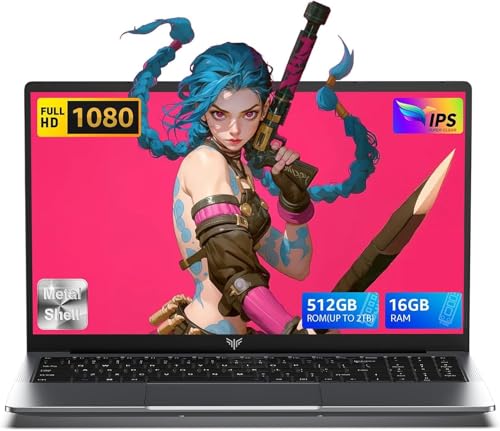
1 of selected
Back to All Laptops

Customer Reviews

4.3
Based on 39 reviews
Wilson Score: 71.9
5 ★
66%
4 ★
23%
3 ★
7%
2 ★
2%
1 ★
2%

Recent Reviews

Verified Purchase
4/4/2023
1.0 out of 5 stars Horrible computer!
By Amazon Customer
I have a small online business so I need to be able to navigate easily. This is the most confounding confusing computer I have ever used. For example, I couldn't get my printer to work with the computer. I looked everywhere for the printer settings and finally had to do a Google search to find out that you have to click on the "time" on the bottom bar. How would I possibly know to look there?!?! There are a lot of unrecoverable quirks on this computer so often my work is lost. When opening a second tab, it opens it in a small box in the upper left hand corner. By the time I figured that out, I had 6 tabs open. Why????This is a very UNintuitive computer, especially for someone like me who is not a "genius" computer person. I just found out it is too late for me to return. It has really made working online in my shop much more of a hassle and I don't look forward to it anymore.Unless you are a computer wizard, and don't mind frustration, STAY AWAY FROM THIS COMPUTER!!!!!
8 people found this helpful
Verified Purchase
6/27/2024
4.0 out of 5 stars Perfect for work or school
By Jake
I use this laptop for work all the time and it perfectly suits the cause! Just be careful which Google account you sign in under on the get go because it apparently won't ever let you change the main Google account lol. I've researched like crazy and still can't change the primary account so there's that.
4 people found this helpful

Frequently Asked Questions

What type of storage does this Chromebook use, and how much is included?
This model uses a 128GB HDD (hard disk drive) for storage, as listed in the title and confirmed by the 'hard_drive' spec of 'HDD'.
What is the actual battery life I can expect?
According to the product details, the average battery life is 13 hours under typical usage conditions.
Is the RAM soldered or upgradeable, and what type is it?
The specifications list the RAM as 8 GB of LPDDR3 SDRAM, which is a low-power, soldered type of memory and is not user-upgradeable.
What specific Intel Core i3 processor is installed, and what is its speed?
It uses a 10th Generation Intel Core i3 processor with a base clock speed of 2.1 GHz, as detailed in the specs and product details.
Does this laptop support stylus input, and if so, what kind?
Yes, it supports stylus input with any USI (Universal Stylus Initiative) pen, which offers pressure-sensitive writing and drawing directly on the screen.

Similar Laptops You Might Like

$399.99
17 reviews
Laptop, 15.6" Business Student Laptop Computer, Intel Quad-Core Processor Windows 11 Laptop, 16GB DDR4 512GB SSD, Up to 2TB,180° Open Angle, Metal Shell, WiFi, USB3.2, Type C
  • Brand: ACEMAGIC
  • Model: AX15
  • Screen: 15.6 Inches Inches
  • Processor: Intel
  • GPU: Intel UHD Graphics Up to 1.2GHz
  • RAM: DDR4
  • Storage: 512 GB SSD
Recent Reviews
David JB (Verified Purchase)
5.0 out of 5 stars 5 stars

great laptop for the price. The 16GB RAM and 512GB ssd provide smooth performance and the 180° hinge is a nice touch. Windows 11 runs well, and the sleek Silver Gray design looks premium. Highly recommend!

3whitey (Verified Purchase)
1.0 out of 5 stars Crashed

Laptop crashed with only a few days of use.I don’t find any warranty information

$249.99
15 reviews
2025 LX15 Laptop, 15.6-inch FHD (1920 x 1080) Display, Ιntel N197(4C/4T) Processor, 8GB DDR4 RAM, 256GB SSD, WiFi5, BT5.0, 38Wh Battery, Gray
  • Brand: ACEMAGIC
  • Model: LX15
  • Screen: 15.6 Inches Inches
  • Processor: Ιntel
  • GPU: Integrated
  • RAM: DDR4
  • Storage: 256 GB SSD
Recent Reviews
Nicholas (Verified Purchase)
5.0 out of 5 stars Rocky setup, but end result was worth it

The media could not be loaded. When I first booted this laptop up, it presented me with a "defaultuser0" account that I didn't know the password to. I completely wiped this laptop's SSD and reinstalled Windows to play it safe, and after that it worked like a charm with regular setup. I did have to find drivers online for the touchpad afterward though.Getting at the SSD to do all of this was thankfully pretty easy, since the bottom panel was removable with a few tiny screws. I noticed that there is only a single slot for RAM in there, but it isn't soldered on so I was able to upgrade it with a 16 gig stick at least. The N97 is no gaming powerhouse but it plays some older titles still, and the laptop works great for work like emails and browsing the internet.

Romaine (Verified Purchase)
4.0 out of 5 stars Good Stuff

Its good runs fast and has space, works for school