1 of selected
Back to All Laptops

Customer Reviews

4.3
Based on 2,900 reviews
Wilson Score: 84.7
5 ★
66%
4 ★
23%
3 ★
7%
2 ★
2%
1 ★
2%

Recent Reviews

Verified Purchase
12/6/2018
5.0 out of 5 stars Samsung Chromebook - just what I needed
By THX1138
I purchased the 32-bit Samsung Chromebook 3. I wanted a Samsung unit to go with my Note 3, Note 4 and must recent purchase a Note 8. What great machine.. all for under $200! I charged it up and downloaded the OS update. I’m impressed with the speed, weight, and quality of this product. The fact that isn’t touch is okay with me. The mouse pad is very responsive and easy to use. I like the non-reflective screen, the screen brightness control makes easy to read in daylight. Instant startup is a joy. The USB 3 and second ports USB 2 and HDMI with the longest battery-life are what sold me. I wrote this review with the unit. Impressive, I'm a CHROME fan for sure. My favorite Play Store app - ISS HD Live.
178 people found this helpful
Verified Purchase
2/4/2019
5.0 out of 5 stars My Favorite Laptop Ever
By Daniel M. Parker
It arrived at my door for under $200. It boots fast. It's easy to carry. It doesn't get hot. It has a long battery life. Updates are quick, simpe, and mostly in the background. It is easy to charge with a small lightweight wall-wort with a long cord.All my life I've been looking for a lightweight, easy to use, on the go computer for writing. I have had just about every small laptop over the last 20 years. This is by far the best of all of them I've tried.My jam is to take off into the woods and write. It's what I like doing. I don't want to spend time dealing with my writing device, I want to turn it on and write, I want to turn it off and have my writing saved. I want it to check my spelling.The lack of a right mouse button or a scroll wheel will throw a lot of people at first, but if you see the charms in this little box you will be compelled to use the Googles and look up how to use a Chromebook mouse pad. It is worth learning and will simplify your life.You can install apps from Google Play, Youtube works super well, many apps will run including Microsoft Office. There are good apps and avenues to log in to a remote desktop either Linux or Windows.It isn't a gaming computer, and I wouldn't try to do heavy photoshop or other graphics on it.TLDNR; It cost less than $200, it is durable, it runs all day, it is easy to use. It is great at a lot of things. It isn't good for some things.
22 people found this helpful

Frequently Asked Questions

How much usable storage space does this Chromebook have?
The laptop has 16GB of eMMC flash memory for user storage. The '32 GB' specification refers to the total capacity of the storage component, but 16GB is the portion available for your files and applications.
What is the actual processor speed?
The Intel Celeron N3060 processor has a base clock speed of 1.6 GHz and can boost up to 2.48 GHz when needed for more demanding tasks.
How long does the battery typically last on a single charge?
According to the product details, the average battery life is approximately 11 hours under typical usage conditions.
What type and how many USB ports are included?
This Chromebook has one USB 3.0 port for high-speed data transfer and one USB 2.0 port, providing two physical USB connections in total.
Is the RAM DDR3 or DDR4? The specifications seem to conflict.
The primary spec lists the RAM as 4 GB DDR3, but a detail in the product information notes 'DDR4 SDRAM'. Based on the processor generation (Intel N3060), it is most likely DDR3L memory, which is a low-voltage version of DDR3.

Similar Laptops You Might Like

$382.54
29 reviews
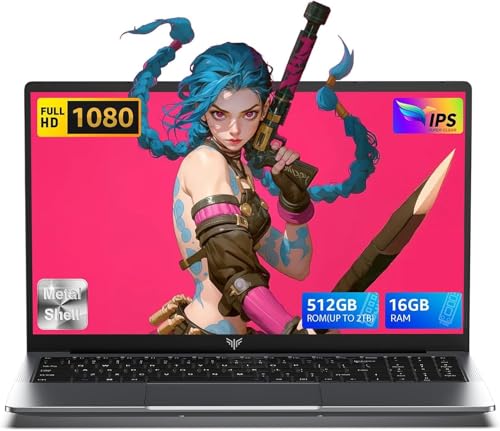
2025 Laptop,15.6-Inch FHD Display Laptop with Quad Core-12th Alder Lake N95(Up to 3.4GHz), 16GB RAM 512GB ROM Traditional Laptop Computer,Silver
  • Brand: ACEMAGIC
  • Model: AX15
  • Screen: 15.6 Inches Inches
  • Processor: 1.7 GHz
  • GPU: Intel UHD Graphics Up to 1.2GHz
  • RAM: DDR4
  • Storage: 512GB M.2 SATA SSD
Recent Reviews
Alaya (Verified Purchase)
5.0 out of 5 stars Huge screen and powerful

Wow, the screen size is huge. I have the smaller version of this laptop and this 17" version dwarfs that. The screen looks vibrant and robust and the speakers are loud and clear. The performance is also a lot faster with no lag. I really love the full sized keyboard, the layout feels comfortable to type on.

Empress Abiona (Verified Purchase)
5.0 out of 5 stars BUY IT

Amaaaaazinggly big interface, I LOVE this laptop. Works super fast, Perfect for work/ Making music/ Day to day tasks and hobbies. Amazing HD screen and audio . 10/10

$249.99
15 reviews
2025 LX15 Laptop, 15.6-inch FHD (1920 x 1080) Display, Ιntel N197(4C/4T) Processor, 8GB DDR4 RAM, 256GB SSD, WiFi5, BT5.0, 38Wh Battery, Gray
  • Brand: ACEMAGIC
  • Model: LX15
  • Screen: 15.6 Inches Inches
  • Processor: 3.6 GHz 6x86
  • GPU: Integrated
  • RAM: DDR4
  • Storage: 256 GB SSD
Recent Reviews
Nicholas (Verified Purchase)
5.0 out of 5 stars Rocky setup, but end result was worth it

The media could not be loaded. When I first booted this laptop up, it presented me with a "defaultuser0" account that I didn't know the password to. I completely wiped this laptop's SSD and reinstalled Windows to play it safe, and after that it worked like a charm with regular setup. I did have to find drivers online for the touchpad afterward though.Getting at the SSD to do all of this was thankfully pretty easy, since the bottom panel was removable with a few tiny screws. I noticed that there is only a single slot for RAM in there, but it isn't soldered on so I was able to upgrade it with a 16 gig stick at least. The N97 is no gaming powerhouse but it plays some older titles still, and the laptop works great for work like emails and browsing the internet.

Romaine (Verified Purchase)
4.0 out of 5 stars Good Stuff

Its good runs fast and has space, works for school