1 of selected
Back to All Laptops

Customer Reviews

4.2
Based on 556 reviews
Wilson Score: 80.7
5 ★
66%
4 ★
23%
3 ★
7%
2 ★
2%
1 ★
2%

Recent Reviews

Verified Purchase
8/11/2023
5.0 out of 5 stars Desktop performance in a laptop
By The Bearcat
I bought the Katana 15 B13V with 16 GB of DDR5 Ram, RTX 4070 gpu, and i7-13620H cpu on Prime Day marked down to $1349 from $1599.I primarily bought this because my desktop's motherboard uses DDR4 and is becoming dated and I wanted to play Baldur's Gate 3 at max settings. I'd like to build another desktop, but want to drop that kind of money until DDR6 is a thing instead of building it in the middle of the DDR5 Lifecycle. That's still a few years out.So this was a great purchase for my needs. It is literally desktop performance in a laptop at a mid-range price.Let's start with the cons and why I don't careThe display isn't the best. Don't get me wrong, its great, but not anything special. That doesn't bother me, because its connected to my 4k monitor. Who cares about laptop screens anyway. 4k resolution doesn't make much of a functional difference on a small screen. Costs were cut there for sure. Costs were probably also cut on the battery. It doesn't last long not plugged in on normal loads, and its probably not even feasible to use it unplugged while gaming. This would suck if I planned to use it unplugged, but again, this matters not to me. There is also a technology implemented called CoolerBoost 5. Its pretty necessary to run when gaming newer games at max settings. It gets PlayStation loud. If you're an audiophile, then you're going to need some good noise-canceling headphones to really enjoy anything on this machine. This doesn't bother me, because I'm not an audiophile, and even if I was, I have a couple great sets of noise-canceling headphones. It also doesn't bother me because without it, all of the great things about this thing wouldn't mean squat.... let me explain...Now for the Pro'sThis thing runs great without load on balanced power settings (No CoolerBoost). Without CoolerBoost, its about as quiet as it comes. I only use it for browsing and playing music outside of gaming. It does great. I haven't tried watching any 4k videos on it yet, but I imagine it would handle that well on balanced power settings as well.Remember when I mentioned the noise level from the CoolerBoost 5 as a con. Well, Coolerboost is probably just as important of a feature as any of the hardware this machine packs. Gaming laptops get a bad rep, mostly because they literally burn up a lot faster than a desktop and are difficult and expensive to fix when they do. The reason being is inadequate cooling. This is a tiny box to fit all of those extreme heat producing components in. Getting desktop-like cpu temps and gpu temps in a laptop should be a pipedream. Seeing temps in the 85-90 degree Celsius range or higher is just part of the territory. With CoolerBoost on, this thing hangs in the 60-75 degree range with BG3 running max settings. That's as good or better than my desktop. Have you heard of temp-throttling? Yeah, that's only a thing if you let it be a thing with this machine. That said, without CoolerBoost active while running BG3 at max settings, I watch those temps move to the Upper 80s and low 90s, like one would expect with this kind of hardware in such a small box. It is well worth the noise to have a machine packing an i7 13th gen chip and RTX 4070 gpu that can sport desktop temps while actually using the hardware at its potential.Final ThoughtsThis machine is fantastic if you're looking to replace a desktop with a laptop that will likely last. All of the right corners have been cut. Due to the temps sitting at desktop level, I anticipate the hardware components to potentially last indefinitely. This will still be a very serviceable and more portable machine when I do get my desktop built. The potential issues I see are needing to replace fans at some point due to the CoolerBoost. They could also last too, its just a possible logical consequence of running the fans at high RPMS. I imagine the most important fix that I'll run across is replacing the battery. Those things will always go bad eventually, but more quickly if there are periods of high humidity in your gaming area. Think about spring or fall days where the AC isn't running. Years of that will kill a battery.
156 people found this helpful
Verified Purchase
11/2/2023
5.0 out of 5 stars An excellent gaming laptop for the price
By Adam Presley
I purchased this laptop to replace my 2021 ASUS ROG Strix G15 gaming laptop, and I am not disappointed.Pros:- Not too heavy. Definitely lighter than the ASUS!- Not as loud as my ASUS when the fan kicks on- For the price, it is pretty snappy! I got 1TB of SSD space, and 16GB RAM, and so far, I've played games like Starfield at high or higher settings.- The Gaming Mode is intelligent enough to clock down when the laptop is under light load, and clock up when a game starts, which is niceCons:- The battery life sucks. I expected that, so I'm not upset about it. Kinda par for the course for gaming laptops- The screen is 1080p. It looks fine, not the nicest I've seen, but it is decent and has a good refresh rate, so it isn't a *big* deal.- The fan does get loud when playing game. Once again, I kind of expected that.- When playing a game, and the fan spins up, the left side of the laptop gets pretty warm, so watch your hand!Overall I am very pleased with this purchase!
45 people found this helpful

Frequently Asked Questions

What is the exact model of the Intel processor and how many cores does it have?
This laptop uses a 13th Generation Intel Core i7-13620H processor, which has 10 cores (6 performance cores and 4 efficiency cores) with a base clock speed of 2.4 GHz.
Does this laptop support Thunderbolt 4 for high-speed connections?
Yes, according to the product description, this MSI Katana 15 includes a Thunderbolt 4 port alongside USB Type-C, providing very fast data transfer speeds.
What type of RAM is installed and at what speed does it operate?
It comes with 16 GB of DDR5 SDRAM. The product details specify a memory speed of 2400 MHz, while the bullet points mention DDR5-4000, indicating support for high-speed memory modules.
Is the listed 1 GB storage capacity correct, or is there a discrepancy in the specifications?
There is a discrepancy in the provided data. The 'specs' and 'product_details' incorrectly list '1 GB SSD', but the title and description clearly state it has a 1 TB NVMe SSD, which is the accurate storage capacity.
What are the physical dimensions and weight of this laptop?
The laptop measures 14.13 x 10.2 x 0.98 inches and weighs 7.59 pounds, making it a standard size for a 15.6-inch gaming laptop.

Similar Laptops You Might Like

$999.99
29 reviews
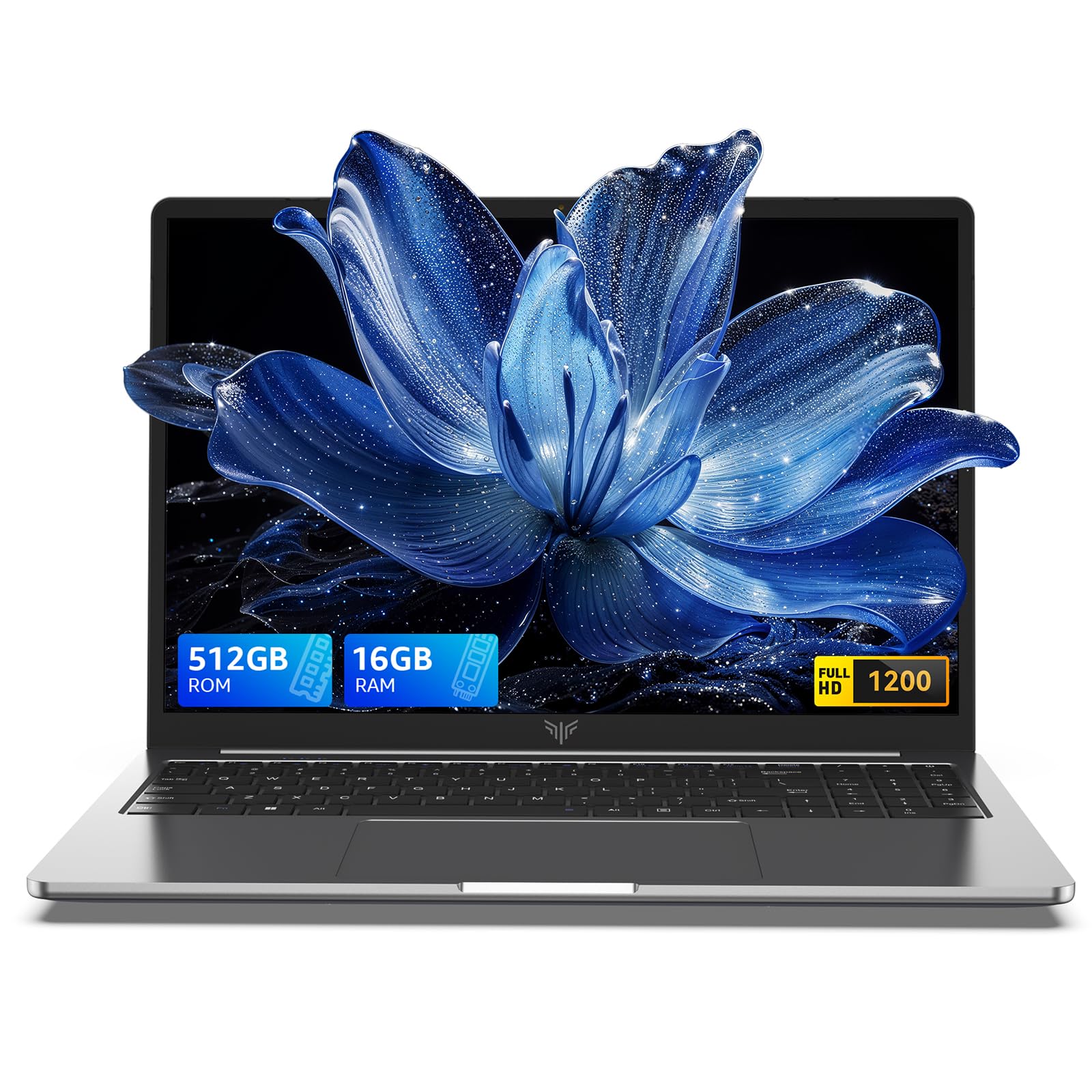
2025 Laptop,15.6-Inch FHD Display Laptop with Quad Core-12th Alder Lake N95(Up to 3.4GHz), 16GB RAM 512GB ROM Traditional Laptop Computer,Silver
  • Brand: ACEMAGIC
  • Model: AX15
  • Screen: 15.6 Inches Inches
  • Processor: AMD
  • GPU: Integrated
  • RAM: DDR4
  • Storage: 512 GB 512GB M.2 SATA SSD
Recent Reviews
Empress Abiona (Verified Purchase)
5.0 out of 5 stars BUY IT

Amaaaaazinggly big interface, I LOVE this laptop. Works super fast, Perfect for work/ Making music/ Day to day tasks and hobbies. Amazing HD screen and audio . 10/10

dawn (Verified Purchase)
5.0 out of 5 stars Great Purchase

I love my new laptop. It was so easy to set up. The 17-inch screen is wonderful, as well as the full keyboard. The mouse pad is nice and big, and the price was excellent. So glad I made this purchase.

$1499.99
1 reviews
2025 Laptop, Laptop Computer with Intel Twin Lake N150 Processor(Up to 3.6GHz), 16GB DDR4 512GB SSD Windows 11 Laptop, 15.6" IPS 1080P, USB3.2, Long Battery Life

  • Brand: ACEMAGIC
  • Model: TX15
  • Screen: 15.6 Inches Inches
  • Processor: Intel
  • GPU: Intel UHD Graphics Up to 1.2GHz
  • RAM: DDR4
  • Storage: 512 GB SSD
Recent Reviews
Lori Middleton
5.0 out of 5 stars Stunning Display

The 16-inch IPS screen delivers vibrant colors and sharp details, enhancing the gaming and viewing experience significantly.