
1 of selected
Back to All Laptops

Customer Reviews

4.1
Based on 3,600 reviews
Wilson Score: 80.7
5 ★
66%
4 ★
23%
3 ★
7%
2 ★
2%
1 ★
2%

Recent Reviews

Verified Purchase
8/6/2024
1.0 out of 5 stars HP does not honor warranty
By Jenny
I thought this was just the right PC for us. We don't need much, web browsing, some gaming, some MS Office work. Yesterday I saw that the laptop OS needed update so started it. Noticed it was taking some time so I just let it do its thing all day. Went to turn the laptop back on that evening, and got a flash from the monitor but nothing else. I knew it wasn't a power issue because the separate mouse (not included) was lit, indicating it was connected. Tried everything I could think of then went to HP website. HP tells me there's 15 days left on the warranty ("whew!") and gave me repair options (phone, chat, local warranty provider [Best Buy]). I chose to go to Best Buy. They worked on the laptop for about 25 minutes, and while I can't tell exactly what was done, I do know it was a series of keystrokes and a flash drive. Geek Squad hands the laptop back to me and tells me it's a hardware issue and not worth the cost of repair. I take the laptop back home and get in a chat with technical support. They have me do what appears to be the same steps Geek Squad did. Then they tell me I need an empty flash drive to reset/reinstall the BIOS. Now I'm not really that tech savvy, but I know enough to tell the technician that all the steps that they have had me do I already had done by Geek Squad, their authorized repair center. Tech tells me that without doing that last step with the empty flash drive they cannot determine that it is truly a hardware issue (really??!) and that they won't be able to give me a repair/replacement if I don't take that last step.Sorry, HP, but you cannot convince me that the cost of a replacement laptop is worth more than the bad taste in my mouth, and my withering review (not only on Amazon, but to anyone who asks) of your inability to honor your very limited warranty. I can't imagine why you wouldn't send a replacement of a low-end laptop just to keep positive goodwill towards your customers. And it's why I strongly suggest anyone reading this review to search for a different unit.
412 people found this helpful
Verified Purchase
2/17/2025
5.0 out of 5 stars This laptop has exceeded all expectations.
By Robert Stango
I gave the *HP Essential Laptop (14", Rose Gold)* to my girl as a Christmas gift, and after two months, it’s been fantastic—she absolutely loves it! The rose gold color is gorgeous and gives it a stylish, modern look.Performance-wise, it’s been great for her daily tasks. With 8GB of RAM and the Intel Celeron N4120, it handles web browsing, streaming, and Office 365 apps smoothly. The HD display is clear and crisp, and the built-in webcam has been perfect for video calls with friends and family.She also loves how lightweight and portable it is—easy to carry around whether she’s working from home or on the go. Plus, having Windows 11 Home pre-installed and a 1-year Office 365 subscription was a nice bonus.Overall, this laptop has exceeded our expectations, and after two months of regular use, it’s still running like a charm. Definitely a great gift choice!
16 people found this helpful

Frequently Asked Questions

Is the 64GB storage enough for installing Windows 11 and other applications?
The 64GB eMMC storage is sufficient for the Windows 11 Home operating system and core applications, but it offers limited space for large files, games, or extensive media libraries. It's designed for fast boot-ups and basic productivity tasks.
What is the actual screen brightness and color quality?
The 14-inch HD display has a brightness of 220 nits and covers 45% of the NTSC color gamut. This means it's suitable for indoor use but may be difficult to view in bright light, and color reproduction is adequate for everyday tasks but not for professional photo or video editing.
Does the included 1 Year Office 365 subscription come pre-installed?
Yes, the laptop includes a 1-year subscription to Office 365. This typically provides access to applications like Word, Excel, and PowerPoint, but you will need to activate it with a Microsoft account after setup.
How does the Intel Celeron N4120 processor perform for daily tasks?
The Intel Celeron N4120 is a 4-core processor with a base speed of 1.1 GHz that can boost up to 2.6 GHz. Paired with 16GB of RAM, it handles web browsing, document editing, and video streaming adequately, but it is not designed for intensive multitasking, heavy software, or gaming.
What types of ports are available for connecting peripherals?
This laptop provides two USB Type-A ports, one USB Type-C port, a full-size HDMI port for external displays, a headphone/microphone combo jack, an SD card reader, and an RJ-45 Ethernet port. There is no optical drive.

Similar Laptops You Might Like

$399.99
17 reviews
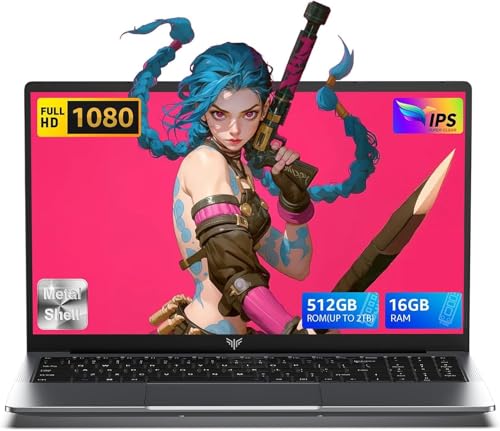
Laptop, 15.6" Business Student Laptop Computer, Intel Quad-Core Processor Windows 11 Laptop, 16GB DDR4 512GB SSD, Up to 2TB,180° Open Angle, Metal Shell, WiFi, USB3.2, Type C
  • Brand: ACEMAGIC
  • Model: AX15
  • Screen: 15.6 Inches Inches
  • Processor: Intel
  • GPU: Intel UHD Graphics Up to 1.2GHz
  • RAM: DDR4
  • Storage: 512 GB SSD
Recent Reviews
David JB (Verified Purchase)
5.0 out of 5 stars 5 stars

great laptop for the price. The 16GB RAM and 512GB ssd provide smooth performance and the 180° hinge is a nice touch. Windows 11 runs well, and the sleek Silver Gray design looks premium. Highly recommend!

3whitey (Verified Purchase)
1.0 out of 5 stars Crashed

Laptop crashed with only a few days of use.I don’t find any warranty information

$249.99
15 reviews
2025 LX15 Laptop, 15.6-inch FHD (1920 x 1080) Display, Ιntel N197(4C/4T) Processor, 8GB DDR4 RAM, 256GB SSD, WiFi5, BT5.0, 38Wh Battery, Gray
  • Brand: ACEMAGIC
  • Model: LX15
  • Screen: 15.6 Inches Inches
  • Processor: Ιntel
  • GPU: Integrated
  • RAM: DDR4
  • Storage: 256 GB SSD
Recent Reviews
Nicholas (Verified Purchase)
5.0 out of 5 stars Rocky setup, but end result was worth it

The media could not be loaded. When I first booted this laptop up, it presented me with a "defaultuser0" account that I didn't know the password to. I completely wiped this laptop's SSD and reinstalled Windows to play it safe, and after that it worked like a charm with regular setup. I did have to find drivers online for the touchpad afterward though.Getting at the SSD to do all of this was thankfully pretty easy, since the bottom panel was removable with a few tiny screws. I noticed that there is only a single slot for RAM in there, but it isn't soldered on so I was able to upgrade it with a 16 gig stick at least. The N97 is no gaming powerhouse but it plays some older titles still, and the laptop works great for work like emails and browsing the internet.

Romaine (Verified Purchase)
4.0 out of 5 stars Good Stuff

Its good runs fast and has space, works for school