1 of selected
Back to All Laptops

Customer Reviews

4.1
Based on 1,300 reviews
Wilson Score: 79.8
5 ★
66%
4 ★
23%
3 ★
7%
2 ★
2%
1 ★
2%

Recent Reviews

Verified Purchase
12/13/2023
5.0 out of 5 stars Very good laptop.
By Daren Hammond
I stumbled across this laptop while searching amazon. First, I was surprised at the price. I read the details and because there was a good return policy I decided to buy it. Second, when it arrived I thought it was brand new. Not a scratch or blemish on it. Third, I had a HP Z1 desktop at work with a solid state boot drive and I had forgotten how quickly this drive boots up. Very fast. Fourth, I work mainly in the Microsoft universe and I logged in and Windows 11 installed everything from my desktop to my laptop (I did have to download the apps to my laptop, but they appeared showing what I already had.). Updates were also fast and painless. Fifth, the build of the laptop is very solid and the display is beautiful. It is also very light and slim. Keyboard and trackpad also have a very good feel.The SSD is only 256GB and it doesn't come with a DVD drive. No big deal. Thanks to HP for not having a ton of bloatware. I would recommend this laptop to anyone looking for a budget laptop that performs well and get the job done.
185 people found this helpful
Verified Purchase
8/11/2025
1.0 out of 5 stars STOP CODE: DRIVER VERIFIER DMA VIOLATION
By Yong
It's been working good for 5 months.It started Blue Screen issue since August 3, 2005 (I purchased on March 10, 2025).It's HP Laptop 15-fd0083wm (7L2C7UA)The error said, "STOP CODE: DRIVER VERIFIER DMA VIOLATION" and restart immediately right after the login.Then login again and it shows the same Blue Screen and then restart.I googled it and find the solution from Reddit,--------------------------------------------------------------"Hi there.So I'm a computer technician and I've been seeing this issue a lot in the repair shop I work for.It's an issue I'm seeing affect all HP Laptops Model No. 15-fd0083wm (you can verify your model on the bottom of your laptop).The issue is happening when the device connects to internet and begins pulling data from the internet (such as Windows updates, program updates, etc - any internet activity).You can avoid this by disconnecting from your internet before you log into Windows (and reach the desktop).However for a fix you will need a replacement internal Wifi adapter or you will have to purchase a external USB WIFI Dongle for future use.This appears to be a problem that Microsoft(Windows)/HP/Realtek have not owned up to yet and provided a fix for. There may be a fix in the future but there's no telling when that will happen and how long it will take.Once you've done that, you can go into "Device Manager" - Click dropdown for "Network Adapters" - Right-Click on Realtek RTL8851BE Wifi 6 802.11ax. Disable Device.---------------------------------------------------------------------------------------------So I need to purchase the external USB WIFI DongleI need to avoid HP next time.
1 people found this helpful

Frequently Asked Questions

What is the condition of this renewed HP laptop and what warranty does it come with?
This is a professionally refurbished, pre-owned laptop that has been inspected, tested, and cleaned. It is fully functional and comes with a 90-day Amazon Renewed Guarantee, which offers a replacement or refund if it does not work as expected. The battery capacity is guaranteed to exceed 80% relative to new.
What is the exact screen resolution and quality of the display?
The laptop features a 15-inch diagonal HD IPS display with a resolution of 1366 x 768 pixels. It uses a Micro-edge, BrightView panel.
What are the storage and memory specifications, and can they be upgraded?
This configuration comes with 8 GB of DDR4 RAM and a 128 GB Solid State Drive (SSD). The product details do not specify if these components are user-upgradeable.
What ports and connectivity options are available on this model?
For connectivity, it includes 1 USB Type-C port, 2 USB Type-A ports, 1 HDMI port, a headphone/microphone combo jack, and an SD card reader. It supports Wi-Fi 6 (6th Gen) and Bluetooth 5.
What processor does this laptop use and what is its performance level?
It is equipped with an Intel Pentium 4-core processor with a maximum clock speed of 2.70 GHz. This is an entry-level CPU suitable for basic computing tasks like web browsing, document editing, and media streaming.

Similar Laptops You Might Like

$399.99
17 reviews
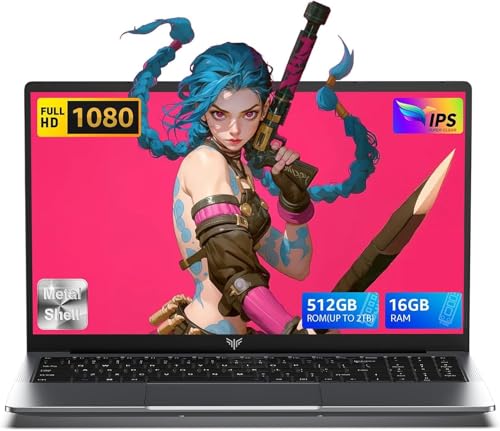
Laptop, 15.6" Business Student Laptop Computer, Intel Quad-Core Processor Windows 11 Laptop, 16GB DDR4 512GB SSD, Up to 2TB,180° Open Angle, Metal Shell, WiFi, USB3.2, Type C
  • Brand: ACEMAGIC
  • Model: AX15
  • Screen: 15.6 Inches Inches
  • Processor: Intel
  • GPU: Intel UHD Graphics Up to 1.2GHz
  • RAM: DDR4
  • Storage: 512 GB SSD
Recent Reviews
David JB (Verified Purchase)
5.0 out of 5 stars 5 stars

great laptop for the price. The 16GB RAM and 512GB ssd provide smooth performance and the 180° hinge is a nice touch. Windows 11 runs well, and the sleek Silver Gray design looks premium. Highly recommend!

3whitey (Verified Purchase)
1.0 out of 5 stars Crashed

Laptop crashed with only a few days of use.I don’t find any warranty information

$249.99
15 reviews
2025 LX15 Laptop, 15.6-inch FHD (1920 x 1080) Display, Ιntel N197(4C/4T) Processor, 8GB DDR4 RAM, 256GB SSD, WiFi5, BT5.0, 38Wh Battery, Gray
  • Brand: ACEMAGIC
  • Model: LX15
  • Screen: 15.6 Inches Inches
  • Processor: Ιntel
  • GPU: Integrated
  • RAM: DDR4
  • Storage: 256 GB SSD
Recent Reviews
Nicholas (Verified Purchase)
5.0 out of 5 stars Rocky setup, but end result was worth it

The media could not be loaded. When I first booted this laptop up, it presented me with a "defaultuser0" account that I didn't know the password to. I completely wiped this laptop's SSD and reinstalled Windows to play it safe, and after that it worked like a charm with regular setup. I did have to find drivers online for the touchpad afterward though.Getting at the SSD to do all of this was thankfully pretty easy, since the bottom panel was removable with a few tiny screws. I noticed that there is only a single slot for RAM in there, but it isn't soldered on so I was able to upgrade it with a 16 gig stick at least. The N97 is no gaming powerhouse but it plays some older titles still, and the laptop works great for work like emails and browsing the internet.

Romaine (Verified Purchase)
4.0 out of 5 stars Good Stuff

Its good runs fast and has space, works for school