1 of selected
Back to All Laptops

Customer Reviews

4.4
Based on 4,000 reviews
Wilson Score: 87.0
5 ★
66%
4 ★
23%
3 ★
7%
2 ★
2%
1 ★
2%

Recent Reviews

Verified Purchase
6/29/2022
4.0 out of 5 stars Nifty and efficient chromebook
By Derek M. Mccann
I have purchased seven laptop/chrombooks last three years. The PCs have not fared good. One died and another is on its last leg, as the screen became detached from the keyboard. The only one that remains on the PC scale is an 11.6 HP I bought after this one which is super slow and has a poor camera. The Apple is ok but needs a battery. Then I have four chromebooks of different sizes from 11.6 to 15.6. This fits in the middle at 14 inches. The design is slick and very flat. It looks like a mac. It feels lighter than the others which are described as heavier. I think because of the design. It has a white keyboard which is the best thing next to a lit keyboard. I purposely looked for a white keyboard. The computer works fine dependent on what you want to do. I like to do light programming, store and edit pictures, writing, internet, music, movies, and games. It is not a powerhouse but it can do alot more than the HP PC I also got (11.6) for about the same price. This works so much better. It works better than the other chromebooks. The camera is better than the HP PC. But the best thing is the amazing battery life. You will get 12 hours easy. The battery does not drain when closed. Other chromebooks have died after a couple of days of just being closed. Not this one. It uses the same plug for my android. This gives you charging options virtually everywhere.Overall a good purchase. Best Chromebook I got and better than the 11.6 HP PC. The apple beats it of course, but the battery on this one makes up for any glaring deficiences.
73 people found this helpful
Verified Purchase
8/22/2025
5.0 out of 5 stars A Workhorse of a Laptop -- Upgraded Memory Pleases Even an Accountant!
By Billy
I'm very pleased with my purchase decision. I am a semi-retired accountant, working from home as a Fractional Controller. I have preferred Chromebooks for many years. When searching for a new Chromebook a year ago, I settled on this HP mainly because of the expanded memory. It contains 8GB memory capacity, which is double the amount of less-expensive Chromebooks being sold on Amazon. It also has a 10-key number pad to the right of the keyboard, which is important to an accountant.After one year of heavy usage, I am very pleased with this Chromebook. Even when running the memory-intensive QuickBooks Online Advanced edition, the Chromebook performs remarkably. It is lightweight, has a larger screen, and the battery lasts several hours--even under the intense workload of QuickBooks Online. When under an intense workload (working with QuickBooks, driving a secondary portable monitor, recharging the headset, and running an intensive secondary application (usually Google Sheets), the battery lasts for at least 3 hours. After a morning working on the patio, or when the RV is using StarLink, I'll be ready for a lunch-break after 3 hours, and the battery recharges quickly so I'm ready to pound keys again after an hour and a half.This laptop has been dropped, has stayed in the hot automobile, and has been heavily used 8-10 hours per day, and is still functioning like new (although the case does have some scratches and assorted battle scars). Chromebooks are impervious to viruses affecting the expensive laptops (Microsoft and, sometimes, even Apple). The only thing I truly miss is the ability to add a SIM-card (or E-SIM, preferably), and maybe the fact that this chromebook offers only two Type-C connections, one Type-A connection, plus a standard mini-headphone jack, as well as an SD card slot. I have never used the SD card slot, nor the 1/8" headphone jack, but the other connections operate well. I charge with the Type-C on the left side of the keyboard; the one on the right side is hit-and-miss--sometimes it will charge the laptop, other times not so much. The auxiliary monitor goes into the Type-C on the right side of the keyboard, and my bluetooth headset uses the Type-A on the right side of the keyboard to maintain its charge when docked. (The headset is bluetooth, so could connect to its own charger, but it's much easier to plug it into the laptop to charge.)I find no issues with lagging from the laptop side of the equation. Of course, the WIFI connection will sometimes (rarely) lag, and the QuickBooks application itself will sometimes lag, but I have come to believe these lags are not originating with the laptop itself. The screen is bright, the sound is good. When I'm not wearing my headset and receive a call on Google Voice, I can use the internal microphone and speakers, which provide excellent quality--although the headset's microphone dampens background noise much better than does the laptop's internal microphone.I would recommend this particular Chromebook, with its upgraded memory capacity, to anyone using exclusively web-based software and needing a work-horse of a laptop computer. After a year of pounding the keys on this HP laptop, I would purchase again, with no hesitation.
44 people found this helpful

Frequently Asked Questions

What is the actual RAM type in this Chromebook: DDR4 or DDR5?
The specifications list conflicting information. The 'specs' section states 8 GB DDR4, while the 'product_details' section lists the computer memory type as DDR5 RAM. You should verify the correct specification with the seller before purchase.
What is the screen resolution and quality of the 15.6-inch display?
The display has an HD resolution of 1366 x 768 pixels. This is a standard resolution for budget laptops, but on a 15.6-inch screen, it will not be as sharp as Full HD (1920x1080) displays.
Is the 64GB SSD storage sufficient for installing apps and storing files?
The 64GB eMMC storage is modest. It is designed primarily for cloud-based use with Chrome OS. It provides enough space for the operating system and some essential apps, but you will rely heavily on cloud storage services like Google Drive for most files and media.
What is the real-world battery life I can expect?
The product details list an average battery life of up to 13 hours. This is an estimate for typical use with Chrome OS, which is generally efficient, but actual battery life will vary based on screen brightness, active applications, and Wi-Fi usage.
What are the physical dimensions and weight for portability?
The Chromebook measures 14.82 x 9.6 x 0.7 inches and weighs 5.04 pounds. This makes it a standard size and weight for a 15.6-inch laptop, portable but not ultra-lightweight compared to smaller models.

Similar Laptops You Might Like

$382.54
29 reviews
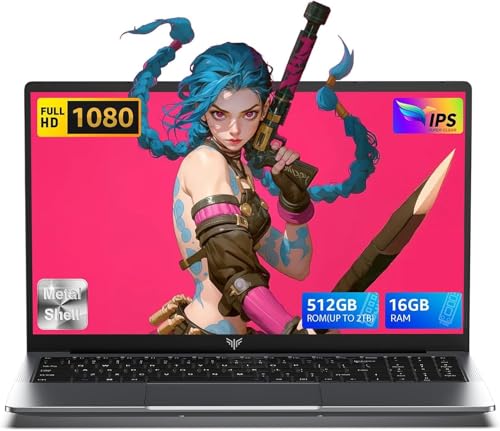
2025 Laptop,15.6-Inch FHD Display Laptop with Quad Core-12th Alder Lake N95(Up to 3.4GHz), 16GB RAM 512GB ROM Traditional Laptop Computer,Silver
  • Brand: ACEMAGIC
  • Model: AX15
  • Screen: 15.6 Inches Inches
  • Processor: 1.7 GHz
  • GPU: Intel UHD Graphics Up to 1.2GHz
  • RAM: DDR4
  • Storage: 512GB M.2 SATA SSD
Recent Reviews
Alaya (Verified Purchase)
5.0 out of 5 stars Huge screen and powerful

Wow, the screen size is huge. I have the smaller version of this laptop and this 17" version dwarfs that. The screen looks vibrant and robust and the speakers are loud and clear. The performance is also a lot faster with no lag. I really love the full sized keyboard, the layout feels comfortable to type on.

Empress Abiona (Verified Purchase)
5.0 out of 5 stars BUY IT

Amaaaaazinggly big interface, I LOVE this laptop. Works super fast, Perfect for work/ Making music/ Day to day tasks and hobbies. Amazing HD screen and audio . 10/10

$249.99
15 reviews
2025 LX15 Laptop, 15.6-inch FHD (1920 x 1080) Display, Ιntel N197(4C/4T) Processor, 8GB DDR4 RAM, 256GB SSD, WiFi5, BT5.0, 38Wh Battery, Gray
  • Brand: ACEMAGIC
  • Model: LX15
  • Screen: 15.6 Inches Inches
  • Processor: 3.6 GHz 6x86
  • GPU: Integrated
  • RAM: DDR4
  • Storage: 256 GB SSD
Recent Reviews
Nicholas (Verified Purchase)
5.0 out of 5 stars Rocky setup, but end result was worth it

The media could not be loaded. When I first booted this laptop up, it presented me with a "defaultuser0" account that I didn't know the password to. I completely wiped this laptop's SSD and reinstalled Windows to play it safe, and after that it worked like a charm with regular setup. I did have to find drivers online for the touchpad afterward though.Getting at the SSD to do all of this was thankfully pretty easy, since the bottom panel was removable with a few tiny screws. I noticed that there is only a single slot for RAM in there, but it isn't soldered on so I was able to upgrade it with a 16 gig stick at least. The N97 is no gaming powerhouse but it plays some older titles still, and the laptop works great for work like emails and browsing the internet.

Romaine (Verified Purchase)
4.0 out of 5 stars Good Stuff

Its good runs fast and has space, works for school