1 of selected
Back to All Laptops

Customer Reviews

3.9
Based on 2,700 reviews
Wilson Score: 76.4
5 ★
66%
4 ★
23%
3 ★
7%
2 ★
2%
1 ★
2%

Recent Reviews

Verified Purchase
4/27/2024
1.0 out of 5 stars A mess
By Lauren
I ordered one and the entire two bottom rows of keys stuck, would click like there was sand under the keyboard, or wouldn’t pop back up so my sentence looked like this“Mmmmmmmmy nnnnew laptop Is unnnnnnnnusabbble”So I reached out to Amazon support who processed a replacement. Unfortunately the replacement was also unusable because the charging port would not hold the charger in it. So unless I wanted to sit there and hold the charger for 2 hours to charge it I had to return that one too. So I reached out to support again and processed that return.I ordered a third one hoping the third time would be the charm but alas, it was not. This one has a battery life of about 18 minutes from full charge until it’s dead. I understand these are refurbished but I have some major concerns about quality control at this point as it doesn’t seem like random bad luck that I’d get 3 laptops with major problems.Also adding that these are listed in excellent condition however there are also significant cosmetic issues as well. Scratches, deep dents, bent corners. Not something I’d look at and say “yeah this is in excellent condition”. I hope the seller takes more care in refurbishing these in the future because it feels like they are just out here taking in a computer, restoring it to factory settings and listing it for sale. No way they could do even a cursory check of these and not notice 20 sticky keys or the inability to charge a computer.This process has taken me about 3 weeks from placing my first order and has been a headache all around. I wouldn’t recommend these unless you are fully aware that you’ll need to dedicate time and money to making the computer you receive able to be used.
206 people found this helpful
Verified Purchase
8/27/2025
5.0 out of 5 stars Really impressed with how well this device from 2017 stands up in 2025.
By EBecker1982
I wanted to get an older Intel Mac for the sake of hauling it around and doing some things to it that are “off label” so to speak. I had low expectations, but for under $200, I figured, worst-case, I’d throw some flavor of Linux on it and use it as a secondary device. While it isn’t as fast as my M3 MacBook Air that I use mostly at home, it is incredibly serviceable. It is refurbished, mine came with a brand new battery and for this particular device the battery life is really great, even under a bit of load it’s 4+ hours, and I’m a bit of a heavy user so you may get more. Upgradeable (just ordered a larger SSD for it because I am using it so much that I’m investing in more storage, the specialized drive for it runs around $60 or you can get the NVMe SSD of your choice with an adapter if you have a spare lying around you want to use.) OpenCore will get you to Sequoia and I’ve heard some people are able to run Tahoe Beta. Without modification though it runs Sonoma which for most people will do just fine.You’re not getting the greatest screen with an 8 year old computer but the screen actually looks really good. The i5 Processor and 8 GB of RAM are not powerhouses these days but if you have a $200 budget and have to choose between this and one of those new budget laptops with a Celeron or N95/100/etc. this will do much better! Just remember, this is an 8 year old device as far as the tech. It does great. But if you’re expecting an experience similar to the new M-series processors, you won’t get it. I would suggest looking into a refurbished Air with an M1 if you want that experience. That said, it packs a lot more punch than I thought it would and I am currently using it as my out of the house daily driver.It does get a little warm under load but not hot. If you’re just web browsing, YouTubing, doing school or office work, maybe some very basic photo or video editing, this machine will do just fine.For people with a little less tech experience, I would suggest making sure you save files to the cloud or a USB drive (also has an SD card slot if you want to go that route.)This does NOT have USB-C and Thunderbolt 2 does not natively connect to current Thunderbolt/USB-C. There are adapters for that on Amazon if you need it for any reason. With the right cable that port can also be used to connect to an external monitor if you need it.OH. And! Keyboard and Apple Logo are both backlit. I believe this was the last MacBook Air with a backlit Apple Logo. If nothing else that increases its “cool factor.”Bigger bezels than new devices, but honestly, they don’t bother me and I think most people won’t find them excessive.I would say this laptop is for:StudentsChildren who you want to give a first computer to where you don’t need them to have the latest and the greatest.People who have been using Windows and want to try a Mac but don’t want to commit big money to the ecosystem yetPeople who have a Chromebook budget but don’t want a crappy underpowered machine that is effectively a web browser with mobile apps and don’t know how to use the Linux environmentPeople who are interested in the Hackintosh community but would rather have the real thing.People looking at those sub-$300 computers with EMMC memory and 4 GB of RAM and underpowered processorsHope that this helps people who are thinking about this computer but are on the fence. It’s truly a great machine. And while Apple has dropped support for Intel, security updates should continue to roll out for a few years in case safety is a concern.
70 people found this helpful

Frequently Asked Questions

What does 'Renewed' mean for this MacBook Air?
This is a professionally inspected and tested pre-owned 2017 model that has been cleaned and comes with a limited warranty, as indicated by its 'Renewed' status and categorization in Amazon's Renewed store.
What is the actual screen resolution? The specs list two different values.
The display's native resolution is 1440 x 900 pixels, as stated in the bullet points. The 1366 x 768 pixel specification appears to be an inconsistency in the detailed specs list.
Is the 128GB storage upgradeable?
No, the 128GB solid-state drive (SSD) is soldered onto the logic board and is not user-upgradeable in this model.
Which version of macOS does this laptop come with, and can it be updated?
It ships with macOS Sierra but can be updated to a newer, compatible version of macOS, though the latest versions may not be supported by this 2017 hardware.
What type of ports does this MacBook Air have for connecting peripherals?
It features two USB 3.0 ports, a Thunderbolt 2 port for high-speed data and video, an SDXC card slot, and a headphone jack.

Similar Laptops You Might Like

$399.99
17 reviews
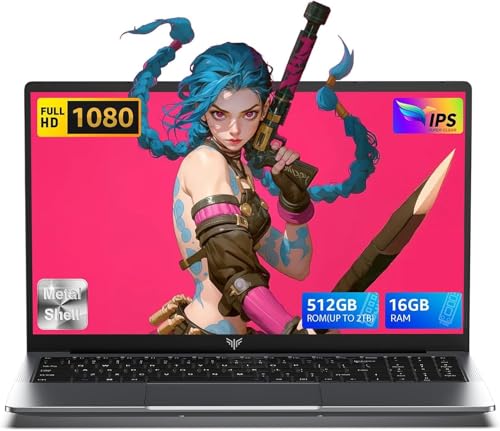
Laptop, 15.6" Business Student Laptop Computer, Intel Quad-Core Processor Windows 11 Laptop, 16GB DDR4 512GB SSD, Up to 2TB,180° Open Angle, Metal Shell, WiFi, USB3.2, Type C
  • Brand: ACEMAGIC
  • Model: AX15
  • Screen: 15.6 Inches Inches
  • Processor: Intel
  • GPU: Intel UHD Graphics Up to 1.2GHz
  • RAM: DDR4
  • Storage: 512 GB SSD
Recent Reviews
David JB (Verified Purchase)
5.0 out of 5 stars 5 stars

great laptop for the price. The 16GB RAM and 512GB ssd provide smooth performance and the 180° hinge is a nice touch. Windows 11 runs well, and the sleek Silver Gray design looks premium. Highly recommend!

3whitey (Verified Purchase)
1.0 out of 5 stars Crashed

Laptop crashed with only a few days of use.I don’t find any warranty information

$249.99
15 reviews
2025 LX15 Laptop, 15.6-inch FHD (1920 x 1080) Display, Ιntel N197(4C/4T) Processor, 8GB DDR4 RAM, 256GB SSD, WiFi5, BT5.0, 38Wh Battery, Gray
  • Brand: ACEMAGIC
  • Model: LX15
  • Screen: 15.6 Inches Inches
  • Processor: Ιntel
  • GPU: Integrated
  • RAM: DDR4
  • Storage: 256 GB SSD
Recent Reviews
Nicholas (Verified Purchase)
5.0 out of 5 stars Rocky setup, but end result was worth it

The media could not be loaded. When I first booted this laptop up, it presented me with a "defaultuser0" account that I didn't know the password to. I completely wiped this laptop's SSD and reinstalled Windows to play it safe, and after that it worked like a charm with regular setup. I did have to find drivers online for the touchpad afterward though.Getting at the SSD to do all of this was thankfully pretty easy, since the bottom panel was removable with a few tiny screws. I noticed that there is only a single slot for RAM in there, but it isn't soldered on so I was able to upgrade it with a 16 gig stick at least. The N97 is no gaming powerhouse but it plays some older titles still, and the laptop works great for work like emails and browsing the internet.

Romaine (Verified Purchase)
4.0 out of 5 stars Good Stuff

Its good runs fast and has space, works for school