
1 of selected
Back to All Laptops

Customer Reviews

4.3
Based on 1,000 reviews
Wilson Score: 83.7
5 ★
66%
4 ★
23%
3 ★
7%
2 ★
2%
1 ★
2%

Recent Reviews

Verified Purchase
3/2/2023
5.0 out of 5 stars It's pretty good
By Damien T
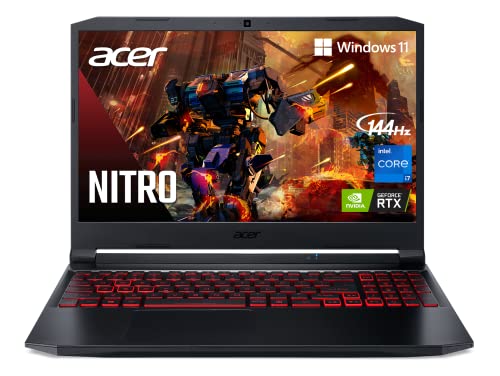
I have been using this laptop for a week and honestly find it pretty good. I went through a lot of reviews before making my decision and wanted to add my own for anyone thinking of buying this.PROS:-The screen is really vibrant. I haven't noticed any screen bleed or dull colors and the refresh rate is great.-The laptop stays very cool* under heavy gaming.-It's really snappy and responsive. I haven't noticed any lag.-The touchpad is very responsive and easy to use.-The keys are slightly raised and feel a bit soft but in a good way. They're pleasant to type on and it wasn't hard to adjust to this smaller layout from a wider desktop keyboard.CONS:-The fan is loud when gaming. Like, really, really loud. It might be jarring if you're coming from a desktop.-Battery life is pretty bad and the performance decrease when not connected to a charger is not extreme, but noticeable.NOTES:-As the other reviews have said, you need to press the power cord in and hear it click twice.-If you downgraded to Windows 10, you'll want to redownload the relevant drivers from Acer's website. I had to redownload the touchpad and io drivers to get mine working again.-You'll also want to redownload Nitrosense if you downgrade. You can use it to toggle on coolboost which keeps the laptop extremely cool. You can also allegedly use it to lower the speed of the fans but I didn't notice a reduction in fan noise so I decided to keep it on coolboost.All in all? The cons are pretty minor compared to the pros. I got it for a little under 800 dollars and consider that to be a steal.
79 people found this helpful
Verified Purchase
2/25/2025
5.0 out of 5 stars Great DAW laptop; can take lots of memory
By P.B. Salamon
I bought this laptop as “Used – Very Good” from Amazon Resale, and I am very happy with it. It did not come in its original packaging, but it was in perfect condition. I could not see a single mark or even a finger smudge on the case, screen, or keyboard. It came with the power supply and a kit to mount a 2.5” SATA drive. Plus, a keyring lanyard swag thing shown in the first photo. The price for this Used – Very Good computer was substantially less than a new computer. OK, how ‘bout the computer itself?Pro:3 memory slots: two PCIe M.2 slots, plus a 2.5" bayPretty fast i7-11800H CPUComes with a kinda slow RTX 3050 Ti GPU, but a least it has oneTwo fans and lots of vents for good coolingBacklit keyboardSeparate number padThree USB-A 3.2 and one USB-C 3.2 Thunderbolt portsAn RJ-45 Ethernet portNo bloatwareNeutral:Keyboard requires more key pressure than others I’ve used512 GB installed SSD is not very bigInstalled SSD is not the fastestCon:8 gig is not really enough RAM for most usersNo cardreader slotTrade-offs:Battery capacity vs 2.5” memory slotThings that are good but I don’t care about:144 Hz display refresh rateDisplay color fidelityGraphics performance in generalAlexa built-inI am a recording engineer, so I use this laptop as a DAW which I use to mix my audio recordings. I also do a little bit of video production too, but as little as possible. So what I am looking for in a laptop is lots of storage memory and a fast CPU. With a few additions, this laptop fits my requirements.As is shown in the photo, there are 3 memory slots. Memory 1 is what came with the laptop. It’s a middle of the road 512 GB WD PC SN530 which holds the OS. Not the fastest SSD around, and a candidate for improved performance by moving the OS to a faster and probably larger SSD. I installed Memory 1 & 2. Memory 2 is a 2TB SSD. Memory 3 is a 2TB HDD. Yes, the HDD is old school, but I own it already and it contains a lot of files that I’d have to clone to a new SSD. So installed memory is 4.5TB, which is enough to keep me recording for a couple of years.This computer came with one slot of 8 gig RAM, which is not enough for most applications. But RAM is inexpensive, so I added 8 gig more which is plenty for me.Battery life is not good, maybe 2 hours if you’re lucky. But the battery life is a trade-off for the 2.5” memory slot, because it takes up space that could be used for a bigger battery, as you can see in the photo. Almost all the time I run off of AC, so I’d rather have the 2.5” slot than a bigger battery.When used as a DAW, I don’t care much about the graphics capability of this laptop. When doing the occasional video production, it is nice to have the GPU.Yes, I’d buy one again. In fact, this is my second Nitro 5, my other is a Nitro 5 17-inch.
2 people found this helpful

Frequently Asked Questions

What is the exact model of the NVIDIA graphics card and how much dedicated memory does it have?
This laptop uses an NVIDIA GeForce RTX 3050 Ti with 4 GB of dedicated GDDR6 VRAM.
Can the RAM and storage be upgraded after purchase?
Yes. The system has two DDR4 slots supporting up to 32GB total RAM, and available expansion includes two PCIe M.2 SSD slots and one free 2.5-inch hard drive bay.
What specific features does the display have for gaming?
The 15.6-inch IPS screen has a Full HD (1920x1080) resolution, a 144Hz refresh rate for smoother motion, and an 80% screen-to-body ratio.
How does the Killer Wi-Fi 6 and Ethernet combination work?
The Killer DoubleShot Pro feature allows you to use both the Wi-Fi 6 (802.11ax) and Ethernet connections simultaneously, and gives you control to prioritize gaming traffic for lower latency and stability.
What ports are available for connecting external monitors and accessories?
It includes an HDMI 2.0 port and a USB Type-C port (USB 3.2 Gen 2) that supports DisplayPort for video output. There are also two additional USB 3.2 Gen 1 ports and a USB 3.2 Gen 2 port with power-off charging.

Similar Laptops You Might Like

$999.99
221 reviews
acer Nitro V Gaming Laptop | Intel Core i7-13620H Processor | NVIDIA GeForce RTX 4050 Laptop GPU | 15.6" FHD IPS 165Hz Display | 16GB DDR5 | 1TB Gen 4 SSD | Wi-Fi 6 | Backlit KB | ANV15-52-76NK
  • Brand: Acer
  • Model: ANV15-52-76NK
  • Screen: 15.6" Inches
  • Processor: Intel Core i7-13620H
  • GPU: NVIDIA GeForce RTX 4050
  • RAM: 16 GB
  • Storage: 1 TB
Recent Reviews
S.B. (Verified Purchase)
5.0 out of 5 stars Runs my Sims perfectly!

This computer is amazing. Definitely worth it. This is the first real gaming laptop I’ve had and it makes a huge difference. Zero lag on my sims and I have almost all the add ons. I played the sims for like 3 hours straight and it barely got warm. Highly recommend!

Amazon Customer (Verified Purchase)
5.0 out of 5 stars Great gaming laptop

Excellent laptop. Runs much quieter and cooler then my Helios. Very fast. Works well for what I use it for mainly World of Warcraft but handles other games quite well. Very pleased with this purchase.
$794.99
239 reviews
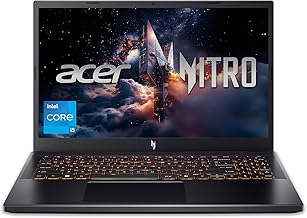
Nitro V Gaming Laptop | Intel Core i5-13420H Processor | NVIDIA GeForce RTX 4050 Laptop GPU | 15.6" FHD IPS 165Hz Display | 8GB DDR5 | 512GB Gen 4 SSD | Wi-Fi 6 | Backlit KB | ANV15-52-586Z
  • Brand: Acer
  • Model: Acer Predator Helios Neo 16
  • Screen: 15.6" Inches
  • Processor: intel core i5-13420h
  • GPU: rtx 4050
  • RAM: 8GB
  • Storage: 512GB SSD
Recent Reviews
Gabriel (Verified Purchase)
5.0 out of 5 stars It's good, but it could be better

I've been using this computer for a while now, it works very well, but there are times when it stutters, the FPS drops to 0, which usually takes less than 1 second, but it's still very annoying. The screen's 165Hz refresh rate is spectacular, but I did an online test and I'm almost certain it has ghosting, which is also quite annoying. Also it's a bit slow when performing various tasks, such as opening the browser or simply changing categories on Steam.I'm going to add more RAM since the 8GB it has doesn't seem enough to me; I even think that might be the root of the problem I mentioned. So, I'll try to upgrade to 32GB of RAM.But despite all of the above, it's still a very good computer. I like that it comes with the Nitro Sense application and also with Intel's graphics software, since it allows for some customization. The camera looks good and works smoothly in good lighting, but the computer doesn't have anything to cover the camera.You have 3 fan options: silent, balanced, and performance. Expect a lot of noise from the fan in performance mode. Also, another bad thing is that when I connected my headphones with a built-in microphone, the computer only recognized it as audio output, not as both audio input and output, so I had a lot of problems with that. I even had to restart my PC in safe mode to reset everything because I had no sound anymore, so be careful with that, If you experience the same issue, simply open the Realtek Audio Console application, then go to advanced device settings and program it as an input and output.So I think it's a very good computer. You have to do a couple of things beforehand to be ready to use it for gaming or anything like that, but I don't think I'll be changing it for a long time. Just add more RAM and you'll probably be good to go. I'll update this review when I add more RAM to let you know if there are any changes to the stuttering.So my final thoughts on this laptop are that I wish it were more of a turn-on, ready-to-use thing, but I guess you can't expect that at this price. Despite that, I give it 5 stars

Darsan (Verified Purchase)
5.0 out of 5 stars Best deal on a gaming laptop

Performance: This thing eases through all the games you practically throw at it UNLESS you want highest quality on the LATEST AAA game. You also get frame generation with the nice gpu inside there(4050).Quality, Speed, Brightness: The quality of a laptop at this price point is not something you find everyday, I also love the glossy look on the front panel. The brightness is really really high so no issues here. The speed , well you really need to upgrade this thing to 16gb for 100% usage. It’s absolutely worth it to do it yourself, you will feel incredible for the amount of money you save. Just buy another DDR5 8gb 5200MHZ and install it and you are set for everything really.Issues: Not so much of big issues, just new computer stuff like Driver issues where a usb might bug or something similar. Just update the laptop as soon as you get it.Battery: battery on a gaming laptop has never been good so always carry your charger.All in all, good investment for your gaming hobbies. Just install your ram and carry your charger when moving.