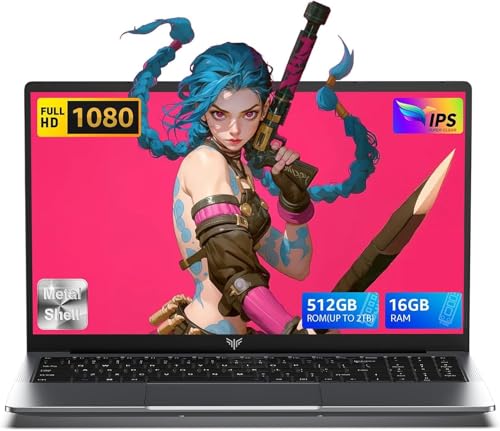
1 of selected
Back to All Laptops

Customer Reviews

4.3
Based on 1,000 reviews
Wilson Score: 83.7
5 ★
66%
4 ★
23%
3 ★
7%
2 ★
2%
1 ★
2%

Recent Reviews

Verified Purchase
8/6/2023
4.0 out of 5 stars Great value laptop 4-stars IN ITS CLASS
By A man a panama
UPDATE June 2025: Man I still really like this thing. I finally decided to update the BIOS to latest firmware, which was trickier than I thought. I ended up booting up Windows 11 and getting it out of S-mode. I really really dislike Windows 11, but that isn't the laptop's (or Acer's) fault. So much happier running Linux Mint XFCE for what I need this machine for (secondary laptop for travel, casual browsing/video watching, popping into a shell for work and other assorted geek tasks). The latest BIOS update went fine. I haven't been back to Windows since. One day I will probably wipe Windows completely from the SSD and install Linux there as well (when Acer stops publishing new BIOS updates). I bought it two years ago, and the price is actually slightly higher now by fifteen dollars. Doesn't make sense. There should be commensurate depreciation as technology moves on. That's not the laptop's (or Acer's) fault though.This review is for the Acer Aspire 5 A515-56 (8GB, i3-1115G4) edition. According to the box label, it was manufactured July of 2022. It came with BIOS version 1.28 installed which makes sense as that came out on 2022/05/27. There are four newer BIOS versions with the latest being 1.34 published on 2023/05/12. The BIOS does not have the ability to install .bin files directly. You will have to update via Windows or a DOS booter/flasher utility.I have not booted Windows 11 at all. I immediately installed my own 2.5" SSD (A 500GB Crucial MX500 that I had already) in the empty drive bay. Some reviewers have said you are stuck with Windows 11. This is completely false. You will however have to disable Secureboot in the BIOS in order to boot off a USB installer before it will let you do anything but run Windows 11. To do this, you must first set a password for Secureboot. Then you can disable Secureboot. Then you may clear the password. It's really not hard at all.I am running the latest Linux Mint XFCE edition, and I'm very pleased with the hardware compatibility. Everything is working as it should. Make sure you leave compositing enabled or you WILL get screen tearing when you watch videos. I have not had any issues with slow speeds or disconnections with the Mediatek wifi. I do recommend disabling power saving though for optimal performance. It will impact battery life, but odds are you want wifi on anyway, right?I haven't touched the built-in m.2 slot 128GB nvme drive other than to check its SMART stats for failure and hdparm to test speed. It looks like a fast little drive, but my plan is not to use it until I'm 100% sure this laptop will last. If something goes wrong, I can remove my 2.5" drive and return it without any fuss, because the Windows OS has nothing on me. For that reason, I won't try to update the BIOS anytime soon either. Maybe in a year.The screen is adequate. It's 60hz, 1080p, and bright enough not to be straining at full. The trackpad is one of those painted styles with no buttons. It doesn't track your fingertip very well at all which is annoying but it works. The worst part is that there is a defined "middle click" zone between the left and right sides. This drove me crazy because middle click defaults to CLOSING windows and tabs. What a terrible default setting. Fortunately it's easy to remap (in Linux anyway) so problem solved.The sound is pretty terrible but that's virtually all laptops. I don't understand why the laptop market suffers so much from bad sound in the era of video viewing and music listening. Who DOESN'T want great sound out of their laptop in this day and age? Headphones get annoying and don't work for 2 people watching something. Fortunately, Linux lets you crank beyond 100% out of the box without installing extra EQ tools. I find I can often go up to 125-150% without distortion or clipping. You can also get boosted volume out of most decent media players. No matter what you do though, you will not hear any bass. Again it's terrible, but even $1000 gaming laptops are equally as lousy with built-in speakers.I paid $300 for this, and I'm happy with what I got. The fact that it has 3 USB type A and an RJ45 means it's a real computer and not just another "mobile device". I can attach my mechanical keyboard, my wireless mouse, and still have 1 free USB-A slot for a flash drive, external drive, or older smartphone. The RJ45 means I can plug into a router if wifi isn't working or I need to configure network hardware directly. An SD card reader might have been nice, but that's something I don't mind using a usb peripheral for.I really think at this price point nothing else compares. The i3 has only two cores, so I feel the need to keep hyperthreading enabled. If it was a quad or higher core, I'd disable hyperthreading as a hardening measure.I hope this review helps others make a decision. If something goes wrong with this thing hardware wise, you can expect an update to this review within days. 👍
86 people found this helpful
Verified Purchase
5/1/2023
5.0 out of 5 stars For the price and features can't beat this Laptop
By Richard D.
Terrific display, sensitive touch pad and keyboard. More ports than you would expect. Comes with 8 GB memory and 128 KB Nve solid state drive. The small drive size is a result of the price point of this laptop. However the laptop comes with some screws and a cable to install a second sata drive in an existing bay inside the laptop. Instructions for installing are on line, and are pretty easy. Remove several screws holding the bottom cover. Pry off cover, disconnect the battery cable, connect provided cable to hard drive, install sata drive with provided screws, connect other end of cable to connector on computer board. Reconnect battery Icable. Result for an extra $40.00, now have a 500GB internal Sata drive in addition to the 128 GB boot drive. I was a little concerned about the i3 processor having adequate power, however the machine boots up quickly, browsing fine with many tabs opened, so more than adequate for what I use it for. I don't do gaming. Also computer comes in its ow n box which is then put in a separate shipping box. Prime shipping in 2 days. Not a mark or ding even on the shipping box!
25 people found this helpful

Frequently Asked Questions

Can I upgrade the RAM and storage on this Acer Aspire 5?
Yes, the laptop has one available slot for adding more DDR4 RAM and one available hard drive bay for adding additional storage, alongside the existing 8GB of on-board memory and 128GB NVMe SSD.
What does 'Windows 11 Home in S Mode' mean for this laptop?
Windows 11 S Mode is a secure, streamlined version of Windows that only allows app installations from the Microsoft Store. It provides fast start-ups and built-in security but can be switched out of S Mode to a standard Windows 11 Home installation if you need to install software from other sources.
How does the ergonomic hinge design benefit typing and cooling?
The hinge lifts the keyboard at an angle when the laptop is opened. This creates a more comfortable typing position, allows for better airflow underneath the laptop for improved cooling, and can enhance the audio projection from the downward-firing speakers.
What is the actual processor speed, and what is Turbo Boost?
The 11th Gen Intel Core i3-1115G4 processor has a base frequency, but can use Intel Turbo Boost Technology to temporarily increase its speed up to 4.1 GHz when running demanding applications, before returning to its standard clock speed for general tasks.
Does this laptop have a built-in webcam and microphone for calls?
Yes, it includes Acer's Purified.Voice technology, which uses digital signal processing to reduce background noise and improve speech clarity for both voice calls and interactions with the built-in Amazon Alexa assistant.

Similar Laptops You Might Like

$399.99
17 reviews
Laptop, 15.6" Business Student Laptop Computer, Intel Quad-Core Processor Windows 11 Laptop, 16GB DDR4 512GB SSD, Up to 2TB,180° Open Angle, Metal Shell, WiFi, USB3.2, Type C
  • Brand: ACEMAGIC
  • Model: AX15
  • Screen: 15.6 Inches Inches
  • Processor: Intel
  • GPU: Intel UHD Graphics Up to 1.2GHz
  • RAM: DDR4
  • Storage: 512 GB SSD
Recent Reviews
David JB (Verified Purchase)
5.0 out of 5 stars 5 stars

great laptop for the price. The 16GB RAM and 512GB ssd provide smooth performance and the 180° hinge is a nice touch. Windows 11 runs well, and the sleek Silver Gray design looks premium. Highly recommend!

3whitey (Verified Purchase)
1.0 out of 5 stars Crashed

Laptop crashed with only a few days of use.I don’t find any warranty information

$249.99
15 reviews
2025 LX15 Laptop, 15.6-inch FHD (1920 x 1080) Display, Ιntel N197(4C/4T) Processor, 8GB DDR4 RAM, 256GB SSD, WiFi5, BT5.0, 38Wh Battery, Gray
  • Brand: ACEMAGIC
  • Model: LX15
  • Screen: 15.6 Inches Inches
  • Processor: Ιntel
  • GPU: Integrated
  • RAM: DDR4
  • Storage: 256 GB SSD
Recent Reviews
Nicholas (Verified Purchase)
5.0 out of 5 stars Rocky setup, but end result was worth it

The media could not be loaded. When I first booted this laptop up, it presented me with a "defaultuser0" account that I didn't know the password to. I completely wiped this laptop's SSD and reinstalled Windows to play it safe, and after that it worked like a charm with regular setup. I did have to find drivers online for the touchpad afterward though.Getting at the SSD to do all of this was thankfully pretty easy, since the bottom panel was removable with a few tiny screws. I noticed that there is only a single slot for RAM in there, but it isn't soldered on so I was able to upgrade it with a 16 gig stick at least. The N97 is no gaming powerhouse but it plays some older titles still, and the laptop works great for work like emails and browsing the internet.

Romaine (Verified Purchase)
4.0 out of 5 stars Good Stuff

Its good runs fast and has space, works for school