1 of selected
Back to All Laptops

Customer Reviews

4.2
Based on 2,900 reviews
Wilson Score: 82.6
5 ★
66%
4 ★
23%
3 ★
7%
2 ★
2%
1 ★
2%

Recent Reviews

Verified Purchase
8/2/2021
5.0 out of 5 stars Great little machine at a ridiculously low price!
By Steve
I figured 4GB of RAM would be sufficient just for day to day use. I was a bit disappointed in 128GB of storage and decided that even though it was a really nice machine for the price, for another $80 and change I could really make it fly.. if you look at my photos you can see that there's built in space for a 2.5 in SATA drive. In addition there is room to add memory and I decided to add another 8GB of RAM along with the SATA drive and 480 GB of storage. Obviously it makes a huge difference. If you look at the pictures I posted you can see that the Acer storage is depleted by half as soon as you turn the machine on. The Steve drive is the one that I installed. Plenty of storage now. The circled in red photo shows the increase in RAM... WHEN LOOKING FOR INSTRUCTIONS be aware that this model came out back in May of this year. There are very few instructional videos or written pieces to explain where this memory goes. The SATA drive is pretty self-explanatory. The only video I could find with this particular machine is provided by a user whose name is. @Silicon Edge you have to go to YouTube and search that name. I don't believe Amazon would allow me to post a link. It's not in English but all you have to do is watch his hands. If you try other videos you might think it's the machine you've bought until you open the back of yours and you look at the back of theirs and realize that it's different. I highly recommend temporarily taking out the screw on your right side of the battery to secure the ribbon clip. Then just readjust the battery and put the screw back in. Watch the video you'll know exactly what I mean. I love this computer. For $460 including the new ram I upgraded this machine. It would have cost me way more than that to buy it with that memory and that storage from scratch. Quick PS. I bought an HP 27 inch monitor here on Amazon and created a nice little setup. $169. You'll love the machine Don't think twice just buy it. If you want some speed, I mean real speed just upgrade the RAM and the storage. I used crucial. That's the brand name for the SATA and the RAM..... READ ABOUT THE UPGRADES..... You don't want to perform Overkill. The processor wasn't made for it. I'm no techie so I did a lot of reading before I did this.
279 people found this helpful
Verified Purchase
10/18/2021
5.0 out of 5 stars Fine laptop, suits my needs perfectly but I did add memory to it.
By Mike Sumpter
I did quite a bit of research before purchasing this laptop. It seemed like a good computer for the price. Many if the reviews said it was short on memory. It has a SSD drive but it is a bit on the small side, and the built in ram was lacking at only 4 gb. There is an open slot for ram and a space for a second hard drive already there. The company included a pack of hard drive screws with a web site to instruct you on how to install a second drive. Since I had a like new 1tb laptop drive and a 8gb memory card laying around, I waisted no time. The upgrade was simple.Honestly, I have no complaints with this laptop. Some people complained about the screen. I don't know why, it's very clear to me. Battery life is fine, but I am just a home user so I am not on it for hours at a time. The speakers point down from under the computer, but I can still hear what I need to so no big deal to me. I even don't mind the touch pad on this one (hated the one on my last computer).If you are a gamer or someone who needs a super powerful computer for intense graphics, this probably isn't your best choice. But for home use, I am very happy with this laptop and would certainly recommend it.
64 people found this helpful

Frequently Asked Questions

Can I upgrade the RAM on this laptop?
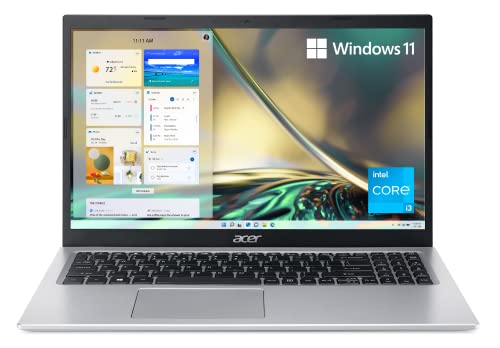
Yes. The laptop has 4GB of DDR4 memory soldered onto the motherboard, but it includes one available slot for adding more RAM.
What does Windows 11 Home in S Mode mean?
Windows 11 S Mode is a secure, streamlined version that only runs apps from the Microsoft Store and uses Microsoft Edge for browsing. You can switch to the full Windows 11 Home for free, but the process is one-way and cannot be reversed.
How many USB ports does it have and what types?
It has four USB ports: one USB 3.2 Type-C port, two USB 3.2 Gen 1 ports (one supports charging devices when the laptop is off), and one USB 2.0 port.
Is there space to add more storage?
Yes. Alongside the installed 128GB NVMe SSD, there is one available hard drive bay for adding additional storage.
What is the actual processor speed?
The Intel Core i3-1115G4 processor has a base speed, but can use Turbo Boost to reach up to 4.1 GHz when needed for demanding tasks.

Similar Laptops You Might Like

$382.54
29 reviews
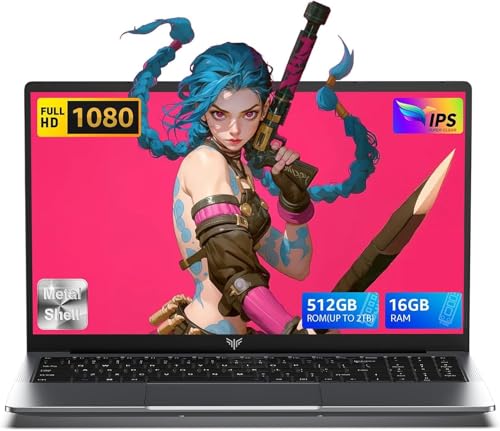
2025 Laptop,15.6-Inch FHD Display Laptop with Quad Core-12th Alder Lake N95(Up to 3.4GHz), 16GB RAM 512GB ROM Traditional Laptop Computer,Silver
  • Brand: ACEMAGIC
  • Model: AX15
  • Screen: 15.6 Inches Inches
  • Processor: 1.7 GHz
  • GPU: Intel UHD Graphics Up to 1.2GHz
  • RAM: DDR4
  • Storage: 512GB M.2 SATA SSD
Recent Reviews
Alaya (Verified Purchase)
5.0 out of 5 stars Huge screen and powerful

Wow, the screen size is huge. I have the smaller version of this laptop and this 17" version dwarfs that. The screen looks vibrant and robust and the speakers are loud and clear. The performance is also a lot faster with no lag. I really love the full sized keyboard, the layout feels comfortable to type on.

Empress Abiona (Verified Purchase)
5.0 out of 5 stars BUY IT

Amaaaaazinggly big interface, I LOVE this laptop. Works super fast, Perfect for work/ Making music/ Day to day tasks and hobbies. Amazing HD screen and audio . 10/10

$249.99
15 reviews
2025 LX15 Laptop, 15.6-inch FHD (1920 x 1080) Display, Ιntel N197(4C/4T) Processor, 8GB DDR4 RAM, 256GB SSD, WiFi5, BT5.0, 38Wh Battery, Gray
  • Brand: ACEMAGIC
  • Model: LX15
  • Screen: 15.6 Inches Inches
  • Processor: 3.6 GHz 6x86
  • GPU: Integrated
  • RAM: DDR4
  • Storage: 256 GB SSD
Recent Reviews
Nicholas (Verified Purchase)
5.0 out of 5 stars Rocky setup, but end result was worth it

The media could not be loaded. When I first booted this laptop up, it presented me with a "defaultuser0" account that I didn't know the password to. I completely wiped this laptop's SSD and reinstalled Windows to play it safe, and after that it worked like a charm with regular setup. I did have to find drivers online for the touchpad afterward though.Getting at the SSD to do all of this was thankfully pretty easy, since the bottom panel was removable with a few tiny screws. I noticed that there is only a single slot for RAM in there, but it isn't soldered on so I was able to upgrade it with a 16 gig stick at least. The N97 is no gaming powerhouse but it plays some older titles still, and the laptop works great for work like emails and browsing the internet.

Romaine (Verified Purchase)
4.0 out of 5 stars Good Stuff

Its good runs fast and has space, works for school